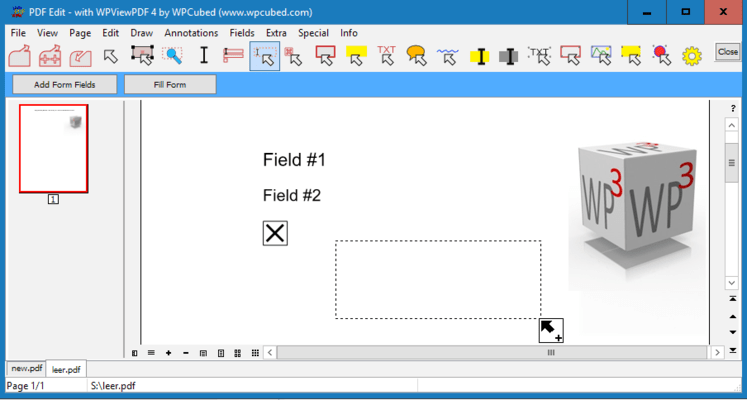
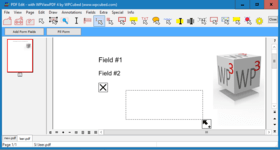
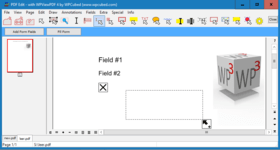
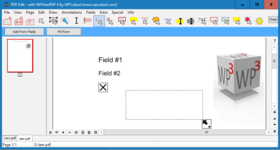
Screenshot Preview

wpViewPDF

di wpCubed - Tipo prodotto: Componente / .NET Class / ActiveX DLL / DLL / VCL

Ti preghiamo di notare che, a meno che non sia altrimenti specificato, questo è un prodotto in inglese.

*

View PDF data with ease. wpViewPDF allows you to view PDF data that can be loaded from memory, file or stream. wpViewPDF has been developed as a Windows Class which makes it compatible with most Windows based development systems. wpViewPDF can be used to quickly display and print PDF files which were created with wPDF, wPDFControl or wRTF2PDF or with another library. It is directly embedded into your application. It supports ANSI text extraction and text find and highlight functionality.

Da
$315.64
Prezzo in

I nostri prezzi standard sono indicati sotto. Accedi per vedere i tuoi prezzi scontati.

wpViewPDF V3.0 Standard   *

Aggiungi al carrello $ 315.64 1 Developer License  * Download (5.4 MB)
Aggiungi al carrello $ 1,262.55 Team License (allows 2 to 6 developers)  * Download (5.4 MB)
Aggiungi al carrello $ 3,156.36 Site License (Allows up to 20 Developers at a Single Physical Address)  * Download (5.4 MB)
Aggiungi al carrello $ 157.82 1 Developer License Upgrade from V2.0  * Verifica Download (5.4 MB)
Aggiungi al carrello $ 631.27 Team License (allows 2 to 6 developers) Upgrade from V2.0  * Verifica Download (5.4 MB)
Aggiungi al carrello $ 1,578.18 Site License (Allows up to 20 Developers at a Single Physical Address) Upgrade from V2.0  * Verifica Download (5.4 MB)

wpViewPDF V3.0 PLUS   *

Aggiungi al carrello $ 506.55 1 Developer License  * Download (5.7 MB)
Aggiungi al carrello $ 2,026.18 Team License (allows 2 to 6 developers)  * Download (5.7 MB)
Aggiungi al carrello $ 5,065.45 Site License (Allows up to 20 Developers at a Single Physical Address)  * Download (5.7 MB)
Aggiungi al carrello $ 253.27 1 Developer License Upgrade from V2.0  * Verifica Download (5.7 MB)
Aggiungi al carrello $ 1,013.09 Team License (allows 2 to 6 developers) Upgrade from V2.0  * Verifica Download (5.7 MB)
Aggiungi al carrello $ 2,532.73 Site License (Allows up to 20 Developers at a Single Physical Address) Upgrade from V2.0  * Verifica Download (5.7 MB)

wpViewPDF V3.0 PLUS Server License   *

Aggiungi al carrello $ 572.73 1 Internet/Web Server License  * Download (5.7 MB)
Aggiungi al carrello $ 286.36 1 Internet/Web Server License Upgrade from V2.0  * Verifica Download (5.7 MB)

I nostri prezzi comprendono l'assistenza tecnica ComponentSource e, per la maggior parte dei prodotti scaricabili, una copia di riserva online e un aggiornamento GRATUITO alla nuova versione, se questa viene lanciata entro 30 giorni dall'acquisto.  Tutte le vendite sono soggette ai nostri termini e condizioni standard ed alla nostra politica di rimborso.  Contattaci se necessiti di un'opzione di licenza non elencata sopra, comprese licenze multiple e versioni precedenti.

I nostri prezzi standard sono indicati sopra. Accedi per vedere i tuoi prezzi scontati.

 *

Overview
wpViewPDF allows you to view PDF data that can be loaded from memory, file or stream. wpViewPDF can also open PDF files created by scanner software since it also does CCITT decompression. wpViewPDF includes the component as a .NET and Delphi component and a small example application. The source for the components (C# and Pascal) is included as well. Also an OCX component which works as interface for the wpViewPDF DLL is included. So you can use wpViewPDF in VB or similar. You only have to specify the exact path to the DLL when using the method ViewerStart. This will initialize the component. Since the DLL can be renamed and placed in the directory of your application, "DLL Hell" can be avoided.

What's new in WPViewPDF 3

  • Multithreaded scrolling window for fast reaction on scroll and zoom commands
  • Optional thumbnail window
  • Completely new rendering based using floating point coordinates
  • much improved support for embedded fonts, such as subset fonts
  • Updated image rendering for faster display of large JPEG images and anti aliased display of monochrome images
  • support for Type3 fonts
  • Support for LAB colors and transparent colors
  • Improved Acro-field rendering, read and update (with PLUS)
  • Faster printing with several stretching options
  • Improved and enhanced PDF to image conversion (BMP, EMF, JPEG)
  • Improved conversion to Text - now also conversion to RTF and HTML
  • Exported print, merge and conversion methods now also available as "W" version for Unicode strings
  • Improved scribed stamping to add page numbers quickly
  • Add image, text and vector objects, i.e. highlights which can be sized and moved by user or program
  • Updated search and highlighting functionality
  • Automatic repair makes reading of PDF files possible which could not be opened otherwise

What's new in WPViewPDF 2

  • optionally integrates font rendering engine to display and print Type 1 fonts (simply add 2 DLLs)
  • anti aliased rendering of monochrome graphics for much enhanced display of scanned documents
  • support for TrueType subset fonts.
  • improved support for CMYK images.
  • new auto scroll mode activated with middle mouse button.
  • display bookmarks of PDF file.
  • text selection and copy
  • optimized load and render methods to open and display PDF files even faster

Since V2.26 it is possible to directly convert a PDF file to a multi page TIFF file using WPViewPDF "PLUS".

One Component for all
It is now possible to not only create PDF files from your application, but also to view them almost instantly. wpViewPDF is the ideal component for this purpose. Although wpViewPDF cannot ensure that you will be able to view all kinds of PDF files, it can display and print PDF files generated with wpCubed's own PDF tools or similar products. At presently a wrapper for both Delphi/C++Builder and .NET are included. If you use the included OCX you can still avoid version conflicts since the "intelligence" is not inside the OCX but inside the DLL. The latter can be loaded from the applications directory.

Drop it in and it is ready to use
The control already includes buttons to change zooming and view modes and even a menu to start printing. Of course, all elements can be switched off.

What's new in WPViewPDF PLUS V2.0?
With the "PLUS" version it is now possible to add text and vector graphics to certain pages of a PDF file (pdf stamping). Any text will be converted to vectors - this allows it to use special fonts. The graphics will be already visible in the viewer before the PDF data has been updated!

A new pdfMerge function exported by the PLUS version makes it possible to use just one DLL call to combine several PDF files to one. The registered PLUS version includes an additional DLL which converts TIFF files (created by scanner software) "on the fly" to PDF data so they can be merged just like PDF files.

PLUS Editon
With the PLUS license you can save the PDF finformation from wpViewPDF which makes it a versatile PDF conversion software. This means you can load in multiple PDF files and save all pages into a new PDF file (=pdf merge, edit pdf).
Certain pages can be marked to be deleted, they will not be displayed by wpViewPDF. When you save the PDF file this pages will be removed. It is also possible to set new security properties (apply, remove encryption) and set property strings int this pdf conversion tool. The wpViewPDF Demo has the PLUS features enabled, but when a new file is created a red cube will be printed on all pages.


Attenzione

Per vostra referenza, abbiamo incluso dei link a Google Translate per le informazioni sui prodotti che non sono state ancora tradotte. Ti preghiamo di tenere conto che le traduzioni automatiche non sono sempre completamente accurate.
Powered by
Flash é richiesto in Firefox e Opera

Ricerca prodotti

Inserisci le tue parole chiave:

Quick Links

Autore

Categoria primaria

Prodotti correlati

Novità inerenti

View All Related News... 

Perchè acquistare da ComponentSource?

ComponentSource offre un servizio unico globale usato da oltre 1.000.000 di sviluppatori nel mondo.

Ulteriori Notizie | Chi siamo

Award