
 (4)
(4)
Official Supplier
As official and authorized distributors, we supply you with legitimate licenses directly from 200+ software publishers.
See all our Brands.

Description: Simplify and streamline day-to-day SQL administration tasks. SQL Admin Toolset is a set ... and maintaining custom scripts. SQL Admin Toolset includes diagnostic, analytics and administration tools to make ... SQL Server database administrator's lives easier. SQL Admin Toolset simplifies daily ... Read more Show more results from this product
Release Notes: Users can now use port numbers to discover available SQL servers using the SQL Discovery tool. SQL Discovery allows users to probe for SQL servers by port number- Users can now use port numbers to discover available SQL servers using the SQL Discovery tool. Login Copy allows users to copy and paste ... Read more
Release Notes: Added support for designating SORT_IN_TEMPDB option when using the Quick Reindex tool. Space Analyzer allows users to disable WMI credential requirement- Space Analyzer users can now check or clear the Use WMI Credentials checkbox to toggle whether to require WMI credentials when running an ... Read more

Release Notes: is failing with insufficient privileges. While converting packages to Intunewin, cannot browse to a network ... Read more Show more results from this product
Release Notes: Support for PowerShell App Deployment Toolkit (PSADT) 4.1.8 AdminStudio now supports PowerShell App Deployment Toolkit (PSADT) 4.1.8, enabling you to create, edit, and deploy PowerShell‑wrapped packages using updated templates with improved logging, additional script functions, and better alignment ... Read more
Release Notes: Integrating Omnissa App Volumes in AdminStudio AdminStudio now integrates with Omnissa App Volumes, enabling users to import existing VHD/VHDX packages, convert MSI, EXE, and PS1 installers into VHD/VHDX, VMDK, and wrapped MSI formats with associated metadata, and automatically import converted VHD ... Read more
Release Notes: is failing with insufficient privileges. While converting packages to Intunewin, cannot browse to a network ... Read more Show more results from this product
Release Notes: Support for PowerShell App Deployment Toolkit (PSADT) 4.1.8 AdminStudio now supports PowerShell App Deployment Toolkit (PSADT) 4.1.8, enabling you to create, edit, and deploy PowerShell‑wrapped packages using updated templates with improved logging, additional script functions, and better alignment ... Read more
Release Notes: Integrating Omnissa App Volumes in AdminStudio AdminStudio now integrates with Omnissa App Volumes, enabling users to import existing VHD/VHDX packages, convert MSI, EXE, and PS1 installers into VHD/VHDX, VMDK, and wrapped MSI formats with associated metadata, and automatically import converted VHD ... Read more
Release Notes: is failing with insufficient privileges. While converting packages to Intunewin, cannot browse to a network ... Read more Show more results from this product
Release Notes: Support for PowerShell App Deployment Toolkit (PSADT) 4.1.8 AdminStudio now supports PowerShell App Deployment Toolkit (PSADT) 4.1.8, enabling you to create, edit, and deploy PowerShell‑wrapped packages using updated templates with improved logging, additional script functions, and better alignment ... Read more
Release Notes: Integrating Omnissa App Volumes in AdminStudio AdminStudio now integrates with Omnissa App Volumes, enabling users to import existing VHD/VHDX packages, convert MSI, EXE, and PS1 installers into VHD/VHDX, VMDK, and wrapped MSI formats with associated metadata, and automatically import converted VHD ... Read more
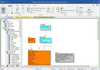
Release Notes: called Data Asset. While Data Sources are objects such as database servers, network folder locations, ... the Data Catalog tab. Added a Hide Login Credentials checkbox to My Settings > Admin to prevent ... Read more Show more results from this product
Release Notes: The WhereScape Admin Settings page now includes an option to select the Output for WhereScape Versions. Users can ... Read more
Release Notes: Now allows Admins to disable Linked Term creation and standard properties of a Business Term. Now ... Read more

Compatibility: for shadow copying) This requires a Windows user account which has: Local admin privileges in order to use ... the Virtual Disk Service Read/write and change permissions access to network locations where images ... Read more Show more results from this product
Release Notes: Admins can now rename SQL Clone Machines from Powershell. Settings sidebar menu moved to left menu ... pane in Web UI. Admins can rename SQL Clone Machines from Powershell. (Automation scripts will need ... Read more
Release Notes: an image is stored on a local path rather than a network share, the machine name is shown on the dashboard ... Read more
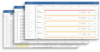
Release Notes: HOME Upgrade Extended Time Range for Alerts- You can now select any time range of up to one full month to review triggered alerts. Investigate recurring issues over longer periods, identify patterns, correlate events, and understand exactly when a problem began or changed behavior. Global Filters ... Read more Show more results from this product
Release Notes: For database queries, AI provides DBA-level recommendations. AI analyzes CPU, memory, disk, and network usage ... Read more
Release Notes: Understand Long-Term Trends Get the full story at a glance. AimBetter now lets you select any time range of up to one month and instantly view all alerts that occurred during that period. Previously, alerts focused on the most recent hour, with historical analysis available through an hour-by-hour ... Read more
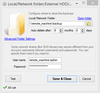
Screenshots: 0 ... Read more Show more results from this product
Description: them and store them on a network, on an FTP server or in the cloud. It removes old backups, and sends ... scheduling. Send backups to FTP, SFTP, FTPS, NAS, local, network folder, OneDrive Personal, Box, Backblaze B2, ... Read more
Release Notes: Updated: Force network folder connection after 'The specified network password ... Read more

Release Notes: installed on network PC's. Users can use the Client to execute Automations by sending messages ... dragging and dropping of emails directly from Microsoft Outlook (desktop). You can now restrict non-admin ... Read more Show more results from this product
Release Notes: updated to.NET Framework 4.8 with updated networking components for enhanced security. Note: For Windows ... Read more
Description: resource changes. Manual Processing Network Users: ThinkAutomation Desktop Connector- Install ... the ThinkAutomation Desktop Connector on network computers. Users can send messages, files and Outlook messages ... for processing. Scheduled: Static- Execute Automations automatically at preset schedules. Command Line: Network ... Read more
Release Notes: the creation of heat maps from unordered point sets by automatically generating a triangular network. Other ... Read more
Tel: (888) 850 9911
Fax: +1 770 250 6199


