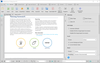
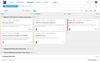
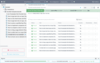
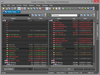
Deploy your application on any platform. InstallAnywhere Standard Edition enables developers to build highly customized deployment solutions. It's intuitive design brings intelligence to the process of deploying software onto any client or server platform. It automatically handles all of the installation details; it creates smaller installers that run faster than many other solutions, minimizes time-to-deployment and increases productivity.
Deploy your application on any platform. InstallAnywhere Enterprise Edition is designed to install any kind of software -- desktop, enterprise, or multi-tiered Web services - onto any platform, and to configure those applications for optimal performance. Whether you're creating applications written in Java, C++, PERL, or C#, or deploying EJBs or .NET Web services, all of the installation details are handled automatically. InstallAnywhere Enterprise Edition simplifies complex installations and provides maximum developer customization, along with extensive user interaction, client/server features and localization for 31 languages.
Convert any modern web browser into an HTML5 Remote Desktop Client. ThinRDP allows you to access any application or desktop from anywhere in the world, using the device of your preference. ThinRDP takes advantage of the HTML5 Web browser technology to deliver high-performance RDP access, using only web standards like Ajax, WebSockets and JSON. ThinRDP users can listen to the sound playing on the remote machine in real-time, map remote drives to easily exchange files between the remote machine and their portable device and even print from the remote host to the local device. There are two ThinRDP editions: ThinRDP Server and ThinRDP Workstation.
Publisher: PDFlib Primary Category: PDF Product Type: Component / Application / .NET Class / ActiveX DLL / DLL / JavaBean
Text extraction toolkit. PDFlib TET (Text Extraction Toolkit) reliably extracts text, images and metadata from any PDF file. It is available as a library/component and as a command-line tool. PDFlib TET makes available the text contents of a PDF as Unicode strings or structured XML, plus detailed glyph and font information. With PDFlib TET you can retrieve the corresponding Unicode values for text in a PDF document, as well as its position on the page.
Quickly create advanced Linux installers. BitRock InstallBuilder for Linux allows you to create small, easy to use, Linux installers with no external dependencies. BitRock InstallBuilder for Linux includes advanced functionality like automatic update that enables you to deliver updates directly to your users, several GUI modes with native look-and-feel for installation in a variety of desktop environments, a text-based installation mode for console-based and remote installations, and a silent/unattended install mode which can be used for integration in shell scripts for automated deployment. BitRock InstallBuilder for Linux can also create Multiplatform CDs and DVDs. BitRock InstallBuilder for Linux License includes 1 year of support and major and minor upgrades.
Quickly create cross-platform installers. BitRock InstallBuilder Professional turns application packaging and deployment into a fast, easy and cost-effective process for developers. BitRock InstallBuilder Professional allows you to quickly create easy to use, multiplatform installers that have a native look and feel across Windows, Mac OS X and Linux (x86/PPC/x64 ) from a single build environment. Multiple installation modes allow installers to be run in servers, workstations, and desktops. Windows, Mac OS X and Linux (x86/PPC/x64 ) also offers RPM integration and DEB generation along with other advanced functionality.
Quickly create cross-platform installers. BitRock InstallBuilder turns application packaging and deployment into a fast, easy and cost-effective process for developers. The development tool allows you to quickly create easy to use, multiplatform installers that have a native look and feel across Windows, Linux, Mac OS X, HP-UX, AIX, FreeBSD, IRIX and Solaris from a single build environment. Multiple installation modes allow installers to be run in servers, workstations, and desktops. InstallBuilder also offers RPM integration along with other advanced functionality.
Web index and retrieval system. Webinator is a highly customizable package that allows a Website administrator to easily create and deploy a high quality search interface to collections of web documents. With support for multiple collections, a single installation can serve searches for many websites, or different areas within a website, and a customizable thesaurus or synonym file allows users to find documents even if the terminology they use is different from that on the site. Webinator creates a full-text search interface to collections of HTML, PDF, word processing, and other types of documents, which may be on a web site, intranet, or anywhere on the Internet. Features include: relevance ranking, customizable user interface, web-based administration, Index Flash and JavaScript links and content. Index multiple sites, update while in use, similarity searches ('more like this'), indexes secure (ssl/https) sites, ignores navigation bars and duplicate pages, detailed verification and logging.
Publisher: PDFlib Primary Category: PDF Product Type: Component / Application / .NET Class / ActiveX EXE / ActiveX DLL / DLL / Java Servlet / Java Class
PDF Linearization, Optimization and Protection. PDFlib PLOP is a versatile tool which can repair, linearize, optimize, encrypt, and decrypt PDF documents. PLOP linearization and optimization features create efficient and small PDF documents for fast Web delivery. PLOP protection features encrypt or decrypt PDF documents and apply or remove permission settings, such as »printing not allowed« or »content extraction not allowed«. The PLOP repair mode automatically detects damaged PDF documents and fixes the problems if possible. PLOP analysis features can be used to query arbitrary properties of a PDF document. In addition, document metadata can be retrieved and set.