Verbessern Sie die Code-Klarheit mit farbiger Syntax
Heben Sie zentrale Sprachelemente hervor, damit Code in Projekten jeder Größe leichter zu lesen, schneller zu prüfen und einfacher zu debuggen ist.
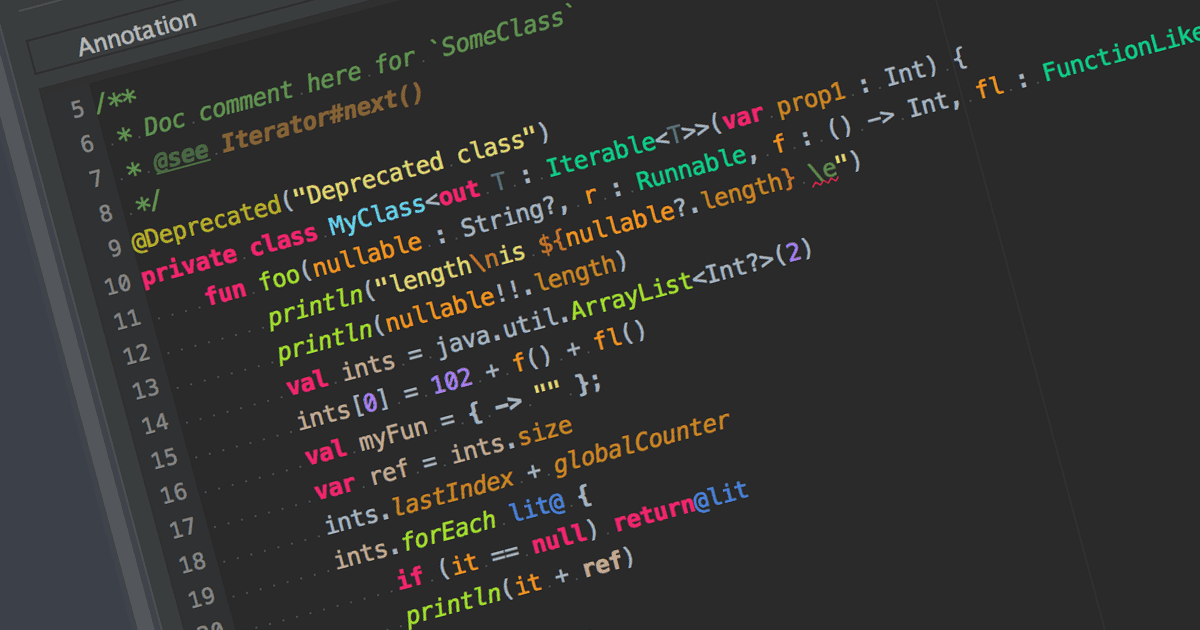
Syntax-Hervorhebung ist eine Funktion in Texteditoren und IDEs, die Code anhand der Syntax der jeweiligen Programmiersprache farblich hervorhebt. Sie verbessert die Lesbarkeit des Codes, indem Schlüsselwörter, Variablen und andere Elemente visuell voneinander unterschieden werden. Dadurch werden fehleranfällige Aspekte in Zusammenhang mit der Syntax reduziert – Entwickler können Syntaxfehler schneller erkennen und die Struktur sowie Logik ihres Codes besser verstehen.
Viele IDEs bieten Syntax-Hervorhebung, darunter:
- IntelliJ IDEA von JetBrains bietet eine intelligente Syntax-Hervorhebung, die sich an den Kontext des Codes anpasst. Dabei werden farbliche Unterscheidungen mit einer Analyse in Echtzeit kombiniert.
- UltraEdit Enterprise ist eine leistungsstarke IDE, die Syntax-Hervorhebung für verschiedene Programmiersprachen wie C++, Java und mehr unterstützt.
- B4i (iOS) von Anywhere Software ist eine IDE mit Unterstützung für Syntax-Hervorhebung, die speziell für die Entwicklung von iOS-Apps konzipiert ist.
- PrimalScript von SAPIEN Technologies ist eine umfassende IDE mit Unterstützung für mehrere Programmiersprachen, darunter PowerShell, VBScript und JavaScript.
Für eine ausführliche Analyse von Funktionen und Preisen besuchen Sie unseren Vergleich von IDEs.