Helfen Sie Nutzern bei der Navigation in PDFs mit Seitenminiaturen
PDF-Komponenten mit Unterstützung für eine Miniaturansicht-Navigation bieten Nutzern eine vertraute Oberfläche für eine nahtlose Erkundung von Dokumenten in Ihrer WPF-App.
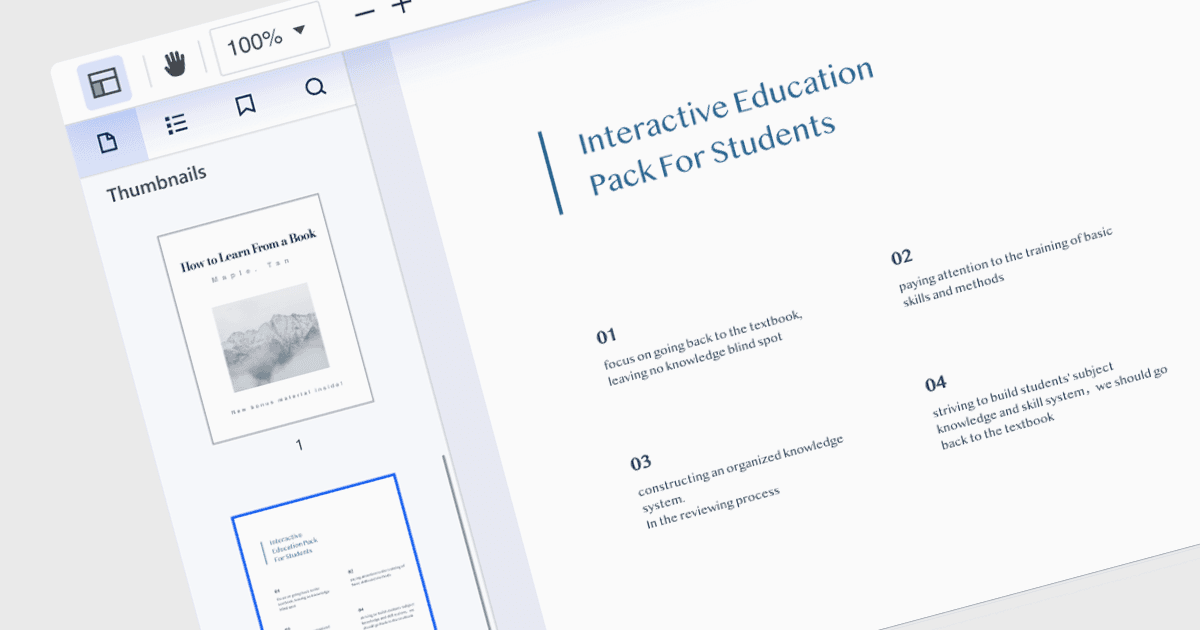
Miniaturansicht-Navigation, eine Funktion in vielen PDF-Readern, bietet eine visuelle und effiziente Möglichkeit, in einem Dokument zu navigieren und zwischen Seiten zu wechseln. Sie stellt verkleinerte Darstellungen jeder Seite dar, typischerweise in einer Seitenleiste oder einem Bedienfeld, und bietet so einen visuellen Überblick über den Inhalt des Dokuments. Sie ermöglicht es Nutzern, Inhalte schnell zu überfliegen, Abschnitte zu identifizieren und direkt mit einem einzigen Klick zur gewünschten Seite zu springen. Diese Methode ist schneller und intuitiver als das Scrollen oder das manuelle Eingeben von Seitennummern, wodurch die Informationen in der PDF leichter zugänglich werden.
Mehrere PDF-Komponenten für WPF bieten eine Miniaturansicht-Navigation, darunter:
- Telerik UI PDF for WPF (Teil von Telerik UI for WPF) ermöglicht es Ihnen, Miniaturansichten für eine intuitive Seitenavigation in Ihren WPF-Apps anzuzeigen.
- ComponentOne Studio WPF PDF (Teil von ComponentOne Studio WPF by MESCIUS) verbessert das Nutzererlebnis mit einer leicht umsetzbaren Miniaturansicht-Navigation für ein schnelles Durchsuchen von Dokumenten in WPF-Projekten.
- ComPDFKit PDF SDK for Windows bietet erweiterte PDF-Tools und Unterstützung für die Miniaturansicht-Navigation und optimiert so Dokumentabläufe sowie das Nutzererlebnis in jeder Windows-Anwendung.
- Syncfusion WPF PDF (Teil von Syncfusion Essential Studio Enterprise) bietet umfassende Funktionen zum Anzeigen, Bearbeiten und für die Miniaturansicht-Navigation von PDFs und stellt so eine effiziente Dokumentenhandhabung in WPF-Umgebungen sicher.
Für eine eingehende Analyse der Funktionen und des Preises besuchen Sie unsere WPF PDF Components für den Vergleich.