Erstellen Sie Diagramme in Ihren WinForms-Apps
Diagrammsteuerungen ermöglichen es Nutzern, komplexe Systeme klar und effizient mithilfe von Mind Maps, Flussdiagrammen und mehr visuell darzustellen.
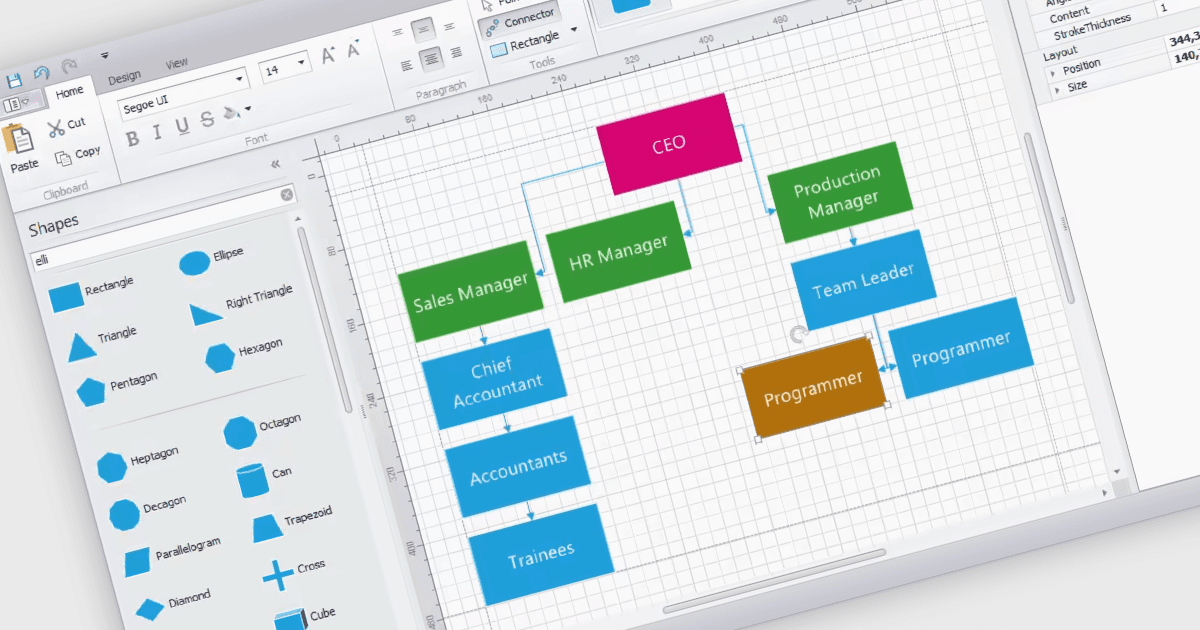
WinForms-Diagrammsteuerungen bieten eine eigene Zeichenfläche, auf der Nutzer visuelle Darstellungen erstellen und damit arbeiten können. Diese Steuerelemente bieten Funktionen wie das Anzeigen und Bearbeiten verschiedener Formen, Verbindungen (Connectoren) und Textelemente. Oft sind sie mit Funktionen für die automatische Anordnung ausgestattet, sodass komplexe Diagramme effizient organisiert werden können. Diagramme werden häufig verwendet, um komplexe Ideen, Prozesse oder Daten zu vereinfachen und zu kommunizieren. Sie können Beziehungen zwischen Elementen darstellen, Schritte in einer Reihenfolge veranschaulichen oder Strukturen und Hierarchien abbilden.
Mehrere WinForms-UI-Suiten bieten Diagramm- Komponenten, darunter:
- DevExpress WinForms enthält eine flexible Diagrammsteuerung, mit der Sie Flussdiagramme, UML-Diagramme und mehr erstellen können.
- Telerik UI for WinForms stellt Diagrammtools mit verschiedenen Formen, Verbindungen und Layout-Tools bereit, um aussagekräftige Diagramme zu erstellen.
- Syncfusion Essential Studio Enterprise enthält eine Diagrammkomponente, die das Erstellen und Bearbeiten hierarchischer Diagramme, Netzwerk-Layouts und Flussdiagramme unterstützt.
- MindFusion.WinForms Pack ermöglicht es Nutzern, Diagramme zu entwerfen und zu bearbeiten, darunter Mind Maps, Organigramme und Flussdiagramme.
Für eine eingehende Analyse der Funktionen und Preise besuchen Sie unseren Vergleich der WinForms-UI-Suiten.