Lassen Sie Grid-Benutzer nicht-lateinische Zeichen eingeben
Grid-Steuerelemente mit Unterstützung für Input Method Editor (IME) ermöglichen es Benutzern, Zeichen zu erzeugen, die auf ihren Eingabegeräten nicht nativ verfügbar sind.
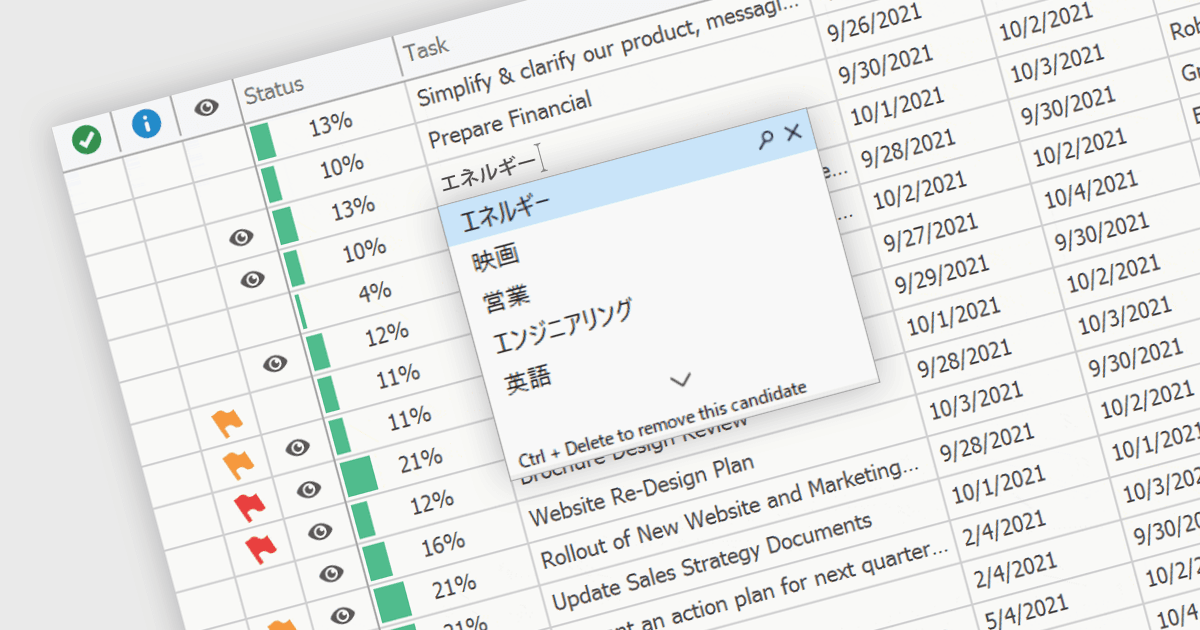
Ein Input Method Editor (IME) erleichtert die Eingabe komplexer Zeichen und Schriften, die von Standardtastaturen nicht direkt unterstützt werden. Dies ist besonders wichtig für Sprachen mit umfangreichen Zeichensätzen wie Chinesisch, Japanisch und Koreanisch. Wenn ein IME in eine Grid-Komponente integriert wird, können Benutzer Text direkt in Datenspalten eingeben – mithilfe phonetischer oder syllabischer Methoden, die in die gewünschten Zeichen umgewandelt werden. Diese Integration vereinfacht den Dateneingabeprozess in Anwendungen, die mehrsprachige Unterstützung erfordern, und steigert die Benutzerfreundlichkeit sowie die Effizienz erheblich. Sie vereinfacht die Entwicklung von Anwendungen für globale Märkte, indem sie native Unterstützung für die Eingabe in der jeweiligen Sprache bereitstellt, wodurch die Nutzererfahrung verbessert und der Bedarf an externen Tools zur Spracherfassung reduziert wird.
Mehrere WinForms-Grid-Komponenten bieten Unterstützung für Input Method Editor (IME), darunter:
- DevExpress WinForms Data Grid (Teil von DevExpress WinForms) enthält ein IME, das aktiviert wird, wenn ein Endbenutzer die Desktop-Tastatureingabe auf eine unterstützte Sprache umstellt.
- FlexGrid für WinForms (Teil von ComponentOne Studio WinForms von MESCIUS) bietet integrierte IME-Unterstützung und ermöglicht eine effiziente Eingabe komplexer Zeichen in verschiedenen Sprachen.
- Telerik UI für WinForms GridView (Teil von Telerik UI für WinForms) integriert IME-Funktionen und ermöglicht eine unkomplizierte Eingabe umfangreicher mehrsprachiger Zeichensätze.
- Infragistics WinDataGrid (Teil von Infragistics Ultimate UI für Windows Forms) bietet ebenfalls Unterstützung für Eingabemethoden, sodass die Texteingabe in globalisierten WinForms-Anwendungen mühelos gelingt.
Für eine ausführliche Analyse der Funktionen und Preise besuchen Sie den Vergleich unserer WinForms-Grid-Komponenten.