Passen Sie UI-Elemente für präzise Designsteuerung an
Gewinnen Sie die volle Kontrolle über Ihre Benutzeroberfläche, indem Sie Größe, Farbe, Schriften und Verhalten anpassen – für eine stimmige, benutzerfreundliche Oberfläche in allen Anwendungen.
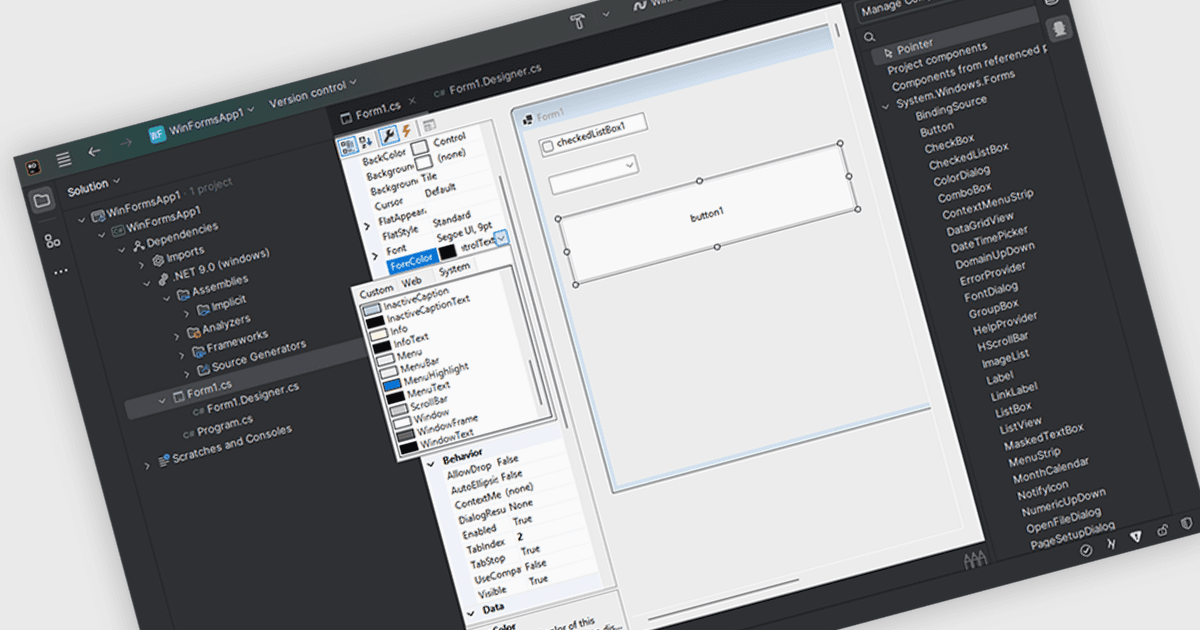
Das Anpassen von Benutzeroberflächen-Komponenten in einer Integrierten Entwicklungsumgebung (IDE) ermöglicht es Ihnen, das visuelle Erscheinungsbild und die interaktive Funktionalität von Benutzeroberflächenelementen einfach zu ändern. Entwickler können Eigenschaften wie Abmessungen, Hintergrund- und Textfarben, Schriftstile und Ereignisbehandlung anpassen, um Komponenten auf die spezifischen Anforderungen der jeweiligen Anwendung abzustimmen. Diese Anpassung ermöglicht die Erstellung optisch ansprechender und benutzerfreundlicher Oberflächen, sorgt für Konsistenz in der gesamten Anwendung und verbessert die gesamte Benutzererfahrung, indem das Komponentenverhalten für die beabsichtigten Interaktionen optimiert wird.
Mehrere IDEs unterstützen anpassbare UI-Komponenten, darunter:
- Rider von JetBrains ermöglicht Ihnen eine präzise Steuerung von UI-Element-Eigenschaften wie Größe, Farbe, Schriftart und Verhalten direkt in der IDE – für eine reibungslose plattformübergreifende Entwicklung.
- Delphi Professional von Embarcadero befähigt Entwickler, UI-Komponenten visuell zu entwerfen und anzupassen, indem sie ihr Aussehen und ihre Funktionalität verändern.
- Microsoft Visual Studio Professional erleichtert die feingranulare Anpassung der Benutzeroberfläche über Eigenschaften-Editoren und ermöglicht so die genaue Abstimmung von Größe, Farbe, Schriftart und Verhalten für anspruchsvolle Anwendungen.
Für eine eingehende Analyse der Funktionen und des Preises besuchen Sie unseren Vergleich der IDEs.