Berichte schneller anpassen mit Bearbeitung in der Vorschau
Directly modify report elements within the preview, enabling real-time visualization of formatting and layout adjustments and faster iteration.
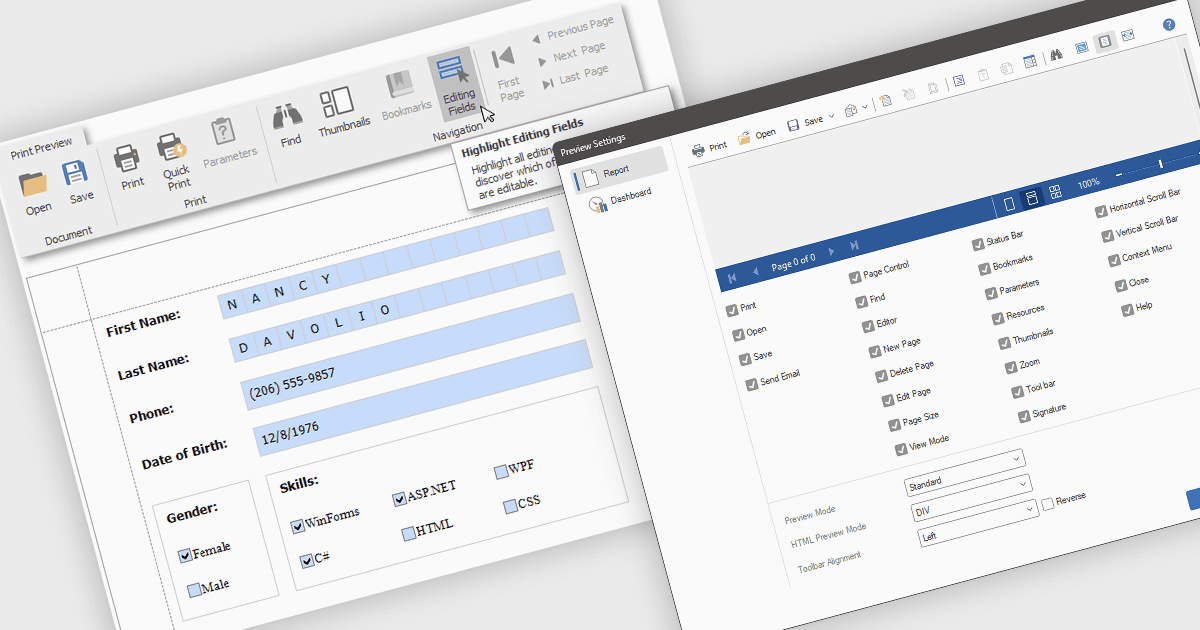
Das Bearbeiten von Berichten im Vorschaumodus ermöglicht eine direkte Änderung von Berichtselementen wie Text, Diagrammen und Layout innerhalb des Anzeigefensters der Überprüfung. Dieser Ansatz bietet Vorteile wie schnellere Iterationen, verbesserte Genauigkeit und mehr Effizienz, da der Wechsel zwischen Bearbeitungs- und Vorschaumodus entfällt. Teams können beispielsweise Diagrammbeschriftungen für bessere Verständlichkeit anpassen oder das Layout eines Berichts für eine ansprechendere Präsentation optimieren, wobei sie die Auswirkungen ihrer Änderungen sofort sehen und den Prozess zur finalen Erstellung des Berichts verbessern.
Mehrere .NET WPF Reporting Controls unterstützen das Bearbeiten in der Vorschau, darunter:
- DevExpress Reports ermöglicht die direkte Manipulation von Berichtselementen in der Vorschau und liefert eine sofortige visuelle Rückmeldung für schnellere, genauere Anpassungen.
- FastReport .NET von Fast Reports ermöglicht die In-Vorschau-Änderung von Berichtobjekten und vereinfacht den Designprozess durch eine Echtzeitvisualisierung von Layoutänderungen.
- Stimulsoft Reports.Wpf unterstützt die interaktive Bearbeitung von Berichtsinhalten direkt im Vorschaufenster und bietet ein intuitives WYSIWYG-Erlebnis zur Verfeinerung von Berichten.
Für eine ausführliche Analyse der Funktionen und Preise besuchen Sie unseren Vergleich von .NET WPF Reporting Controls.