Heben Sie Rasterdatenmuster sofort hervor
Nutzen Sie die bedingte Formatierung, um automatisch wichtige Kennzahlen hervorzuheben und so Trends sowie Anomalien in Ihren Daten sichtbar zu machen.
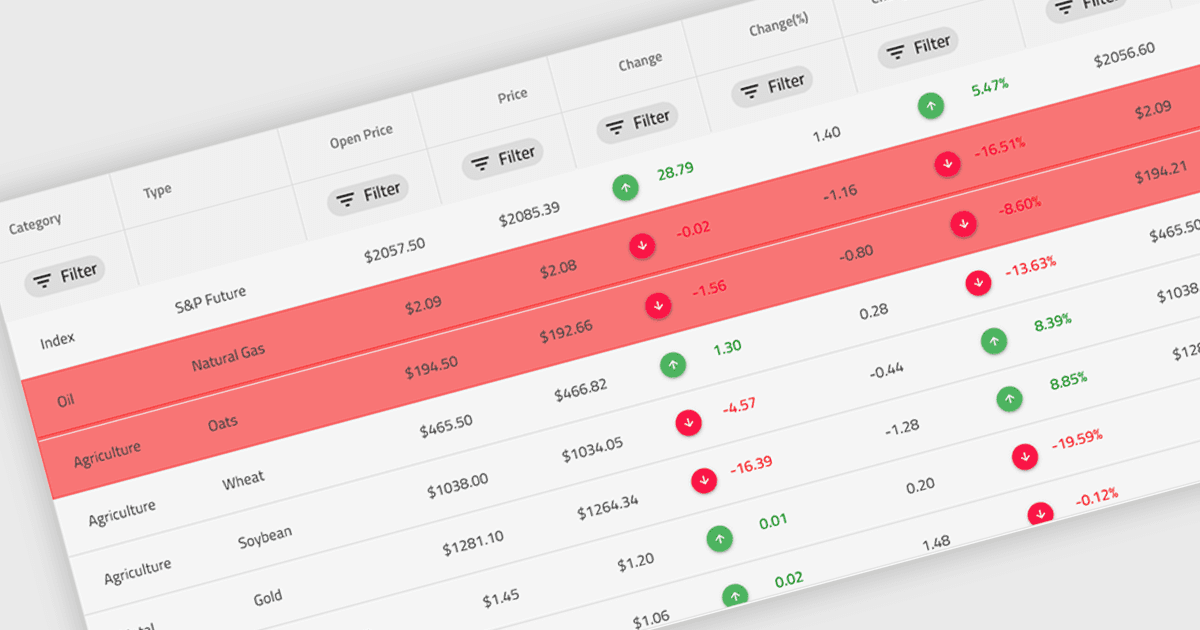
Eine bedingte Formatierung in einem Raster bezieht sich auf die dynamische Anwendung von visuellen Stilen – etwa Farben, Symbolen oder Schriftänderungen – auf Zellen basierend auf den Werten, die sie enthalten, oder auf Regeln, die vom Entwickler festgelegt wurden. Diese Funktion ermöglicht es Entwicklern, Datenmuster visuell zu unterscheiden, Anomalien zu erkennen oder kritische Werte direkt innerhalb eines Datenrasters hervorzuheben – ohne zusätzliche Verarbeitung oder Benutzerinteraktion. Durch die Bereitstellung von Echtzeit-Bildhinweisen, die mit dem Dateninhalt verknüpft sind, verbessert die bedingte Formatierung die Lesbarkeit, unterstützt eine schnelle Analyse und steigert die Entscheidungsfindung der Benutzer, insbesondere in datenintensiven Anwendungen, in denen Klarheit und Unmittelbarkeit entscheidend sind.
Mehrere Angular-Grid-Controls bieten bedingte Formatierung, darunter:
- Wijmo FlexGrid (Teil von Wijmo von MESCIUS) ermöglicht regelbasiertes Styling für Rasterzellen und liefert Echtzeit-Visual-Feedback, das die Interpretation von Daten verbessert.
- Handsontable von Handsoncode ermöglicht es Ihnen, benutzerdefinierte Bedingungen für das Zellenstyling festzulegen und unmittelbare visuelle Hinweise basierend auf dem Zelleninhalt oder Validierungsregeln bereitzustellen.
- Ignite UI Angular Grid (Teil von Infragistics Ignite UI) erleichtert die automatische Formatierung von Zellen und erhöht so die Sichtbarkeit wichtiger Daten.
- Syncfusion Grid control for JavaScript (Teil von Syncfusion Essential Studio Enterprise) ermöglicht es, dynamische bedingte Formatierungsregeln anzuwenden, um Daten-Trends visuell hervorzuheben.
Für eine ausführliche Analyse der Funktionen und Preise besuchen Sie unseren Vergleich der Angular Grid Controls.