Dokumente exakt so erfassen, wie sie angezeigt werden
Das Drucken und Speichern als PDF stellt sicher, dass Ihre Anwendung zuverlässig hochwertige Dokumente erstellen kann – unabhängig von der jeweiligen Betriebssystemumgebung.
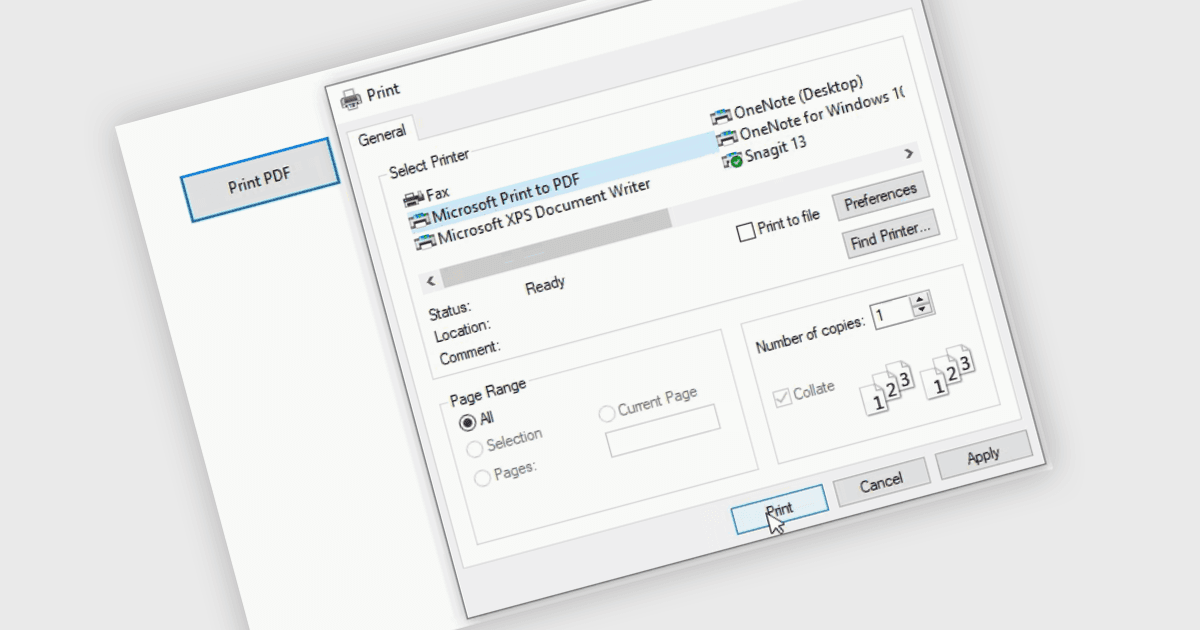
Das Drucken in PDF ermöglicht es Benutzern, ein vorhandenes Dokument, eine Webseite oder eine Datei mithilfe eines virtuellen Druckers als PDF zu speichern. Es erfasst das Dokument exakt so, wie es beim Drucken aussehen würde, wobei Formatierung, Layout und Design erhalten bleiben. Das resultierende Dokument ist in der Regel statisch und kann nicht bearbeitet werden, sodass es sich ideal für die Archivierung oder das Teilen finaler Versionen eines Dokuments eignet. Diese Funktion ist besonders nützlich, um Ausgaben über verschiedene Software hinweg zu standardisieren, eine konsistente Darstellung sicherzustellen und eine einfache Möglichkeit zu bieten, PDFs aus Dateien zu erstellen, die das Format nicht nativ unterstützen.
Mehrere WinForms PDF-Controls bieten die Möglichkeit, nach PDF zu drucken/zu speichern, darunter:
- Telerik UI PDF für WinForms (Teil von Telerik UI für WinForms) ermöglicht Entwicklern, UI-Inhalte direkt in PDF-Dateien zu drucken oder zu exportieren, mit Layouttreue und Ausgabeoptionen.
- ComponentOne Studio WinForms PDF (Teil von ComponentOne Studio WinForms von MESCIUS) bietet native Unterstützung zum Speichern von Formularen, Controls und Reports als PDF.
- LEADTOOLS PDF stellt eine leistungsstarke API zum Drucken oder Exportieren von Dokumenten in PDF bereit und unterstützt sowohl Vektor- als auch Rasterinhalte. Zudem bietet es konfigurierbare Druckeinstellungen und Sicherheitsoptionen.
- ImageGear für .NET von Accusoft ermöglicht es, gerenderte Dokumente oder bildbasierten Inhalt direkt in PDF-Formate zu speichern, mit Kontrolle über Komprimierung und Ausgabeauflösung.
Für eine eingehende Analyse der Funktionen und Preise besuchen Sie unseren Vergleich der WinForms PDF-Controls.