Fortschritt klar in Grid-Oberflächen anzeigen
ProgressBar-Zellen in .NET WinForms-Grid-Steuerelementen bieten eine direkte visuelle Möglichkeit, Aufgaben- oder Datenabschluss in strukturierten tabellarischen Layouts anzuzeigen.
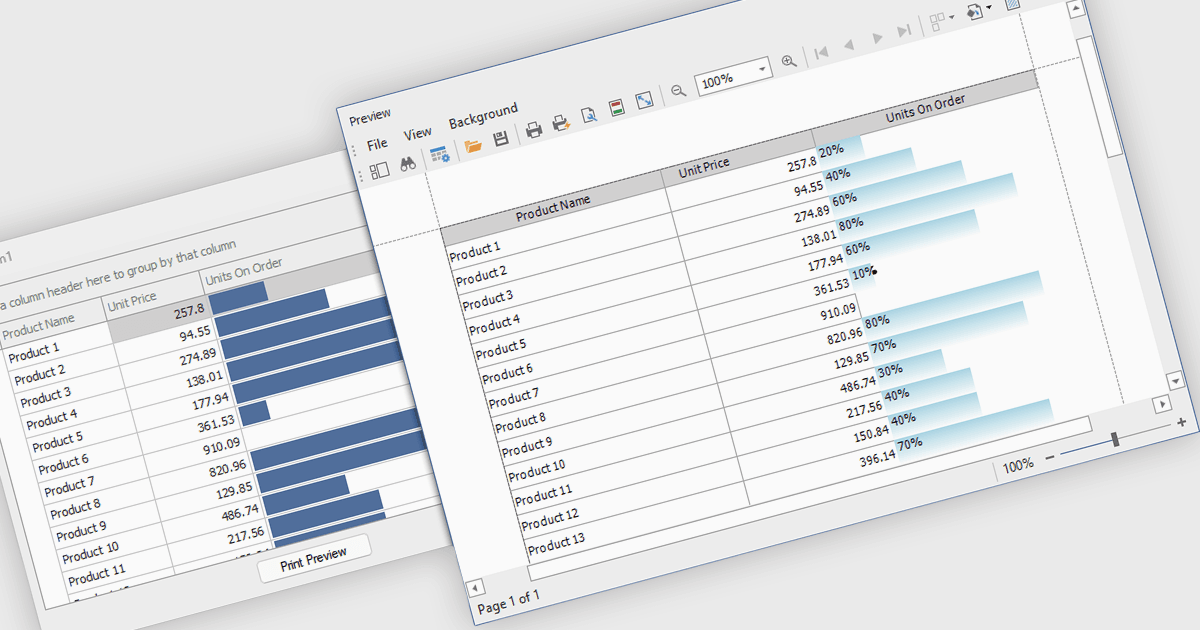
ProgressBar-Zelltypen in einer .NET WinForms Grid-Steuerung sind spezialisierte Zellen, die den Fortschritt oder die Abschlussgrade innerhalb eines Grid-Layouts visuell darstellen und horizontale Fortschrittsbalken verwenden. Diese Zellen sind besonders nützlich, um Statusindikatoren zu verfolgen, z. B. den Fortschritt bei Aufgaben oder Prozentsätze bei der Datenverarbeitung, direkt in tabellarischen Ansichten. Sie bieten eine klare, unmittelbare Darstellung numerischer Fortschrittswerte und verbessern die Lesbarkeit, ohne dass Nutzer Rohzahlen interpretieren müssen. Für Entwickler vereinfacht die Integration von ProgressBar-Zellen die Aufgabe, fortschrittsbezogene Informationen in datengetriebenen Oberflächen zu vermitteln, und bietet ein vertrautes und konsistentes Benutzererlebnis in Ausrichtung auf standardmäßige Windows Forms-Steuerelemente.
Mehrere .NET WinForms-Grid-Steuerelemente bieten ProgressBar-Zelltyp-Steuerungen, darunter:
- DevExpress WinForms Data Grid (Teil von DevExpress WinForms) ermöglicht es Ihnen, optisch ansprechende ProgressBar-Zellen einzubinden, die den Abschluss von Aufgaben in komplexen, datengetriebenen Oberflächen klar kommunizieren.
- True DBGrid für WinForms (Teil von ComponentOne Studio WinForms von MESCIUS) ermöglicht ein dynamisches ProgressBar-Rendering in Grid-Zellen und eignet sich ideal zur Verfolgung von Echtzeitmetriken wie Verarbeitungs- oder Ladezuständen.
- Infragistics WinDataGrid (Teil von Infragistics Ultimate UI für Windows Forms) unterstützt ProgressBar-Zellen, die Fortschrittswerte visuell vermitteln und Entwicklern helfen, Echtzeitstatus in strukturierten Datenansichten darzustellen.
- Bunifu UI WinForms DataGrid View (Teil von Bunifu UI WinForms) ermöglicht es Ihnen, Abschlusszustände direkt in Grid-Zeilen mit eleganten ProgressBar-Zellen für moderne, reaktionsschnelle Oberflächen anzuzeigen.
Für eine ausführliche Analyse von Funktionen und Preis besuchen Sie unseren Vergleich der .NET WinForms-Grid-Steuerelemente.