Diagrammdaten direkt in Excel extrahieren
Das Exportieren nach XLS/XLSX ermöglicht es Nutzern, die Rohdaten hinter den Diagrammen abzurufen – so lässt sich leichter analysieren, prüfen oder Erkenntnisse in spreadsheet-freundlichen Formaten teilen.
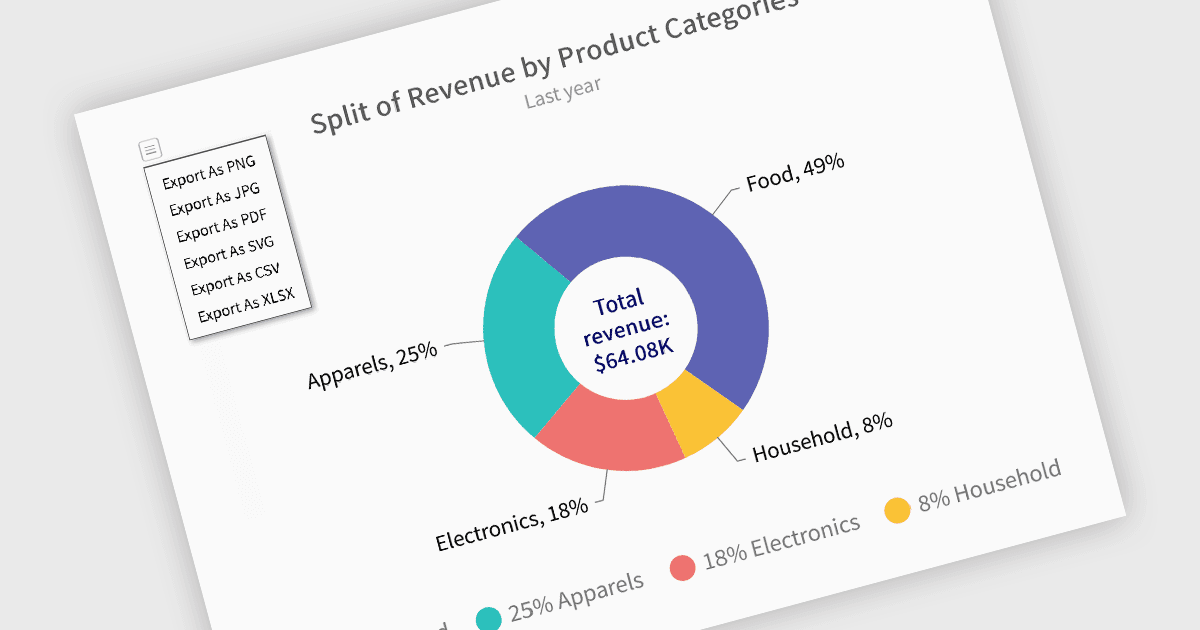
Das Exportieren von Diagrammen in die Formate XLS oder XLSX ermöglicht es Entwicklern, die zugrunde liegenden strukturierten Daten aus Visualisierungen zu extrahieren und für eine tiefere Analyse oder nachgelagerte Verarbeitung bereitzustellen. Anstatt auf Exporte als Bild oder PDF beschränkt zu sein, erlaubt dieser Ansatz eine einfache Integration der Diagrammdaten in Tabellenkalkulations-Tools und Datenworkflows. Durch die Umwandlung von Diagrammen in Excel-Dateien erhalten Nutzer die Möglichkeit, Daten zu manipulieren, zu filtern oder zu ergänzen – ideal für Reporting-, Audit- oder Business-Intelligence-Szenarien, in denen numerische Erkenntnisse sowohl visuell als auch umsetzbar sein müssen.
Mehrere Blazor-Charting-Controls bieten die Möglichkeit, Diagramme nach XLS/XLSX zu exportieren, darunter:
- FusionCharts Blazor Suite XT (Teil von FusionCharts Suite XT) bietet den Export von Diagrammdaten ins XLSX-(Excel-)Format über sein Export-Menü oder eine API. Unterstützt werden sowohl Client-seitige als auch Server-seitige Exportmodi, wenn exportEnabled gesetzt ist. So erhalten Nutzer einen flexiblen, One-Click-Zugriff auf die zugrunde liegenden Diagrammdaten.
- TeeChart .NET for Blazor von Steema Software ermöglicht Diagramm-Exporte nicht nur als Bilder und PDFs, sondern auch als strukturierte Daten in Microsoft-Excel-Formate (XLS/XLSX) – zusätzlich zu Exporten nach XML, HTML, CSV sowie in native Diagrammformate. Dies unterstützt eine breite Palette von Freigabe- und Wiederverwendungsszenarien.
- Syncfusion Blazor Chart (Teil von Syncfusion Essential Studio Enterprise) stellt eine einheitliche ExportAsync-Methode bereit, die das direkte Exportieren von Diagramminhalten – einschließlich zugrunde liegender Daten – in XLSX- oder CSV-Dateien ermöglicht. Dies verbessert die Verteilung der Diagrammdaten neben visuellen Exporten, insbesondere in Analyse- und Reporting-Kontexten.
Für eine vertiefte Analyse der Funktionen und Preise besuchen Sie unseren Vergleich der Blazor-Charting-Controls.