Diagramme mit konsistenten Themen vereinheitlichen
Stellen Sie sicher, dass jedes Diagramm die gleichen Farben und Schriftarten verwendet und so einen einheitlichen, markenkonformen Look über Berichte, Dashboards und Präsentationen hinweg liefert.
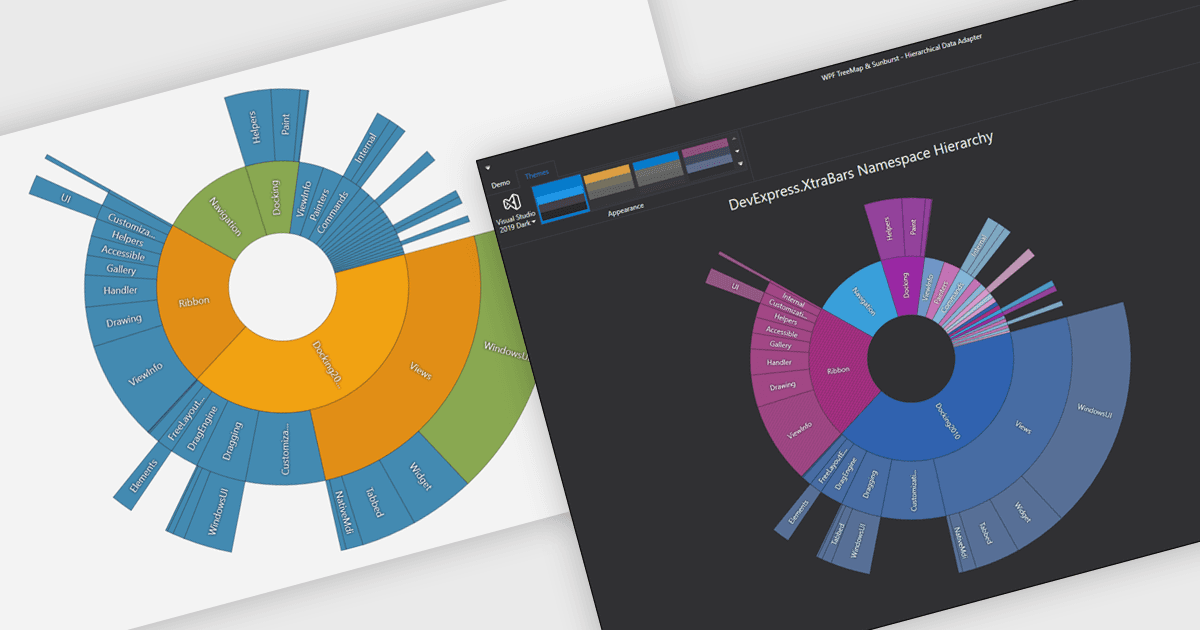
Diagrammthemen bieten eine einfache, dennoch leistungsstarke Möglichkeit, das Erscheinungsbild von Diagrammen zu standardisieren, indem vordefinierte Farbschemata, Schriftarten und Styling-Optionen auf Visualisierungen angewendet werden. Anstatt jedes Element manuell anzupassen, können Nutzer schnell zwischen Themen wechseln, um einen konsistenten, professionellen Look zu erzielen, der mit den Markenrichtlinien oder den Anforderungen an Präsentationen übereinstimmt. Zu den Vorteilen gehören die Verbesserung der Lesbarkeit, die Steigerung der Barrierefreiheit – mit inklusiven Farbpaletten – sowie die Sicherstellung der visuellen Konsistenz über mehrere Diagramme oder vollständige Dashboards hinweg. Diagrammthemen verbessern den Prozess der Erstellung wirkungsvoller, publikumsreifer Datenvisualisierungen.
Mehrere .NET WPF-Diagrammkomponenten bieten die Möglichkeit, Themen hinzuzufügen, darunter:
- Telerik WPF Chart (Teil von Telerik UI for WPF) ermöglicht es Ihnen, nahtlos zwischen Diagrammthemen zu wechseln und so Lesbarkeit, Barrierefreiheit und die visuelle Attraktivität zu verbessern.
- DevExpress WPF Chart (Teil von DevExpress WPF) ermöglicht das Anwenden anpassbarer Diagrammthemen und stellt so konsistente Schriftarten und Farben sicher, die mit den Markenstandards übereinstimmen.
- TeeChart WPF (pat TeeChart for .NET Standard Business Edition von Steema) erleichtert professionelles Storytelling mit Daten, indem es Diagrammthemen nutzt, um das Stilmanagement zu verbessern.
- Syncfusion WPF Chart (Teil von Syncfusion Essential Studio Enterprise) ermöglicht es Ihnen, das Erscheinungsbild von Diagrammen mithilfe flexibler Themen zu vereinheitlichen, Zeit zu sparen und Designkonsistenz sicherzustellen.
Für eine ausführliche Analyse der Funktionen und Preise besuchen Sie unseren Vergleich der .NET WPF-Diagramme.