Komplexe Daten mit strukturierten Bearbeitungsformularen verwalten
Steigern Sie die Produktivität mit einem optimierten Pop-up-Editor im Raster, der eine präzise Bearbeitung von Daten ermöglicht, ohne Workflows zu unterbrechen.
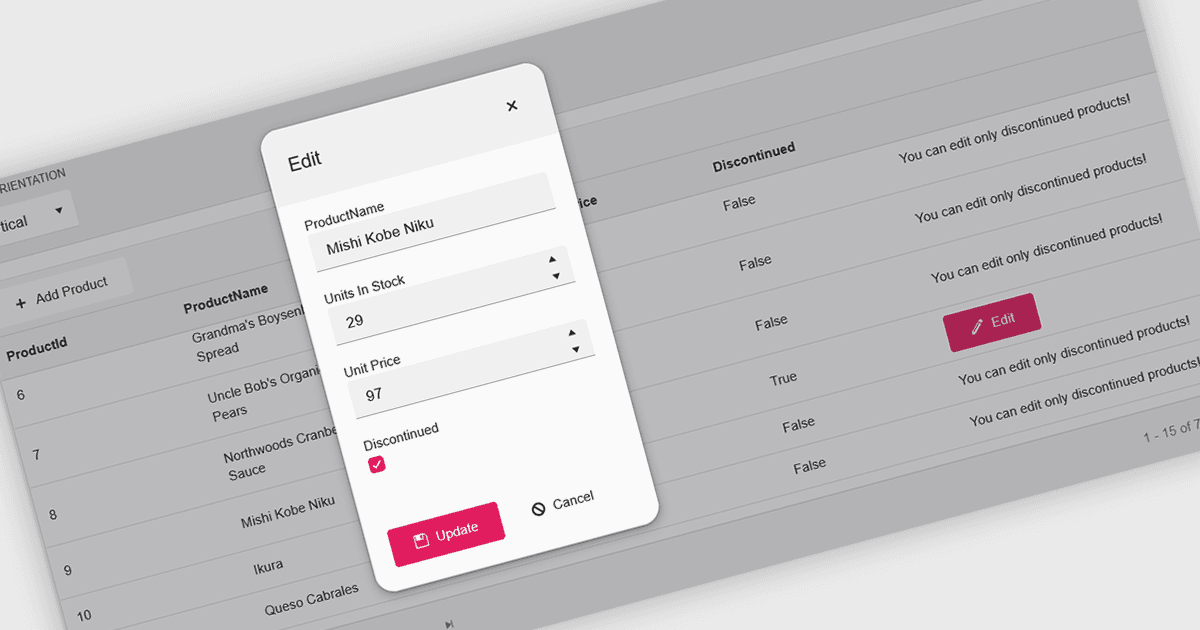
Ein Pop-up-Editor in einem Raster bietet eine effiziente und benutzerfreundliche Möglichkeit, Daten direkt innerhalb einer Rasteroberfläche zu bearbeiten, ohne zu einer separaten Seite navigieren zu müssen. Wenn ein Datensatz zur Bearbeitung ausgewählt wird, erscheint ein Pop-up-Fenster über dem Raster und zeigt alle relevanten Felder in einer sauberen, strukturierten Form an. Dieser Ansatz vereinfacht das Datenmanagement, indem er fokussierte Änderungen ermöglicht und gleichzeitig den Kontext des Hauptdatensatzes beibehält. Besonders vorteilhaft ist er für komplexe Datensätze, die mehrere Felder, verschachtelte Informationen enthalten oder eine detaillierte Validierung erfordern. Häufige Anwendungsfälle sind das Bearbeiten von Kundenaufzeichnungen in CRM-Systemen, das Aktualisieren von Bestandsdetails in Produktmanagement-Dashboards oder das Ändern von Einträgen in administrativen Datenraster. Durch die Kombination aus Komfort, Klarheit und Kontrolle verbessert ein Pop-up-Editor sowohl die Produktivität als auch die gesamte Nutzererfahrung.
Viele React-Grid-Steuerelemente bieten Pop-up-Editoren, darunter:
- DevExtreme HTML5 JavaScript Data Grid (Teil von DevExtreme Complete) ermöglicht es Nutzern, Datensätze in einem responsiven Pop-up-Formular zu bearbeiten, wodurch komplexe Datenaktualisierungen verbessert werden.
- KendoReact Data Grid (Teil von KendoReact von Telerik) erlaubt das Bearbeiten direkt über eine elegante Pop-up-Oberfläche, sodass Workflows effizient bleiben und die Dateneingabe sauber sowie übersichtlich erfolgt.
- BestReactGrid ermöglicht nahtloses Pop-up-Editing und bietet ein intuitives, formularbasiertes Erlebnis zur Verwaltung von Datensätzen mit mehreren Feldern, ohne das Haupt-Grid zu verlassen.
- MindFusion DataViews (Teil des MindFusion.JavaScript Pack) ermöglicht die Datenänderung über anpassbare Pop-up-Dialoge, wodurch Validierung und Konsistenz verbessert werden.
Für eine ausführliche Analyse von Funktionen und Preis besuchen Sie unseren Vergleich der React Grid Controls.