Genauigkeit mit integrierter Datenvalidierung sicherstellen
Sorgen Sie mit integrierten Validierungstools für eine zuverlässige Dateneingabe in Tabellenkalkulationen, die Fehler verhindert und die Datenintegrität in gemeinsam genutzten Arbeitsmappen erhält.
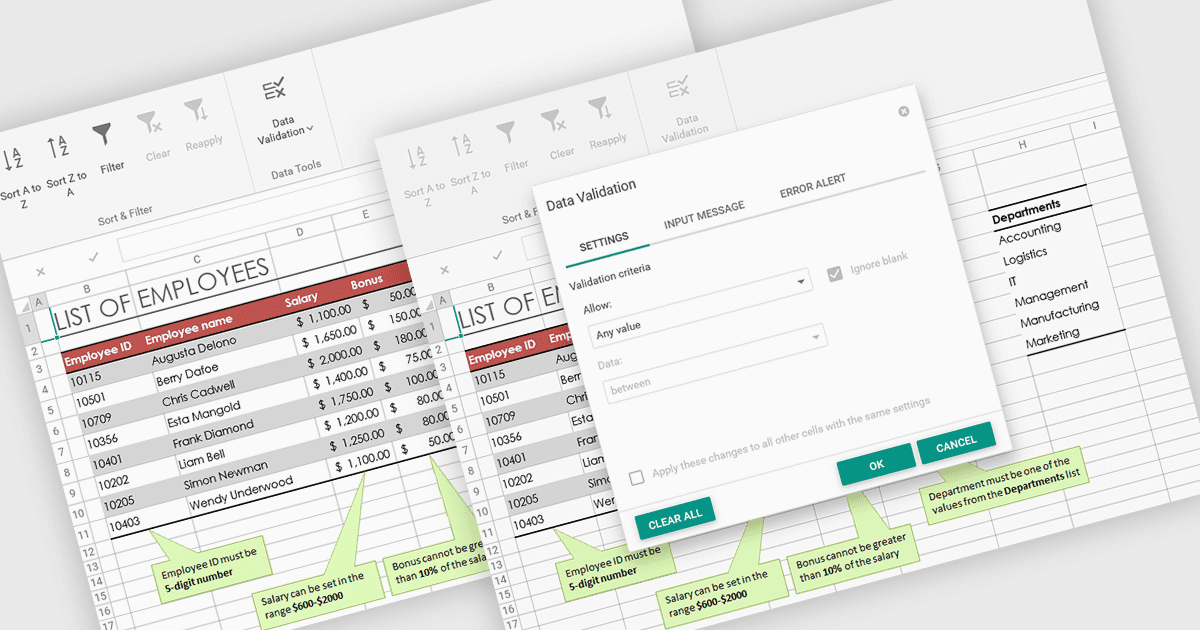
Datenvalidierung in Tabellenkalkulationen ermöglicht es Benutzern, zu steuern, welche Informationen in jede Zelle eingegeben werden können. Dadurch bleibt die Datenqualität innerhalb eines Arbeitsmappenverbunds genau und konsistent. Durch das Festlegen spezifischer Regeln und Einschränkungen hilft die Funktion, fehlerhafte Eingaben zu verhindern und die Integrität gemeinsam genutzter Daten zu wahren. Benutzer können Unterstützung über Eingabeaufforderungen oder Dropdown-Listen erhalten, wodurch die Wahrscheinlichkeit von Fehlern sinkt und Zeit für die Korrektur von Daten gespart wird. Dieses Feature ist besonders in kollaborativen Umgebungen wertvoll, z. B. bei der Verwaltung von Budgets, dem Tracking von Beständen oder dem Sammeln von Umfrageantworten, wenn eine zuverlässige Dateneingabe für eine korrekte Analyse und Berichterstattung unerlässlich ist.
Mehrere ASP .NET Core Spreadsheet-Produkte bieten Datenvalidierung, darunter:
- DevExpress ASP.NET Core Spreadsheet (Teil von DevExpress ASP.NET und Blazor) ermöglicht es Ihnen, die Datenrichtigkeit zu kontrollieren, indem Sie Validierungsregeln definieren und Benutzer mit klaren Rückmeldungen unterstützen.
- Aspose.Cells for .NET erlaubt es, eine konsistente Dateneingabe durch die Anwendung von Validierungsregeln, Dropdown-Listen und benutzerdefinierten Fehlerwarnungen sicherzustellen.
- Telerik ASP.NET Core Spreadsheet (Teil von DevExpress ASP.NET und Blazor) validiert Eingaben, verhindert Fehler und hält konsistente Informationen in Arbeitsmappen aufrecht.
- Syncfusion ASP.NET Core Spreadsheet (Teil des Syncfusion Essential Studio Spreadsheet Editor SDK) ermöglicht eine Dateneingabe durch die automatische Verhinderung ungültiger Werte.
Für eine ausführliche Analyse der Funktionen und des Preises besuchen Sie den Vergleich unserer ASP .NET Core Spreadsheet-Steuerelemente.