Berichte mit Visual Studio-Integration entwerfen
Erstellen und pflegen Sie effizienter pixelgenaue Berichtslayouts mit Visual Studio – mit der Zusammenführung von Code-, Daten-, Styling- und Deployment-Workflows.
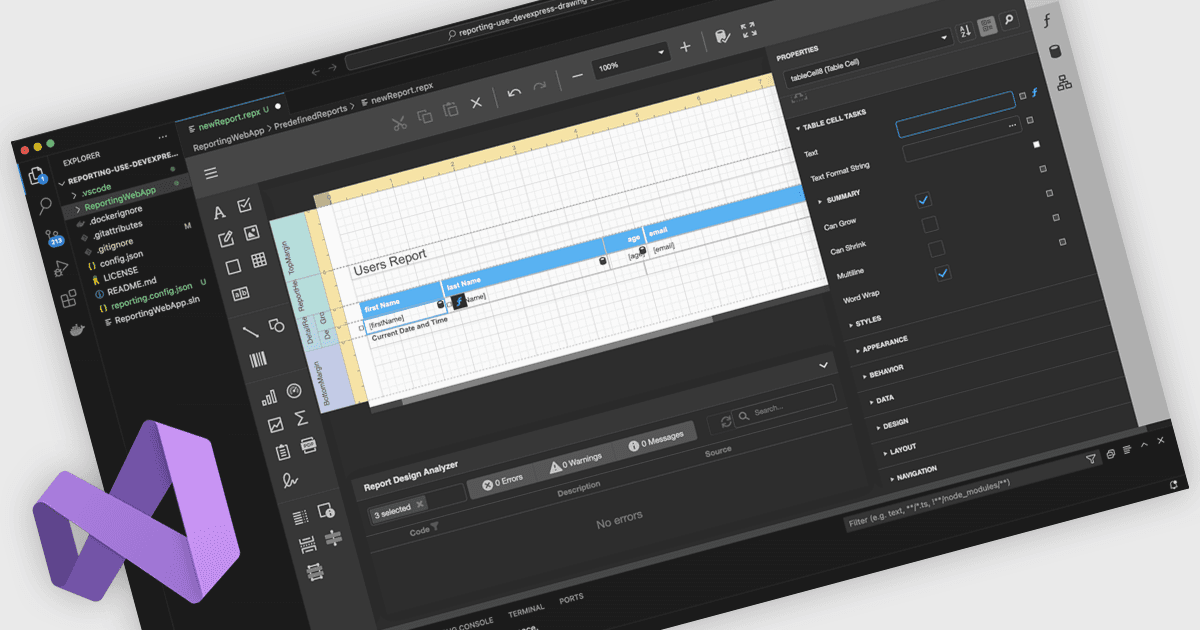
Ein integrierter Berichtsentwickler in Visual Studio ermöglicht Entwicklern, Berichtslayouts direkt innerhalb der Visual Studio-IDE zu erstellen und zu bearbeiten – statt mit einem separaten Reporting-Tool zu arbeiten. Berichtdefinitionen leben neben Anwendungs-Code, Datenmodellen und Ressourcen und verbessern dadurch die Integration, Wartbarkeit sowie die Nutzung von Quellcodeverwaltung und CI/CD. Entwickler arbeiten in einer vertrauten Umgebung mit Drag-and-drop-Layoutdesign, Eigenschaftsgittern und IntelliSense-gestützten Ausdrücken – zusätzlich besteht die Option, benutzerdefinierte Logik in C# oder VB hinzuzufügen. Typische Anwendungsfälle sind interaktive Sales-Dashboards, operative Berichte und Audits, bei denen Teams schnell iterieren, Live-Daten binden und Ergebnisse direkt vorab anzeigen müssen.
Mehrere .NET-Reporting-Controls bieten integrierte Designer für Visual Studio, darunter:
- DevExpress Reports ermöglicht es Ihnen, plattformunabhängige Berichtslayouts innerhalb von Visual Studio zu entwerfen, vorzusehen und zu verfeinern – und führt dabei Daten, Code und Deployment-Workflows zusammen.
- ActiveReports.NET erlaubt es Ihnen, .NET-Berichtslayouts direkt in Visual Studio zu erstellen, zu ändern und zu debuggen – und reduziert damit Kontextwechsel sowie den Wartungsaufwand.
- Telerik Reporting erleichtert das Erstellen interaktiver Berichtslayouts innerhalb von Visual Studio. Dabei werden WYSIWYG-Design-Tools genutzt, die eng in Ihre .NET-Projekte integriert sind.
- MindFusion.Reporting for Windows Forms ermöglicht es Ihnen, Berichte in Visual Studio anzuordnen, zu formatieren und vorzusehen – und bildet dabei die vertrauten WinForms-Designer-Workflows sehr genau ab.
Für eine ausführliche Analyse der Funktionen und des Preises besuchen Sie unseren Vergleich der .NET-Reporting-Controls.