PDF-Inhalte über den Viewer erfassen
Ermöglichen Sie Apps, vom Benutzer ausgewählten Text und Bereiche direkt aus PDF-Dokumenten zu extrahieren und die abgerufenen Daten an die sichtbaren Interaktionen auf dem Bildschirm anzupassen.
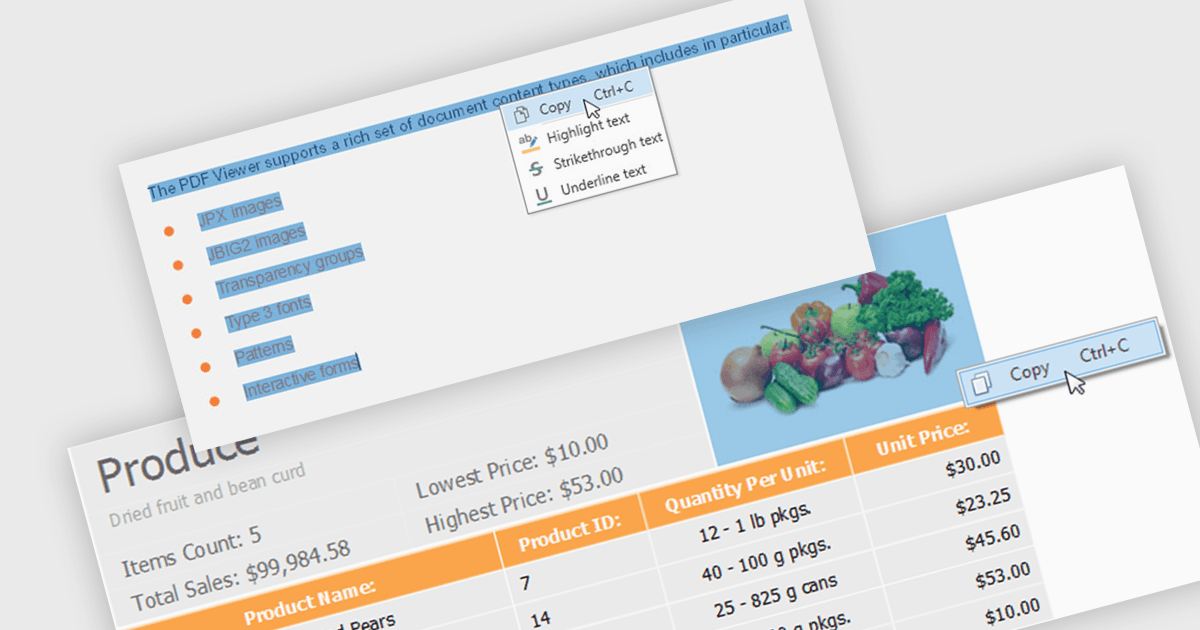
Das Extrahieren von Inhalten mit einem PDF-Viewer bedeutet, dass Endbenutzer oder Anwendungen Inhalte direkt über die Benutzeroberfläche des Viewers auswählen und abrufen können – basierend auf interaktiven Aktionen wie Textauswahl, Auswahl eines Bereichs oder einer Erfassung auf Seitenebene. Für Softwareentwickler bedeutet das: Der Viewer ist nicht nur eine Darstellungsoberfläche, sondern auch eine kontrollierte Extraktionsschicht, die ausgewählten Text, Bilder oder Bereiche bereitstellt. Dieser Ansatz ist in Szenarien für Review, Freigabe und Datenerfassung besonders wertvoll, weil er die ausdrückliche Benutzerabsicht widerspiegelt, extrahierte Daten mit dem abgleicht, was auf dem Bildschirm sichtbar ausgewählt ist, und die alleinige Abhängigkeit von Hintergrund-Parsing vermeidet. Dadurch ergibt sich eine vorhersehbarere, nutzergesteuerte Inhaltsabrufmöglichkeit innerhalb von Anwendungen.
Mehrere WinForms-PDF-Viewer-Komponenten unterstützen die Inhaltsextraktion, darunter:
- DevExpress WinForms PDF Viewer (Teil von DevExpress WinForms) ermöglicht Ihnen, vom Benutzer ausgewählten Text und visuelle Bereiche direkt über den PDF-Viewer zu extrahieren.
- Telerik UI for WinForms PDF Viewer (Teil von Telerik UI for WinForms) ermöglicht es Ihnen, visuell ausgewählten PDF-Inhalt im Viewer zu erfassen und Text zurückzugeben, der mit den Benutzerinteraktionen übereinstimmt.
- PDFView4NET Windows Forms Edition von PDF4DEV Solutions erleichtert das Extrahieren von Text, Bildern und Bereichen direkt aus seinem PDF-Viewer – basierend auf Benutzerselektionen.
- Syncfusion WinForms PDF Viewer (Teil von Syncfusion Essential Studio Enterprise) ermöglicht es Ihnen, vom Benutzer ausgewählten PDF-Text und Bereiche über den Viewer abzurufen.
Für eine ausführliche Analyse der Funktionen und Preise besuchen Sie unseren Vergleich von WinForms-PDF-Viewer-Komponenten.