Verbessern Sie die Datenklarheit mit flexiblen ausgeblendeten Spalten
Steigern Sie Ihre Produktivität durch das Ausblenden von Spalten: Nutzer können Rasteransichten anpassen, visuelle Unübersichtlichkeit reduzieren und sich auf die wichtigsten Informationen konzentrieren.
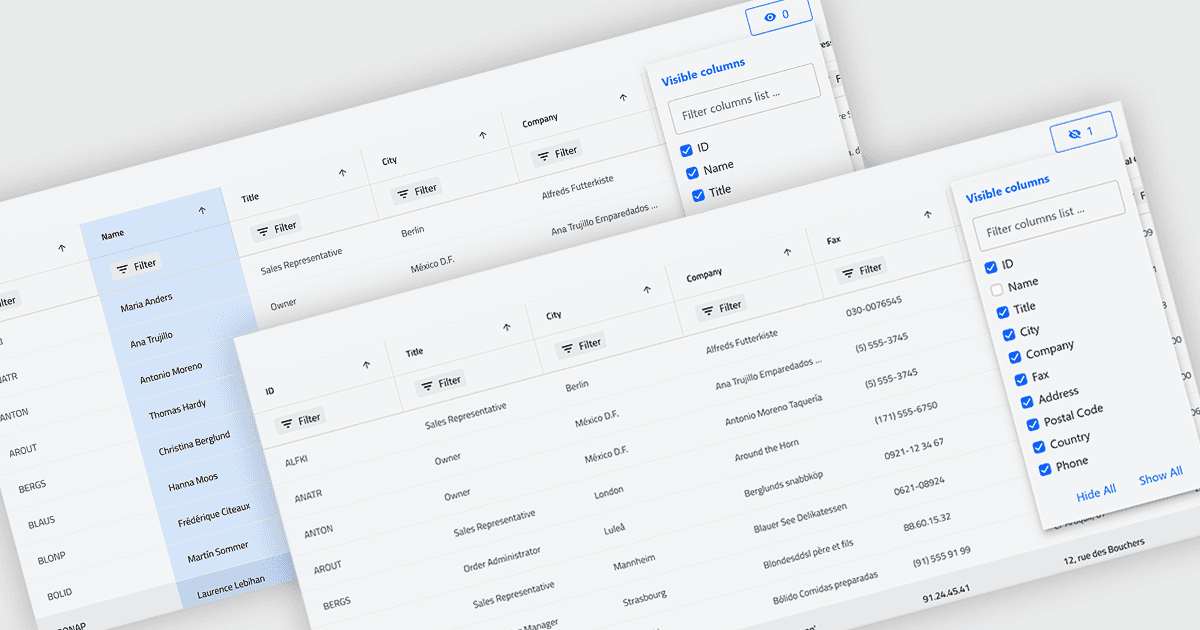
Das Ausblenden von Spalten in Rastern ermöglicht es Benutzern, ausgewählte Spalten vorübergehend aus der Ansicht zu entfernen, ohne die zugrunde liegenden Daten zu löschen. Das bietet eine fokussiertere und flexiblere Arbeitsweise, indem nur die Felder angezeigt werden, die für eine bestimmte Aufgabe oder Rolle relevant sind. Durch die Reduzierung visuellen Unübersichtlichkeit und die Optimierung des verfügbaren Bildschirms verbessert es die Lesbarkeit und erleichtert das schnelle Erfassen sowie die Analyse von Daten. Beispielsweise könnte ein Finanzanalyst nur die Spalten für Umsatz und Gewinn für eine Leistungsüberprüfung anzeigen, während ein Projektmanager technische Felder ausblenden könnte, um sich auf Zeitpläne und Ressourcen zu konzentrieren. Da Spalten jederzeit wiederhergestellt werden können, unterstützt die Funktion eine personalisierte, nicht-destruktive Anpassung.
Mehrere .NET Blazor Grid-Steuerelemente bieten die Möglichkeit, Spalten auszublenden, darunter:
- DevExpress Blazor Grid (Teil von DevExpress ASP.NET und Blazor) ermöglicht es Ihnen, Rasterspalten dynamisch auszublenden, um Datenansichten an Ihre Anforderungen anzupassen, Unübersichtlichkeit zu reduzieren und den Fokus der Nutzer zu verbessern.
- ComponentOne Blazor FlexGrid (Teil der ComponentOne Studio Blazor Edition) erlaubt es, Spalten gezielt auszublenden und so übersichtlichere, aufgabenbezogene Layouts zu erstellen.
- Blazorise ermöglicht es Ihnen, die Sichtbarkeit von Spalten in Datenrastern zu steuern und unterstützt anpassbare Anzeigen.
- Infragistics Ignite UI for Blazor Data Grid (Teil von Infragistics Ignite UI) erleichtert das Ausblenden von Spalten, um Schnittstellen zu vereinfachen, den verfügbaren Bildschirmplatz zu optimieren und die Lesbarkeit von Daten zu verbessern.
Weitere Informationen zu Funktionen und Preisen finden Sie in unserem Vergleich der .NET Blazor Grid-Steuerelemente.