Fügen Sie Ihrer .NET-Anwendung eine WinForms PivotTable hinzu
Verwenden Sie Spread.NET, um Daten direkt in einer Windows-Anwendung zu erkunden und zu analysieren.
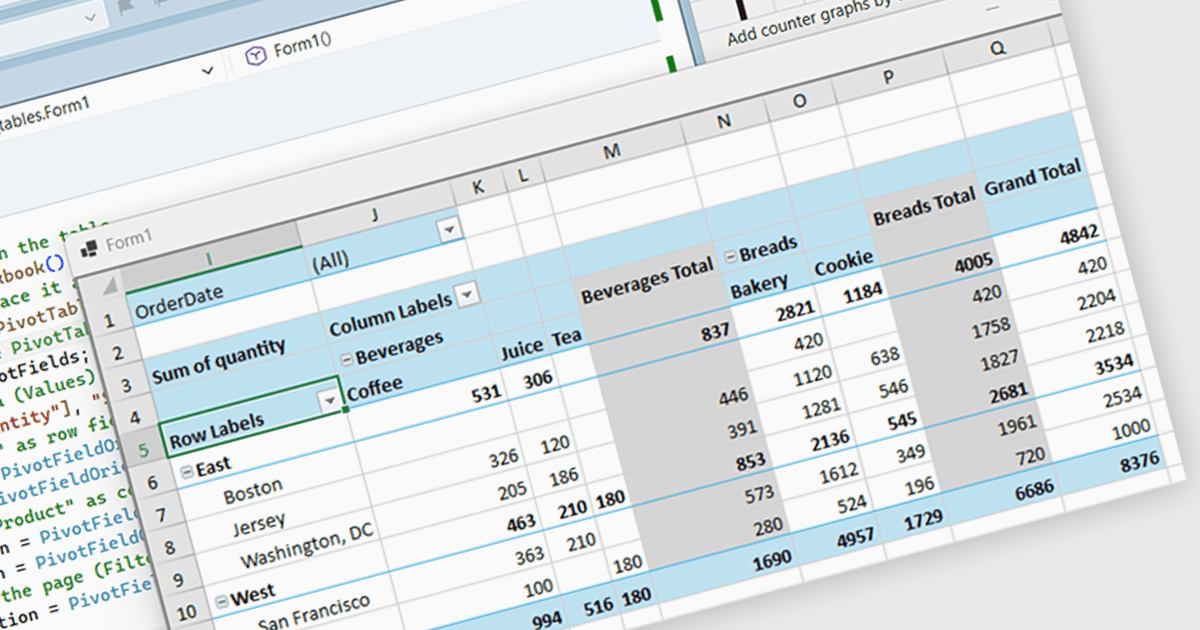
Spread.NET hilft Ihnen dabei, Tabellenkalkulationen, Grids, Dashboards und Formulare zu erstellen. Es enthält eine leistungsstarke Berechnungs-Engine mit über 450 Funktionen sowie die Möglichkeit, Excel-Tabellen zu importieren und zu exportieren. Nutzen Sie die umfangreiche .NET-Spreadsheet-API und die leistungsstarke Berechnungs-Engine, um Analyse-, Budgetierungs-, Dashboard-, Datenerfassungs- und Verwaltungs-, wissenschaftliche und finanzielle Anwendungen zu erstellen.
In diesem Blogbeitrag zeigt MESCIUS Product Marketing Specialist Mackenzie Albitz, wie Sie mithilfe der Spread.NET WinForms-Komponente eine PivotTable erstellen können, damit Ihre Benutzer große Datensätze schnell analysieren und Daten zusammenfassen, gruppieren und neu organisieren können. Das Erstellen der PivotTable umfasst die folgenden Schritte:
- Erstellen eines PivotCache
- Erstellen der PivotTable
- Zugriff auf die PivotFields-Sammlung
- Hinzufügen des Wertefelds
- Konfigurieren der Zeilenfelder
- Konfigurieren der Spaltenfelder
- Hinzufügen eines Filterfelds
Detaillierter Quellcode und Beispiel-Daten sind enthalten, um Sie dabei zu unterstützen.
Lesen Sie den vollständigen Blogbeitrag, um zu erfahren, wie Sie eine Spreadsheet-Komponente in Ihre .NET-Anwendungen integrieren und Ihren Benutzern vertraute Tabellenkalkulationsfunktionen bereitstellen, ohne sie auf ein externes Programm zu verweisen.
Spread.NET wird pro Entwickler lizenziert und ist je nach geografischem Standort als unbefristete oder Jahreslizenz erhältlich. Wir können jede Spread.NET-Lizenz bereitstellen, einschließlich neuer Lizenzen, Wartungsverlängerungen und Upgrade-Lizenzen. Weitere Details finden Sie auf unserer Spread.NET-Lizenzierungsseite.
Weitere Informationen finden Sie auf unserer Spread.NET-Produktseite.