In-PDF-Annotationen für klareres Feedback aktivieren
Ermöglichen Sie Benutzern, Notizen, Hervorhebungen und visuelle Markierungen direkt in Dokumenten hinzuzufügen, damit Feedback klar und an einem Ort zugänglich bleibt.
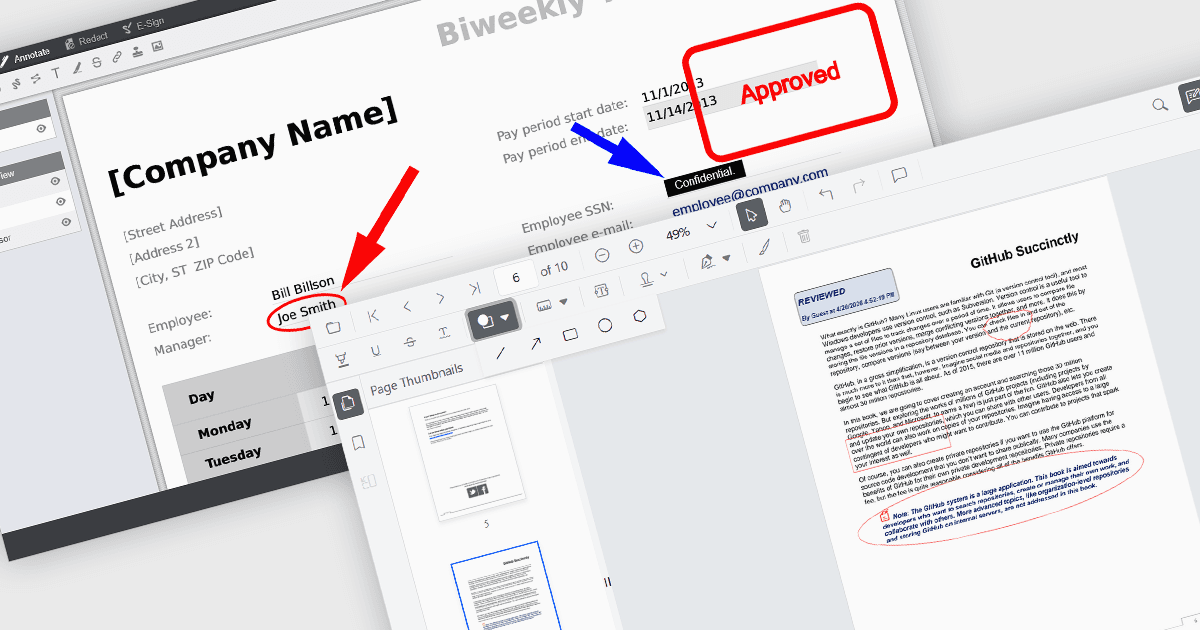
Annotation-Funktionen in PDF Viewer-Komponenten ermöglichen es Benutzern, mit Dokumenten durch visuelle und textuelle Markierungen zu interagieren und unterstützen so Review-, Kollaborations- und Dokumentationsprozesse. Tools wie Line, Rectangle und Free text helfen dabei, die Struktur hervorzuheben und Klarheit zu schaffen, während Sticky note- und Stamp-Annotationen kontextbezogenes Feedback und Statusanzeigen bereitstellen. Durch die direkte Einbettung dieser Funktionen in einen Viewer können Anwendungen eine nahtlose Erfahrung zum Bearbeiten und Überprüfen von PDFs bieten, ohne dass externe Software erforderlich ist.
Zu den gängigen Anmerkungen gehören:
- Ellipse-Annotationen bieten ein Kreis- oder Ovalform-Tool, um Bereiche in einer weniger starren Form als rechteckige Annotationen hervorzuheben.
- Free text-Annotationen ermöglichen es Benutzern, an beliebiger Stelle auf der Seite bearbeitbaren Text für Inline-Kommentare oder Korrekturen einzufügen.
- Freehand draw (Ink)-Annotationen ermöglichen eine natürliche, stiftähnliche Eingabe für Unterschriften, Skizzen oder handschriftliche Notizen.
- Line-Annotationen ermöglichen es Benutzern, gerade Verbindungs- oder Hervorhebungs-Linien zwischen Punkten zu zeichnen, die häufig verwendet werden, um Beziehungen oder Ausrichtungen hervorzuheben.
- Rectangle-Annotationen bieten eine Möglichkeit, Bereiche von Interesse einzurahmen, was sich besonders zum Hervorheben von Abschnitten einer Seite eignet.
- Stamp-Annotationen wenden vordefinierte oder benutzerdefinierte Beschriftungen wie Genehmigungs- oder Prüfstatus direkt auf das Dokument an.
- Sticky note-Annotationen fügen Kommentar-Markierungen hinzu, die detailliertes Feedback speichern können, ohne das Dokument visuell zu überladen.
Eine ausführliche Analyse der Funktionen und Preise finden Sie in unserem JavaScript PDF viewer components comparison.