Daten in jQuery über mehrere Spalten hinweg sortieren
Organisieren und vergleichen Sie komplexe Datensätze in Webanwendungen effizient, indem Sie hierarchisches Sortieren über mehrere Grid-Spalten hinweg anwenden.
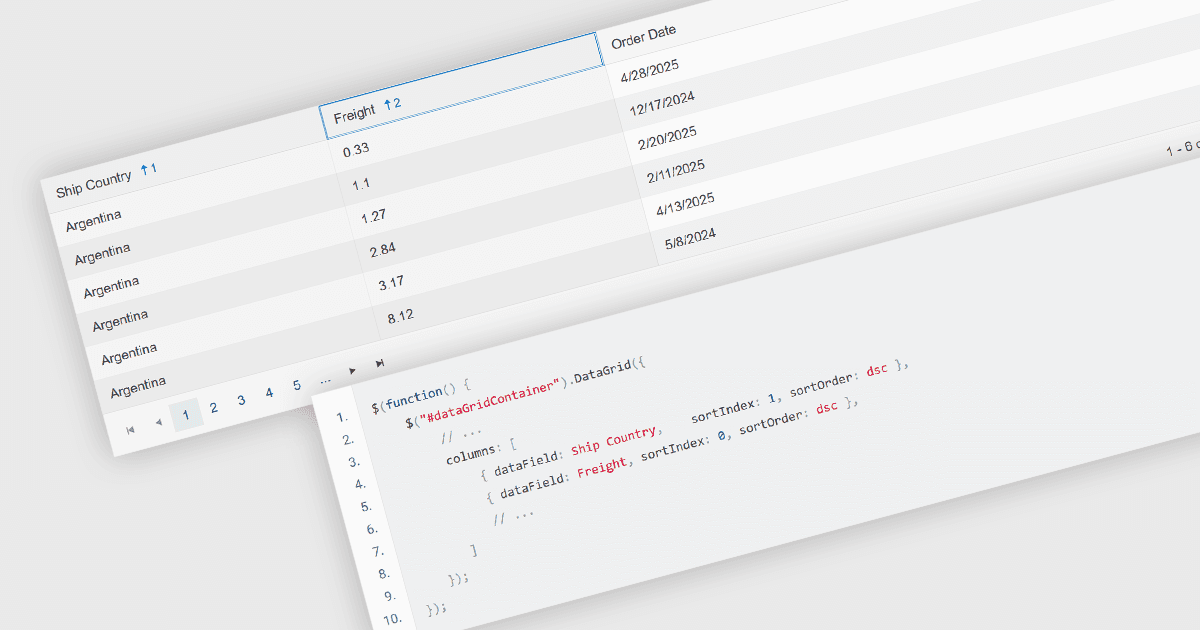
Mehrspaltiges Sortieren in einem Grid ermöglicht es Benutzern, Daten gleichzeitig nach mehr als einer Spalte zu ordnen und dabei eine Hierarchie von Sortierbedingungen anzuwenden. Das bedeutet, dass bei identischen Werten in einer primären Spalte sekundäre oder tertiäre Spalten verwendet werden, um die Reihenfolge weiter zu verfeinern. Dieser Ansatz verbessert die Datenerkundung, indem er eine präzisere Organisation ermöglicht, den Bedarf an manuellen Filtern reduziert und klarere Vergleiche über verwandte Felder hinweg unterstützt. Er ist besonders nützlich in Datensätzen, in denen das Sortieren nach einer einzelnen Spalte nicht genügend Kontext bietet, um aussagekräftige Muster sichtbar zu machen.
Mehrere jQuery-Grid-Komponenten ermöglichen das Sortieren nach mehreren Spalten, darunter:
- DevExtreme jQuery Data Grid (Teil von DevExtreme Complete von DevExpress) unterstützt mehrspaltiges Sortieren über einen konfigurierbaren Modus mit UI- und API-Steuerung.
- Kendo UI jQuery Data Grid (Table) (Teil von Kendo UI von Telerik) ermöglicht mehrspaltiges Sortieren mit Zusatztasten und konfigurierbarer Steuerung des Sortierverhaltens und der Reihenfolge.
- jQWidgets Grid (Teil von jQWidgets) bietet mehrspaltiges Sortieren mit Unterstützung für die Definition von Sortierpriorität und -richtung, die sowohl über Benutzerinteraktion als auch per Code verwaltet werden kann.
- ZingGrid unterstützt das Sortieren über mehrere Spalten hinweg, wobei das Verhalten über deklarative Attribute und ereignisgesteuerte Anpassung konfiguriert und angepasst werden kann.
Eine ausführliche Analyse von Funktionen und Preisen finden Sie in unserem Vergleich von jQuery-Grid-Komponenten.