Hierarchische Daten effizient navigieren
Stellen Sie komplexe Eltern-Kind-Beziehungen zusammen mit detaillierten Datensatzinformationen in WPF-Anwendungen mithilfe von UI-Suiten mit TreeList-Funktionalität dar.
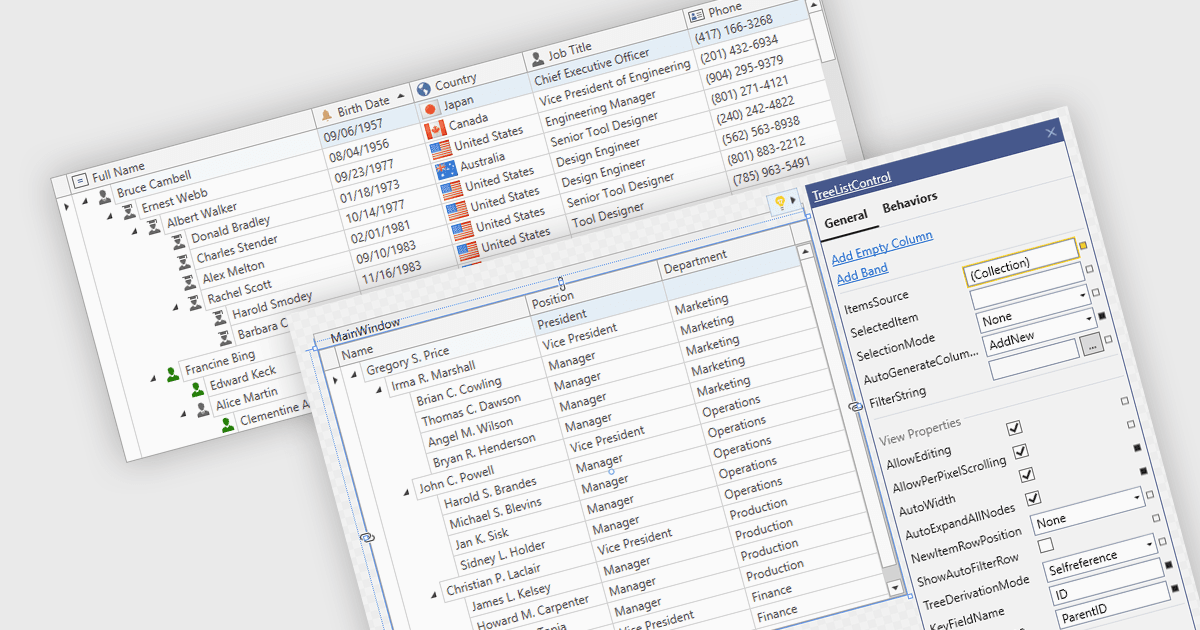
TreeList-Komponenten präsentieren hierarchische Daten in einem tabellarischen Format und kombinieren die Struktur einer Baumansicht mit vielen der Funktionen, die üblicherweise in Datenrastern zu finden sind. Sie ermöglichen es Benutzern, Eltern-Kind-Beziehungen zu erweitern und zu reduzieren, während sie mehrere Datenfelder innerhalb derselben Oberfläche anzeigen. TreeLists werden häufig verwendet, um Organisationsstrukturen, Projektaufgabenhierarchien, Datei- und Ordnersysteme, Produktkategorien und andere Datensätze mit Eltern-Kind-Beziehungen darzustellen. Dieser Ansatz hilft, komplexe Datensätze zu organisieren, verbessert die Navigation durch große Hierarchien und kann Aufgaben wie Datenanzeige, -bearbeitung und -verwaltung unterstützen, ohne dass Benutzer zwischen verschiedenen Ansichten wechseln müssen.
Mehrere WPF UI-Suiten bieten TreeList-Funktionalität, darunter:
- DevExpress WPF enthält ein TreeListControl mit Datenbindung, Virtualisierung, Filterung, Sortierung, Bearbeitung, Zusammenfassungen und Drag-and-Drop-Operationen für hierarchische Datensätze.
- ComponentOne Studio WPF von MESCIUS kombiniert TreeView- und FlexGrid TreeGrid-Funktionalitäten mit Datenbindung, Bearbeitung, Drag-and-Drop und anpassbaren Knoten.
- Telerik UI for WPF bietet eine RadTreeListView mit Filterung, Sortierung, Aggregation, Spaltenverwaltung, Datenvalidierung, Virtualisierung und hierarchischer Navigation.
- Actipro WPF Studio von Actipro Software enthält TreeListBox- und TreeListView-Steuerelemente mit Datenbindung, Virtualisierung, Templates und Mehrspaltenlayouts.
Für eine ausführliche Analyse der Funktionen und Preise besuchen Sie unseren Vergleich der WPF UI-Suiten.