Gitterdaten in aussagekräftige Gruppen organisieren
Gruppieren Sie verwandte Datensätze in logische Abschnitte, um die Navigation durch Daten, den Vergleich von Werten und die Identifizierung aussagekräftiger Trends zu erleichtern.
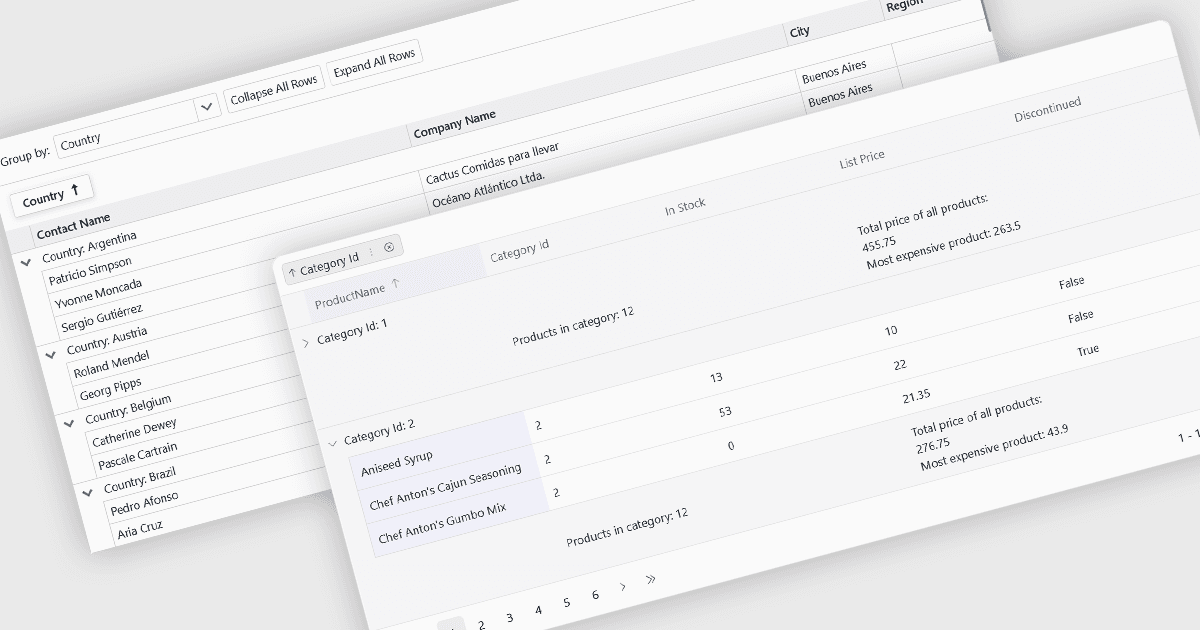
Gruppierung ermöglicht es Benutzern, Daten nach einer oder mehreren Spalten zu organisieren, wodurch große Datensätze leichter navigierbar und analysierbar werden. Indem verwandte Datensätze in erweiterbare Gruppen zusammengefasst werden, lassen sich Muster einfacher erkennen, Werte vergleichen und relevante Informationen fokussieren, ohne die Daten manuell filtern oder sortieren zu müssen.
Mehrere Blazor Grid Controls bieten Unterstützung für Gruppierungen, darunter:
- DevExpress Blazor Grid unterstützt Gruppierung durch das Ziehen von Spaltenüberschriften in ein spezielles Gruppenfeld oder per Code, mit erweiterbaren Gruppenzeilen, Zusammenfassungen und Unterstützung für mehrere Gruppierungsebenen.
- Telerik UI Blazor Data Grid bietet interaktive Gruppierung über ein konfigurierbares Gruppenfeld, das Benutzern ermöglicht, nach mehreren Spalten zu gruppieren und aggregierte Werte sowie hierarchische Gruppenstrukturen anzuzeigen.
- ComponentOne Blazor FlexGrid von MESCIUS beinhaltet flexible Gruppierung über seine CollectionView-Datenebene, mit der Entwickler programmatisch gruppierte Ansichten mit erweiterbaren Gruppen und berechneten Aggregaten definieren können.
- Syncfusion Blazor DataGrid bietet Drag-and-Drop-Gruppierung mit Unterstützung für mehrere gruppierte Spalten, Lazy Loading, Summenüberschriften und umfangreiche Anpassungsmöglichkeiten für das Gruppierungserlebnis.
Für eine ausführliche Analyse der Funktionen und Preise besuchen Sie unseren Vergleich der Blazor Grid Controls.