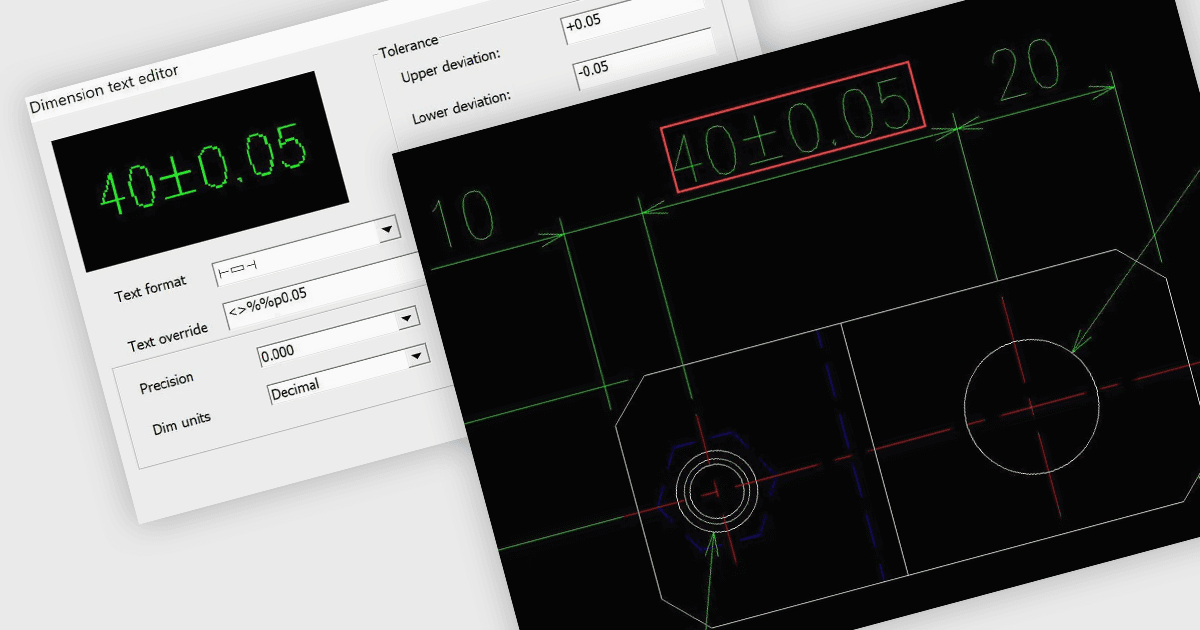
CAD-Zeichnungen mit mehr Flexibilität bearbeiten
DWGSee CAD 2025 bietet verbesserte Bemaßung, erweiterte Auswahlfunktionen sowie Objektisolierung/-ausblendung und gibt Entwicklern damit mehr granularen Steuerungsspielraum.
Leichtgewichtige CAD-Software für effizientes 2D-Zeichnen und -Bearbeiten.

Preise ab:
| Einzeln verfügbar | Unser Preis |
|---|---|
| DWGSee CAD | Wird geladen |
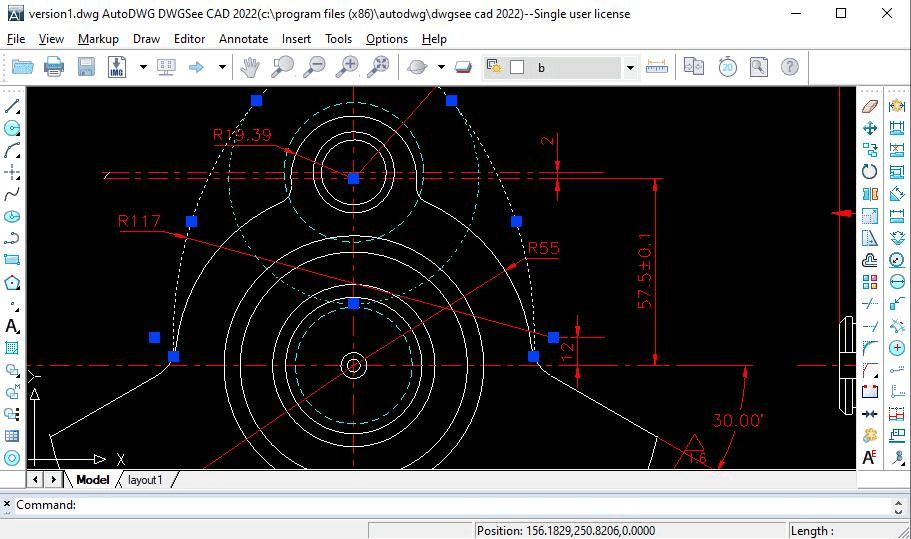
Öffnen und bearbeiten Sie DWG-, DXF- und DWF-Dateien schnell bei geringer Systemressourcennutzung und ermöglichen Sie so effiziente 2D-Zeichnungsabläufe.
Greifen Sie auf eine Vielzahl von Werkzeugen zum Zeichnen von Linien, Formen, Text und Anmerkungen zu, die eine umfassende Erstellung und Überarbeitung von 2D-Designs ermöglichen.
Nutzen Sie Dimension Driven-Funktionen, um Komponenten mit präzisen Längenmaßen zu konstruieren und so die Designgenauigkeit zu erhöhen.
Fügen Sie Zeichnungen Anmerkungen, Notizen und Markup-Ebenen hinzu, um eine klare Kommunikation und Zusammenarbeit zu ermöglichen, ohne die Originaldateien zu verändern.
Exportieren Sie Zeichnungen direkt als PDF oder in mehrere Bildformate wie JPG und BMP und bewahren Sie dabei Markups für die Überprüfung und Weitergabe.
Stellen Sie das nahtlose Öffnen und Teilen von Zeichnungen sicher, indem Sie alle Versionen der Dateiformate DWG, DXF und DWF unterstützen.
Arbeiten Sie effizient mit einer vertrauten CAD-Oberfläche, die Befehlszeileneingabe und leicht zugängliche Bearbeitungsmenüs für professionelle Anwender umfasst.
Überprüfen Sie die untenstehenden Details, um sicherzustellen, dass dieses Produkt in Ihrer Umgebung unterstützt wird.
DWGSee CAD 2025 bietet verbesserte Bemaßung, erweiterte Auswahlfunktionen sowie Objektisolierung/-ausblendung und gibt Entwicklern damit mehr granularen Steuerungsspielraum.
AutoDWG, 2002 gegründet und in China ansässig, ist auf die Entwicklung von Softwareanwendungen für CAD-Profis weltweit spezialisiert. Der Schwerpunkt liegt darauf, Nutzern das Lesen, Schreiben, Verschlüsseln, Teilen und Konvertieren von Dateien zwischen Formaten wie DWG, DXF, DWF, PDF und mehr zu ermöglichen. Unterstützt von der Yiwu Xizai E-commerce Trading Company seit 2021, setzt AutoDWG moderne Technologien ein, um effiziente und zugängliche CAD-Lösungen zu schaffen. Das Angebot, darunter leichte CAD-Software und Anwendungen zur Dateikonvertierung, ist bei Entwicklern, Ingenieuren und Architekten beliebt, die in ihren täglichen Arbeitsabläufen Kompatibilität und Benutzerfreundlichkeit suchen.
Erfahren Sie mehr über AutoDWGEntdecken Sie Produkte von AutoDWG

Als offizielle und autorisierte Vertriebspartner seit 2017 stellt Ihnen ComponentSource legale Lizenzen direkt von AutoDWG bereit.