Créer des diagrammes dans vos applications WinForms
Les contrôles de diagrammation permettent aux utilisateurs de représenter clairement et efficacement des systèmes complexes à l’aide de cartes mentales, d’organigrammes et plus encore.
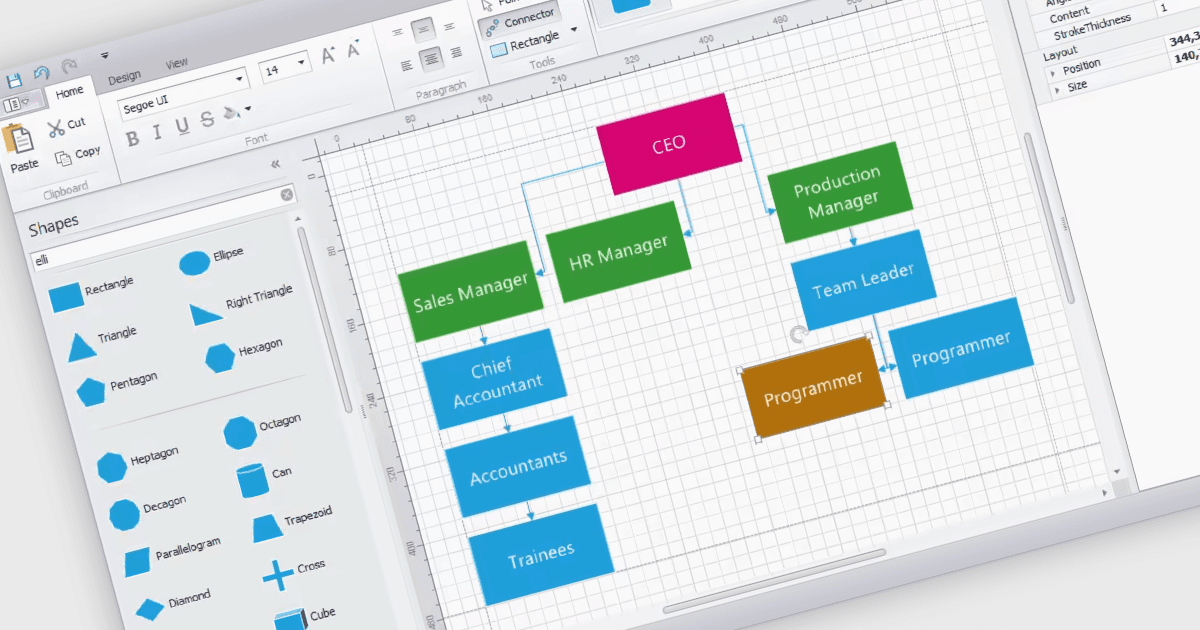
Les contrôles de diagrammes WinForms offrent une toile dédiée permettant aux utilisateurs de créer et de manipuler des représentations visuelles. Ces contrôles proposent des fonctionnalités telles que l’affichage et l’édition de diverses formes, des connecteurs et des éléments de texte. Ils sont souvent dotés de fonctionnalités de mise en page automatique, ce qui permet d’organiser efficacement des diagrammes complexes. Les diagrammes sont couramment utilisés pour simplifier et communiquer des idées, des processus ou des données complexes. Ils peuvent montrer les relations entre les éléments, illustrer les étapes d’une séquence ou représenter des structures et des hiérarchies.
Plusieurs suites d’interface utilisateur WinForms incluent des composants de diagrammation, notamment :
- DevExpress WinForms inclut un contrôle de diagramme flexible permettant de créer des organigrammes, des diagrammes UML et plus encore.
- Telerik UI for WinForms propose des outils de diagrammation avec diverses formes, connecteurs et outils de mise en page pour concevoir des diagrammes informatifs.
- Syncfusion Essential Studio Enterprise inclut un composant de diagrammation qui prend en charge la création et l’édition de diagrammes hiérarchiques, de mises en page réseau et d’organigrammes.
- MindFusion.WinForms Pack permet aux utilisateurs de concevoir et de manipuler des diagrammes, notamment des cartes mentales, des organigrammes et des organigrammes.
Pour une analyse approfondie des fonctionnalités et des prix, consultez notre comparaison des suites d’interface utilisateur WinForms.