Permettre aux utilisateurs de saisir des caractères non latins dans la grille
Les contrôles de grille prenant en charge l’éditeur de méthode de saisie (IME) permettent aux utilisateurs de générer des caractères qui ne sont pas disponibles nativement sur leurs périphériques de saisie.
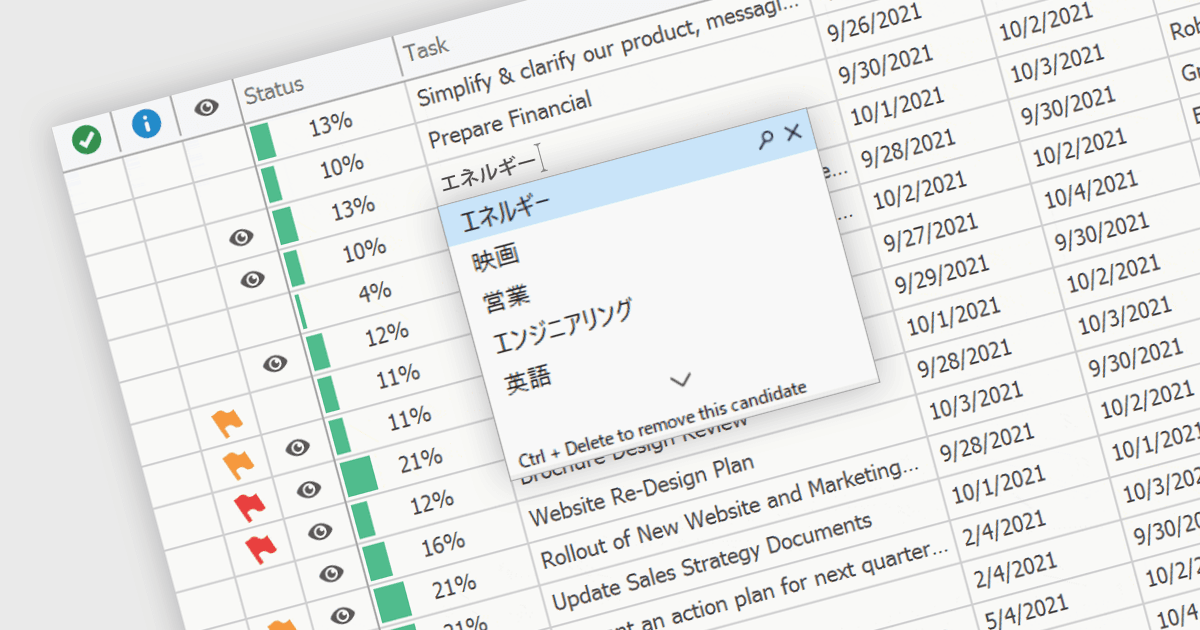
Un éditeur de méthode de saisie (IME, Input Method Editor) facilite la saisie de caractères et de scripts complexes qui ne sont pas directement pris en charge par les claviers standard, ce qui est particulièrement vital pour les langues disposant d’un large ensemble de caractères comme le chinois, le japonais et le coréen. Lorsqu’il est intégré à un composant de grille, un IME permet aux utilisateurs de saisir du texte directement dans les cellules de données à l’aide de méthodes phonétiques ou syllabiques qui sont converties en caractères souhaités. Cette intégration rationalise le processus de saisie des données dans les applications nécessitant une prise en charge multilingue, améliorant considérablement la convivialité et l’efficacité. Elle simplifie le développement d’applications ciblant les marchés mondiaux en fournissant une saisie native dans la langue, améliorant ainsi l’expérience utilisateur et réduisant le besoin d’outils externes de saisie de langue.
Plusieurs composants de grille WinForms offrent la prise en charge de l’éditeur de méthode de saisie (IME), notamment :
- DevExpress WinForms Data Grid (faisant partie de DevExpress WinForms) inclut un IME, qui est activé lorsque l’utilisateur final change la saisie clavier du bureau vers une langue prise en charge.
- FlexGrid pour WinForms (faisant partie de ComponentOne Studio WinForms par MESCIUS) propose une prise en charge IME intégrée, facilitant une saisie efficace de caractères complexes dans diverses langues.
- Telerik UI pour WinForms GridView (faisant partie de Telerik UI pour WinForms) intègre des capacités IME, permettant une saisie simple de vastes ensembles de caractères multilingues.
- Infragistics WinDataGrid (faisant partie de Infragistics Ultimate UI pour Windows Forms) dispose également d’une prise en charge de l’éditeur de méthode de saisie, pour une saisie de texte aisée dans des applications WinForms globalisées.
Pour une analyse approfondie des fonctionnalités et des prix, consultez notre comparaison des composants de grille WinForms.