Figer les colonnes pour améliorer la lisibilité des grilles de données
Offrez aux utilisateurs des grilles WinForms qui verrouillent les données importantes à l’écran, en simplifiant l’analyse complexe et en rendant la navigation plus facile.
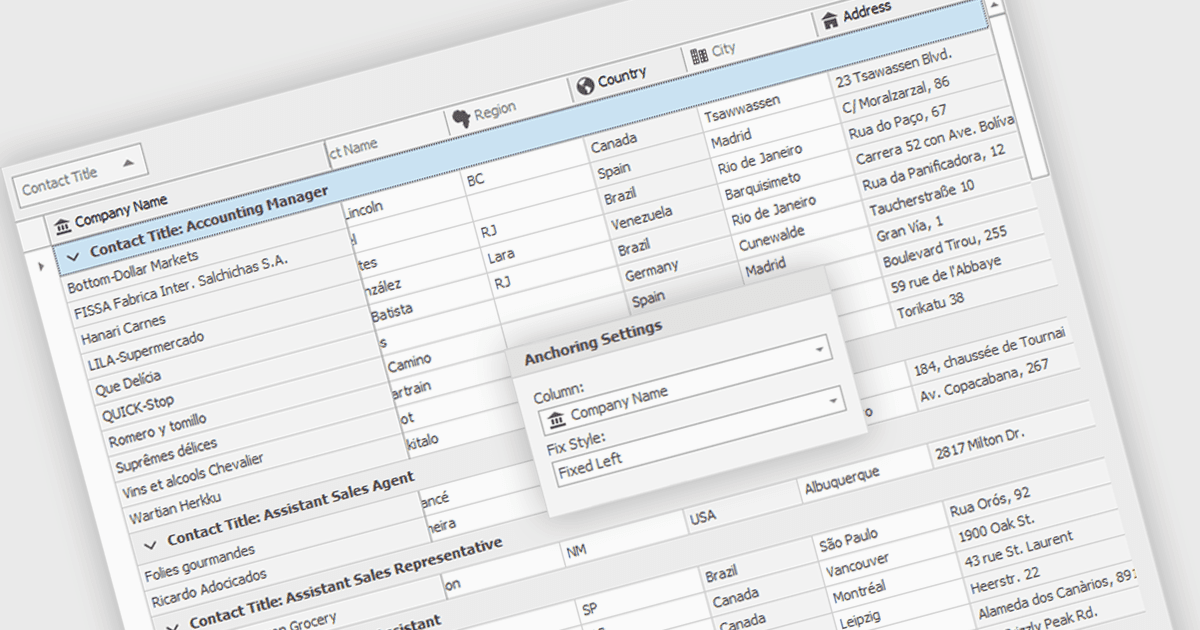
Le gel des colonnes permet de maintenir certaines colonnes d’une grille visibles à l’écran pendant que l’utilisateur fait défiler horizontalement le reste des données. Cette fonctionnalité est particulièrement utile pour les développeurs de logiciels, car elle améliore l’expérience utilisateur en garantissant que les informations de référence importantes, telles que les identifiants de lignes ou les en-têtes de colonnes, restent constamment visibles, quelle que soit la largeur de l’ensemble de données. Elle peut considérablement faciliter la compréhension des données et la navigation pour les utilisateurs travaillant avec de grands ensembles de données.
Plusieurs composants de grille WinForms vous permettent de figer des colonnes, notamment :
- DevExpress WinForms Data Grid (faisant partie de DevExpress WinForms) offre aux développeurs un gel de colonnes robuste pour conserver un contexte clair des données pendant le défilement horizontal.
- FlexGrid for WinForms (faisant partie de ComponentOne Studio WinForms par MESCIUS) propose le verrouillage des colonnes pour garder les données essentielles à l’écran tout en parcourant des ensembles de données larges.
- Telerik UI for WinForms GridView (faisant partie de Telerik UI for WinForms) inclut la fonctionnalité de gel des colonnes, améliorant la compréhension des données lors du défilement horizontal.
- Infragistics WinDataGrid (faisant partie d’Infragistics Ultimate UI pour Windows Forms) améliore l’UX avec l’épinglage des colonnes, garantissant que les colonnes de référence restent visibles à tout moment.
Pour une analyse approfondie des fonctionnalités et du prix, consultez notre comparaison des composants de grille WinForms.