Importer et exporter un fichier Excel XLSX avec WPF
Découvrez comment Spread.NET de MESCIUS peut améliorer vos projets WPF grâce à des fonctionnalités d’importation et d’exportation de tableurs Excel fluides en C# ou en VB.
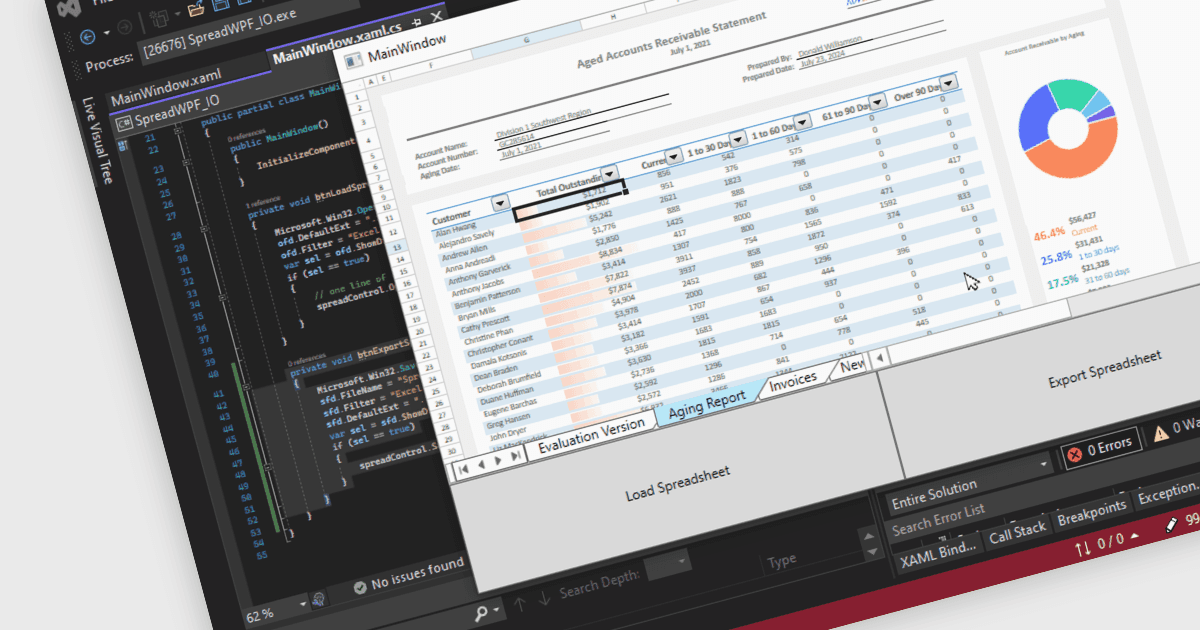
Spread.NET vous aide à créer des feuilles de calcul, des grilles, des tableaux de bord et des formulaires. Il inclut un moteur de calcul puissant avec 450+ fonctions et la possibilité d’importer et d’exporter des tableurs Excel. Tirez parti de l’étendue de l’API de feuille de calcul .NET et du moteur de calcul puissant pour créer des applications d’analyse, de budgétisation, de tableaux de bord, de collecte et de gestion des données, ainsi que des applications scientifiques et financières.
Dans cet article de blog, la spécialiste marketing produit de MESCIUS, Mackenzie Albitz, vous guide à travers les quatre étapes essentielles pour importer et exporter des tableurs Excel afin de créer des applications de feuille de calcul robustes avec Spread.NET. Ces étapes incluent :
- Créer une application de feuille de calcul WPF
- Définir l’interface utilisateur pour une application de feuille de calcul WPF
- Ajouter le code d’import Excel XLSX - Invoquer la méthode ExcelOpen
- Ajouter le code d’export Excel XLSX - Invoquer la méthode SaveExcel
Des exemples de code sont inclus dans le blog et vous pouvez télécharger l’application d’exemple en C# ou en VB.
Lire l’intégralité du blog pour commencer à utiliser toutes les fonctionnalités du composant Spread.NET WPF.
Spread.NET est concédé sous licence par développeur et est disponible sous forme de licence perpétuelle avec une souscription d’assistance et de maintenance de 12 mois. Nous pouvons fournir toute licence Spread.NET, y compris de nouvelles licences, des renouvellements de maintenance et des licences de mise à niveau. Consultez notre page de licences de Spread.NET pour obtenir tous les détails.
Pour plus d’informations, visitez notre page produit Spread.NET.