Visualiser des connexions avec les annotations de flèches
Les annotations de flèches permettent aux utilisateurs de mettre en évidence des connexions dans le contenu PDF, offrant ainsi une meilleure compréhension de l’information.
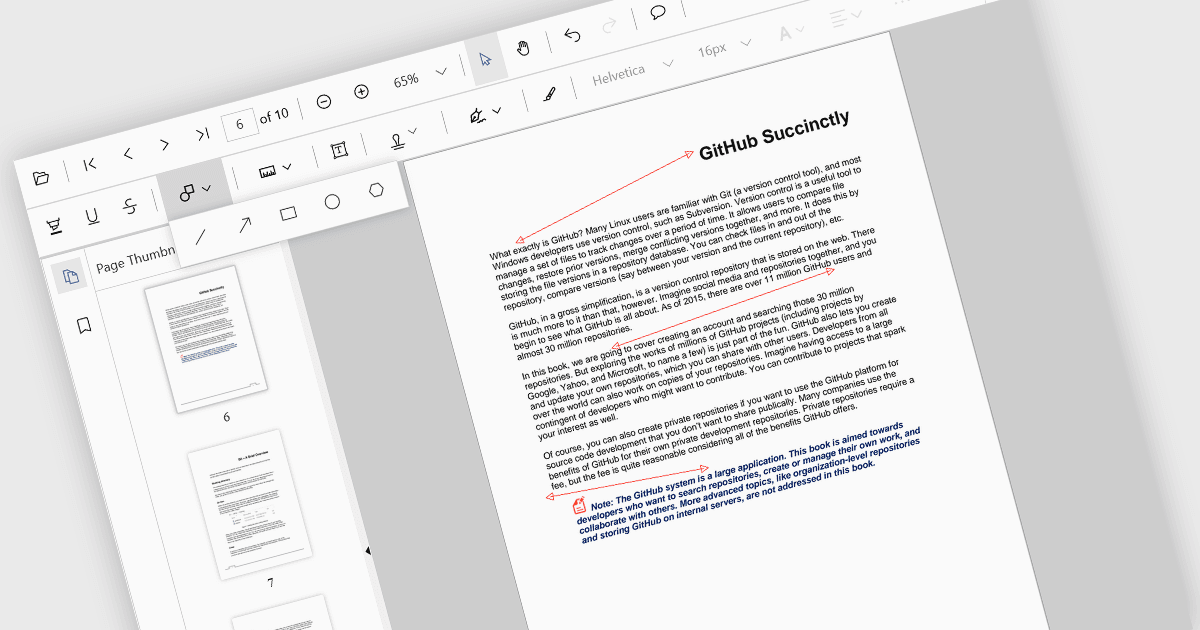
Les annotations de flèches sont des marquages numériques qui permettent aux utilisateurs d’indiquer visuellement des connexions, des relations ou des directions au sein d’un document PDF. Elles peuvent être utilisées pour mettre en évidence des sections spécifiques, souligner des détails importants ou illustrer des séquences d’événements. Cette fonctionnalité est particulièrement utile pour le travail collaboratif, car elle permet à plusieurs personnes d’annoter le même document et de partager efficacement leurs idées.
Plusieurs contrôles d’affichage React PDF prennent en charge les annotations de flèches, notamment :
- Document Solutions for PDF de MESCIUS vous permet de créer et de modifier des PDF avec des fonctionnalités d’annotation avancées, y compris des flèches.
- PrizmDoc Viewer d’Accusoft permet aux utilisateurs de collaborer sur des PDF en ajoutant et en partageant des annotations de flèches.
- Syncfusion PDF Viewer facilite la revue et l’analyse efficaces des documents grâce à sa prise en charge de différents types d’annotations, y compris les flèches.
Pour une analyse approfondie des fonctionnalités et des tarifs, consultez notre comparaison des contrôles d’affichage React PDF.