Définir des colonnes comme obligatoires dans les applications de tableau de données
Utilisez des contrôles de tableau (grid) en JavaScript pour définir des colonnes obligatoires, afin de garantir que les champs essentiels sont remplis et ainsi conserver une saisie complète et valide.
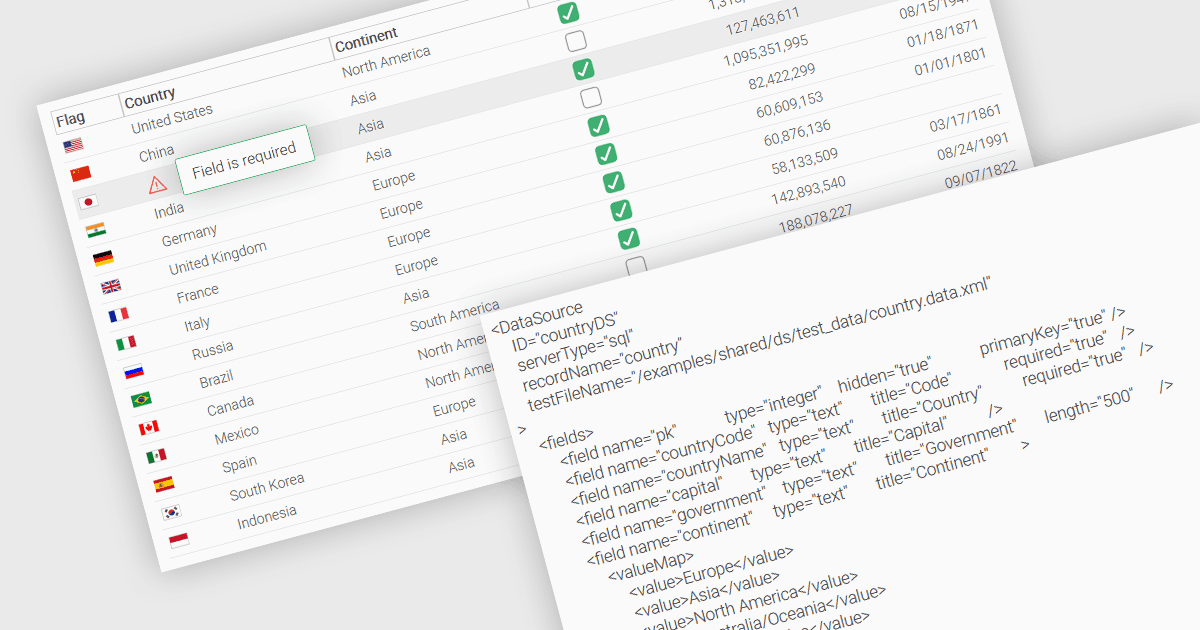
Une fonctionnalité fondamentale dans un tableau de données (data grid) est la possibilité de spécifier qu’une colonne doit être remplie avec des valeurs et ne peut pas rester vide. En désignant certaines colonnes comme obligatoires, les développeurs peuvent appliquer des règles de saisie qui empêchent les utilisateurs de laisser des champs critiques en blanc, tels que les identifiants d’utilisateur, les noms de produit ou les horodatages. Les colonnes obligatoires sont généralement appliquées via des règles de validation qui empêchent l’envoi ou le traitement d’enregistrements incomplets, garantissant ainsi l’exhaustivité et la validité des données. Cela améliore l’intégrité des données, réduit la probabilité d’erreurs de traitement et prend en charge une logique métier cohérente dans les applications qui reposent sur des ensembles de données structurés.
Plusieurs contrôles de tableau (grid) JavaScript vous permettent de définir des colonnes comme obligatoires, notamment :
- Wijmo FlexGrid (part of Wijmo by MESCIUS) est un tableau de données JavaScript qui permet de marquer des colonnes comme obligatoires, y compris une logique de validation intégrée pour garantir la conformité.
- Jspreadsheet Pro Data Grid (part of Jspreadsheet Pro) prend en charge l’utilisation de règles de validation pour s’assurer que les entrées répondent à des critères prédéfinis, ce qui vous permet de définir des champs obligatoires.
- SmartClient Grid (part of SmartClient by Isomorphic Software) fournit aux applications JavaScript une configuration de colonnes obligatoires afin d’éviter l’envoi d’enregistrements incomplets.
- Ignite UI Angular Grid (part of Infragistics Ignite UI) offre aux développeurs un validateur prêt à l’emploi pour imposer le remplissage des colonnes obligatoires pendant la saisie des données.
Pour une analyse approfondie des fonctionnalités et du prix, consultez notre comparaison des contrôles de tableau (grid) JavaScript.