Personnalisez instantanément avec des outils de couleur intégrés
Les sélecteurs de couleurs permettent aux utilisateurs d’appliquer rapidement une couleur aux cellules ou aux graphiques, rendant les tendances, les valeurs aberrantes et les priorités plus faciles à repérer d’un coup d’œil.
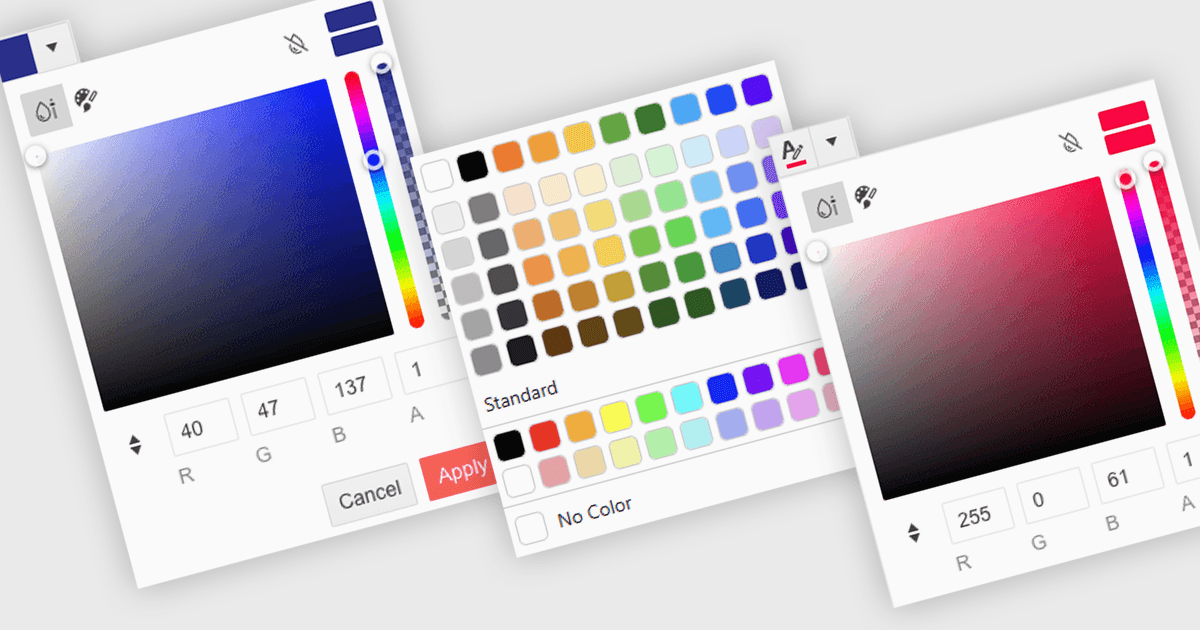
Un sélecteur de couleurs est un élément d’interface utilisateur qui permet aux utilisateurs de choisir et d’appliquer des couleurs à des parties spécifiques de leurs données sans écrire de code. Il apparaît généralement sous la forme d’une petite palette ou d’une zone de saisie qui, lorsqu’elle est cliquée, ouvre un panneau proposant des options de couleur comme des pastilles, des curseurs ou des champs de code hexadécimal. Cette fonctionnalité prend en charge une personnalisation visuelle intuitive, permettant aux utilisateurs de mettre en évidence des motifs, de marquer des valeurs importantes ou d’aligner leurs données avec des palettes de couleurs d’entreprise. Dans les éditeurs avancés, les sélecteurs de couleurs prennent également en charge des thèmes ou des paramètres d’accessibilité, tels que des palettes à fort contraste.
Plusieurs éditeurs de données .NET Blazor peuvent vous fournir un sélecteur de couleurs, notamment :
- Blazorise Data Editors vous permet d’appliquer facilement des couleurs personnalisées grâce à un sélecteur intuitif, améliorant la présentation des données et l’interaction avec l’utilisateur.
- jQWidgets Blazor (faisant partie de jQWidgets) Data Editors vous permet d’organiser visuellement le contenu avec un sélecteur de couleurs intégré pour un style de données clair et dynamique.
- Syncfusion Essential Studio for Blazor Data Editors (faisant partie de Syncfusion Essential Studio Enterprise) propose une intégration du sélecteur de couleurs, permettant une mise en forme visuelle.
- Telerik UI for Blazor Data Editors (faisant partie de Telerik UI for Blazor) facilite la mise en évidence précise des données grâce à un sélecteur de couleurs réactif, prenant en charge l’alignement avec la marque et la clarté.
Pour une analyse approfondie des fonctionnalités et des prix, consultez notre comparaison des éditeurs de données .NET Blazor.