Organisez vos documents grâce à une gestion flexible des pages
Déplacez et réordonnez les pages PDF pour améliorer le déroulement, renforcer la clarté et obtenir une mise en page professionnelle grâce à des contrôles intuitifs et faciles à utiliser.
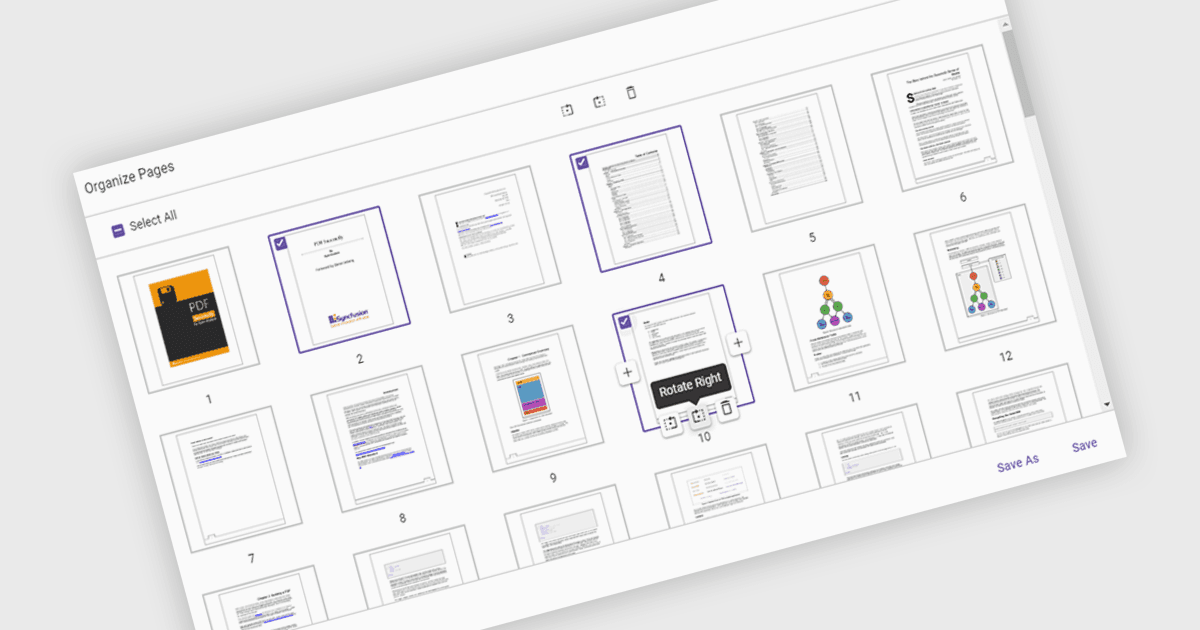
Le déplacement de pages dans un Visionneuse de PDF fait référence à la possibilité de modifier l’ordre des pages au sein d’un document afin de mieux organiser le contenu, améliorer la lisibilité ou adapter la structure à des besoins spécifiques. Cette fonctionnalité est particulièrement utile lors de la compilation de rapports, de la fusion de plusieurs documents ou de la correction de la séquence de pages numérisées. En effectuant simplement un glisser-déposer des pages dans l’ordre souhaité, les utilisateurs peuvent rationaliser leurs flux de travail sans avoir à recréer ou réexporter des fichiers. Les avantages incluent une meilleure clarté des documents, un déroulement de présentation amélioré et une efficacité accrue dans la gestion du contenu. Par exemple, une équipe marketing peut réordonner les sections d’une proposition pour en renforcer l’impact, tandis qu’un service juridique peut organiser des dossiers par pertinence.
Plusieurs composants de Visionneuse de PDF ASP.NET Core vous permettent de déplacer des pages dans un fichier PDF, notamment :
- Document Solutions for PDF by MESCIUS vous permet de réarranger, de dupliquer ou de supprimer des pages PDF sans effort afin d’affiner la structure et d’améliorer le déroulement de la présentation.
- Telerik UI PDF for ASP.NET Core facilite le réordonnancement intuitif des pages dans les PDF, en prenant en charge des ajustements précis de la mise en page directement dans des applications web.
- Syncfusion ASP.NET Core PDF (faisant partie de Syncfusion Essential Studio Enterprise) vous permet de réordonner et d’organiser les pages PDF par programmation, ce qui rend possible une personnalisation dynamique des documents pour différents flux de travail.
Pour une analyse approfondie des fonctionnalités et des prix, consultez notre comparaison des composants de Visionneuse de PDF ASP.NET Core.