Mettre en évidence le contenu PDF clé avec précision
Les annotations de rectangle permettent aux utilisateurs de mettre en forme des PDF, rendant les revues, les approbations et la modification collaborative plus efficaces et visuellement plus clairs.
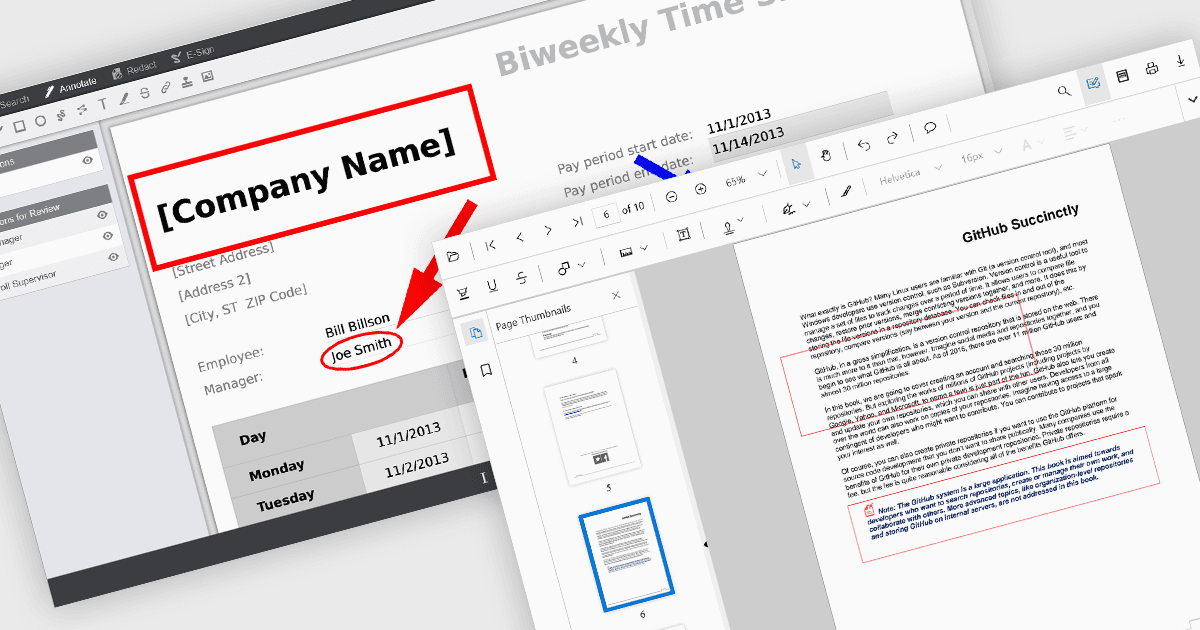
Les annotations de rectangle dans les composants de visionneuse PDF permettent aux utilisateurs de mettre en évidence, de marquer ou de commenter des zones spécifiques au sein d’un document PDF en traçant des formes rectangulaires. Cette fonctionnalité est couramment utilisée pour examiner des documents, collaborer sur du contenu ou souligner des sections dans des processus techniques ou juridiques. Elle renforce l’interactivité de l’utilisateur dans la visionneuse, offrant des références visuelles et des notes propres à chaque contexte sans modifier le contenu original du document.
Plusieurs contrôles de visionneuse PDF React proposent des annotations de rectangle, notamment :
- Document Solutions for PDF de MESCIUS fournit des annotations de rectangle dans le cadre de son API d’annotation complète, prenant en charge un positionnement précis et une personnalisation.
- PrizmDoc Viewer de Accusoft inclut des annotations de rectangle dans ses outils de mise en forme et de caviardage, offrant des capacités de modification collaborative avec traitement côté serveur.
- Syncfusion PDF Viewer (faisant partie de Syncfusion Essential Studio Enterprise) prend en charge des annotations de rectangle interactives via sa barre d’outils d’annotation intégrée.
Pour une analyse approfondie des fonctionnalités et des prix, consultez notre comparaison des contrôles de visionneuse PDF React.