Activez les annotations dans les PDF pour des retours plus clairs
Permettez aux utilisateurs d’ajouter directement des notes, des surlignages et des repères visuels dans les documents, afin de garder un retour clair et accessible en un seul endroit.
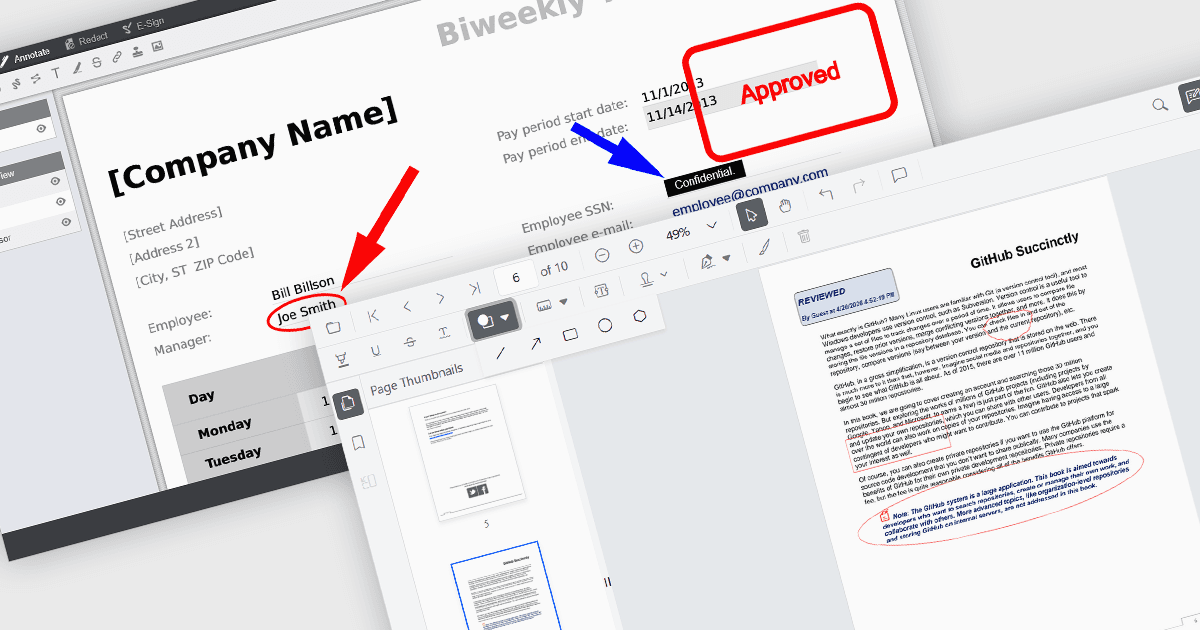
Les capacités d’annotation dans les composants PDF Viewer permettent aux utilisateurs d’interagir avec les documents via des annotations visuelles et textuelles, prenant en charge les processus de révision, de collaboration et de documentation. Des outils tels que Line, Rectangle et Free text aident à mettre en évidence la structure et à apporter de la clarté, tandis que les annotations Sticky note et Stamp fournissent un retour contextuel et des indicateurs d’état. En intégrant directement ces capacités dans une visionneuse, les applications peuvent offrir une expérience cohérente pour l’édition et la révision de PDF sans nécessiter de logiciel externe.
Les annotations courantes incluent :
- Ellipse les annotations offrent un outil de forme circulaire ou ovale pour mettre en évidence des zones de manière moins rigide que les annotations rectangulaires.
- Free text les annotations permettent aux utilisateurs d’insérer du texte modifiable n’importe où sur la page pour des commentaires ou des corrections en ligne.
- Freehand draw (Ink) les annotations permettent une saisie naturelle, semblable à celle d’un stylo, pour les signatures, croquis ou notes manuscrites.
- Line les annotations permettent aux utilisateurs de dessiner des connecteurs droits ou des surlignages entre des points, souvent utilisés pour mettre en évidence des relations ou un alignement.
- Rectangle les annotations offrent un moyen d’encadrer les zones d’intérêt, ce qui est utile pour mettre en valeur des sections d’une page.
- Stamp les annotations appliquent des étiquettes prédéfinies ou personnalisées, telles que des statuts d’approbation ou de révision, directement sur le document.
- Sticky note les annotations ajoutent des marqueurs de commentaire pouvant stocker des retours détaillés sans encombrer visuellement le document.
Pour une analyse approfondie des fonctionnalités et des prix, consultez notre comparatif des composants de visionneuse PDF JavaScript.