페이지 썸네일로 PDF를 탐색할 수 있도록 도와주세요
썸네일 탐색을 지원하는 PDF 컴포넌트는 사용자가 WPF 앱에서 문서를 원활하게 탐색할 수 있도록 익숙한 인터페이스를 제공합니다.
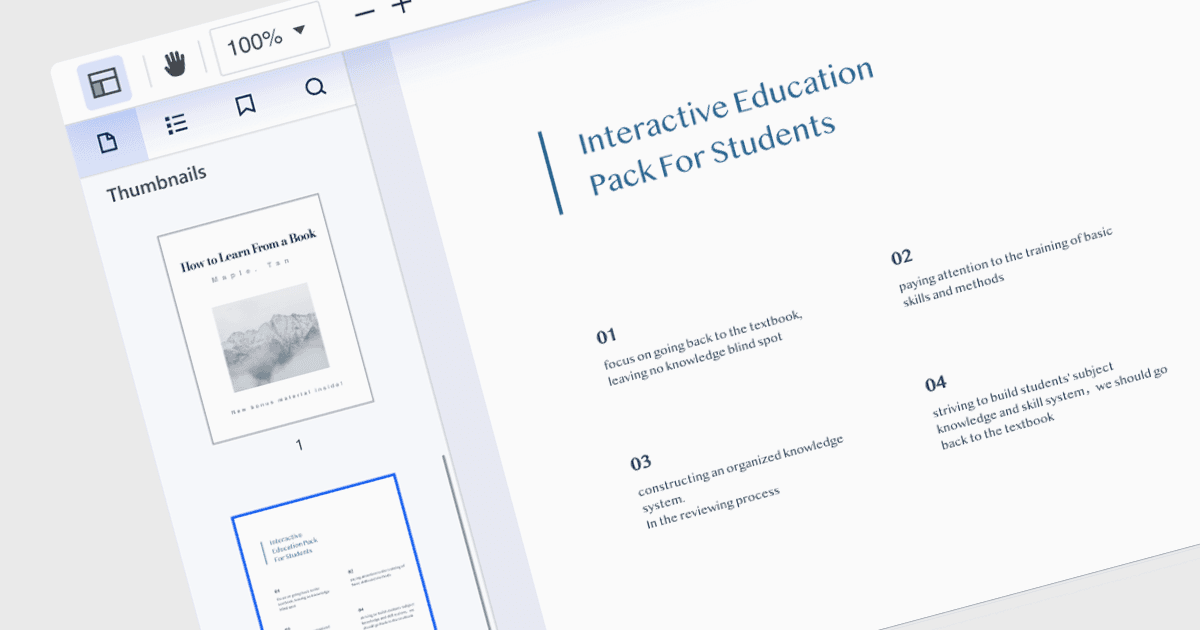
많은 PDF 리더의 기능인 썸네일 탐색(Thumbnail navigation)은 문서의 페이지를 시각적으로 효율적으로 찾아보고 전환할 수 있는 방법을 제공합니다. 각 페이지의 미니어처 표현을 사이드바나 패널 형태로 제공하여 문서 콘텐츠에 대한 시각적 개요를 보여줍니다. 사용자는 콘텐츠를 빠르게 훑어보고 섹션을 확인한 다음 단 한 번의 클릭으로 원하는 페이지로 바로 이동할 수 있습니다. 이 방식은 스크롤하거나 페이지 번호를 수동으로 입력하는 것보다 더 빠르고 직관적이어서 PDF 내부의 정보를 더 쉽게 이용할 수 있습니다.
WPF용 여러 PDF 컴포넌트에서 썸네일 탐색을 지원하며, 포함:
- Telerik UI PDF for WPF (Telerik UI for WPF의 일부)에서는 WPF 앱 내에서 직관적인 페이지 탐색을 위해 썸네일을 표시할 수 있습니다.
- ComponentOne Studio WPF PDF (MESCIUS의 ComponentOne Studio WPF의 일부)에서는 WPF 프로젝트에서 빠르게 문서를 탐색할 수 있도록 쉽게 구현 가능한 썸네일 탐색으로 사용자 경험을 향상합니다.
- ComPDFKit PDF SDK for Windows는 고급 PDF 도구와 썸네일 탐색 지원을 제공하여 어떤 Windows 애플리케이션에서든 문서 워크플로와 사용자 경험을 최적화합니다.
- Syncfusion WPF PDF (Syncfusion Essential Studio Enterprise의 일부)는 포괄적인 PDF 보기, 편집, 썸네일 탐색 기능을 제공하여 WPF 환경에서 효율적인 문서 처리를 보장합니다.
기능과 가격에 대한 심층 분석은 WPF PDF Components 비교를 방문하세요.