XML 문서 간 변경 사항 분석
XML 차이 분석은 버전 간 불일치를 정확히 짚어내어 시간을 절약하고 코드 수정 사항이 명확하며 정확하게 반영되도록 보장합니다.
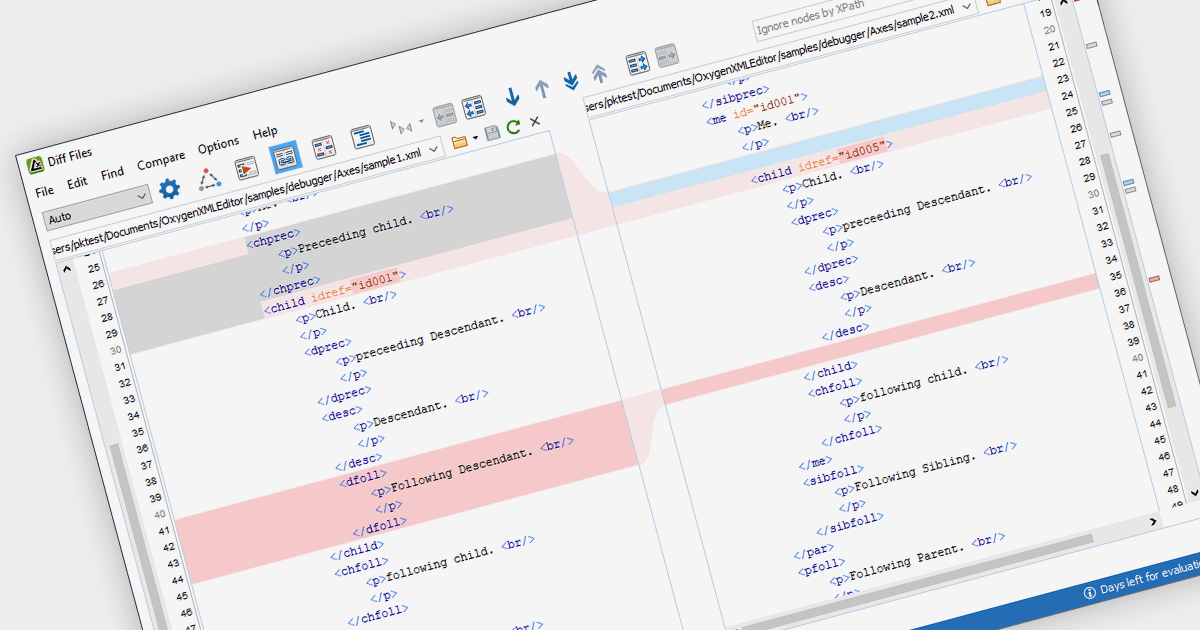
문서 차이 분석을 지원하는 XML 도구는 두 개 이상 XML 파일을 비교하여 버전 간에 이루어진 변경 사항을 강조 표시할 수 있습니다. 이는 개발자가 요소, 속성, 텍스트 콘텐츠에 대한 삽입, 삭제, 변경을 포함해 정확한 수정 내용을 한눈에 파악하도록 도와줍니다. 결과적으로 개발 시간을 절약하고 효율적인 코드 관리를 촉진합니다.
다양한 구조화 문서 도구에서 문서 차이 분석 기능을 제공하며, 예를 들어:
- Oxygen XML Editor Enterprise by Syncro Soft는 요소, 속성, 텍스트 차이를 강조 표시하고 상세 변경 보고서를 제공하는 나란히 비교 기능을 제공합니다.
- Altova XMLSpy Enterprise XML Editor는 색상으로 구분된 텍스트 블록과 속성 편집을 사용해 변경 사항을 시각화할 수 있으며, 사용자 지정 비교 옵션을 제공합니다.
- Stylus Studio XML Enterprise Suite는 버전 제어 통합을 통해 문서의 진화를 추적할 수 있어, 추가, 삭제, 수정 사항을 명확하게 개요로 제공합니다.
- Liquid Studio XML Editor Edition은 문서 요소 내에서 삽입, 삭제, 이동을 시각적으로 정확히 짚어내는 강력한 XML diff 기능을 자랑합니다.
기능과 가격에 대한 자세한 분석은 Structured Document Tools 비교를 방문하세요.