C#을 사용해 .NET 스프레드시트 리본 바 추가하기
Excel과 같은 리본으로 사용자 생산성을 높이고 .NET 앱의 UI를 강화해 보세요. 맥락에 따른 동작, 명령 실행 등 다양한 기능을 제공합니다.
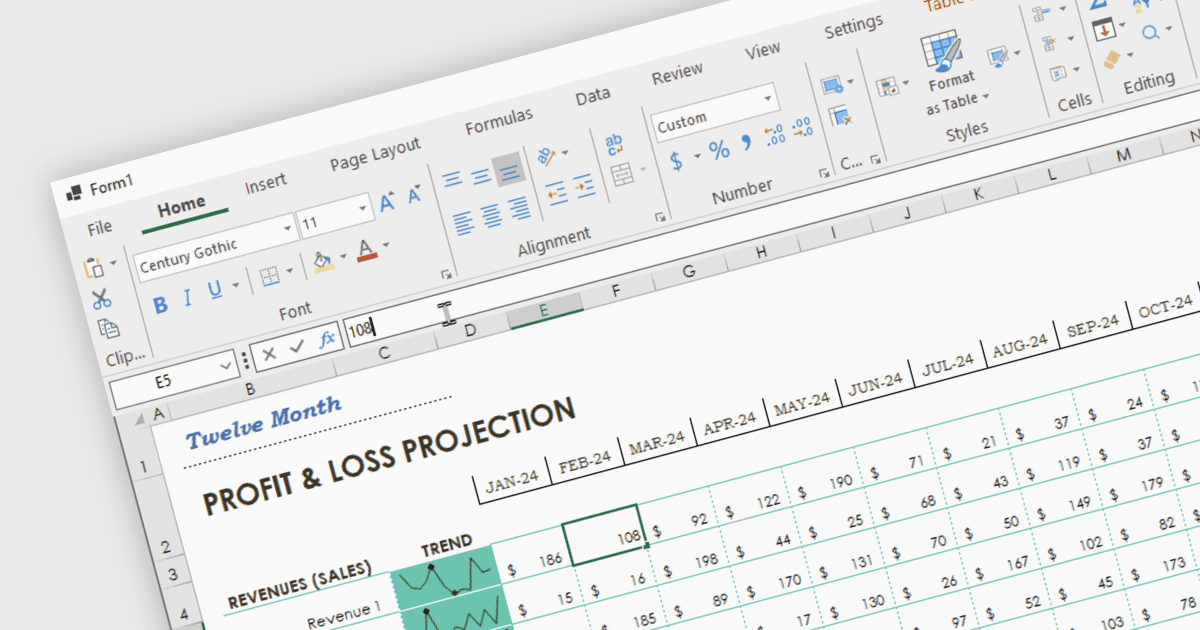
Spread.NET은 스프레드시트, 그리드, 대시보드 및 폼을 만드는 데 도움을 줍니다. 450개 이상의 함수가 포함된 강력한 계산 엔진과 Excel 스프레드시트를 가져오고 내보낼 수 있는 기능을 제공합니다. .NET 스프레드시트 API와 강력한 계산 엔진을 활용하여 분석, 예산 수립, 대시보드, 데이터 수집 및 관리, 과학, 재무 애플리케이션을 만들 수 있습니다. Visual Studio에서 VB 또는 C#를 사용해 WinForms, ASP.NET 및 WPF로 개발할 수 있습니다. Spread.NET은 엔터프라이즈 앱의 최대 성능을 보장하며, 모듈형 아키텍처를 통해 필요한 기능만 추가하여 불필요한 용량 증가를 줄일 수 있습니다.
이번 블로그 게시물에서 MESCIUS Product Marketing Specialist Mackenzie Albitz는 C#을 사용하여 .NET 8 WinForms 앱에 스프레드시트 리본 바 컨트롤을 추가하는 방법을 안내합니다. 단계는 다음과 같습니다:
- WinForms .NET 8 앱 만들기
- 폼에 .NET Spreadsheet Component 추가하기
- .NET Spreadsheet 인스턴스에 Ribbon Bar Control 연결하기
- 코드로 .NET Spreadsheet Ribbon Bar Control 사용자 지정하기
전체 블로그 읽기를 통해 Spread.NET 컴포넌트의 강력한 기능을 활용해 보세요.
Spread.NET은 개발자당 라이선스로 제공되며 12개월 지원 및 유지보수 구독이 포함된 Perpetual License로 이용할 수 있습니다. 새 라이선스, 유지보수 갱신, 업그레이드 라이선스를 포함하여 어떤 Spread.NET 라이선스든 제공해 드릴 수 있습니다. 자세한 내용은 Spread.NET 라이선싱 페이지를 확인하세요.
더 자세한 정보는 Spread.NET 제품 페이지를 방문하세요.