스프레드시트 앱에서 다양한 셀 유형 지원
숫자, 날짜, 수식 등 전용 셀 유형을 통해 데이터에서 얻는 유연성과 인사이트를 강화하세요.
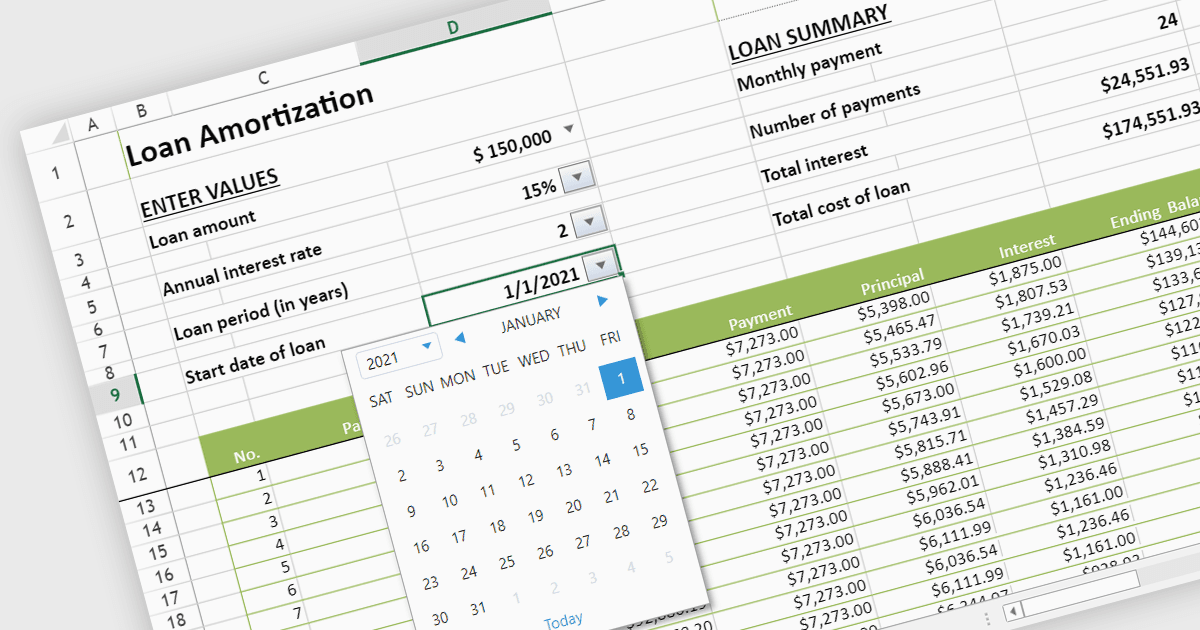
스프레드시트에서 다양한 셀 유형을 사용하면 조직화, 효율성, 명확성이 향상됩니다. 텍스트 기반 셀은 라벨링과 분류를 간편하게 해주며, 숫자 셀은 계산과 분석을 가능하게 합니다. 날짜 및 시간 셀은 일정과 마감일을 추적하는 작업을 쉽게 해줍니다. 수식은 복잡한 계산을 자동화하고, 논리 셀은 조건부 서식과 의사결정 프로세스를 지원합니다. 이러한 셀 유형의 다양성은 데이터 표현과 조작을 최적화하여 스프레드시트를 더욱 강력하고 유연한 도구로 만들어줍니다.
여러 JavaScript 스프레드시트 컨트롤은 다음과 같은 다양한 셀 유형을 지원합니다:
- Telerik Spreadsheet for jQuery는 숫자, 텍스트, 날짜, 불리언을 포함한 다양한 셀 유형을 제공하며, 사용자 지정 셀 유형과 서식을 정의할 수 있는 기능도 함께 제공합니다.
- SpreadJS by MESCIUS는 텍스트, 숫자, 날짜, 수식과 같은 미리 정의된 셀 유형을 지원할 뿐 아니라, 사용자 정의 서식 및 검증 규칙이 포함된 사용자 지정 셀 유형도 지원합니다.
- Jspreadsheet Pro는 숫자, 텍스트, 날짜, 시간, 수식, 하이퍼링크를 포함한 다양한 내장 셀 유형을 제공하며, 사용자 지정 서식과 검증 기능을 갖춘 사용자 지정 셀 유형도 제공합니다.
- Syncfusion Spreadsheet는 일반, 숫자, 통화, 백분율, 날짜, 시간, 수식 등 다양한 셀 유형을 포함하며, 맞춤 동작을 제공하는 사용자 지정 셀 유형도 제공합니다.
기능과 가격에 대한 심층 분석을 보려면 JavaScript 스프레드시트 컨트롤 비교를 확인하세요.