중요한 데이터 요소를 시각적으로 강조
조건부 서식을 통해 중요한 React 그리드 데이터를 시각적으로 강조함으로써 데이터 시각화와 사용자 경험을 향상하세요.
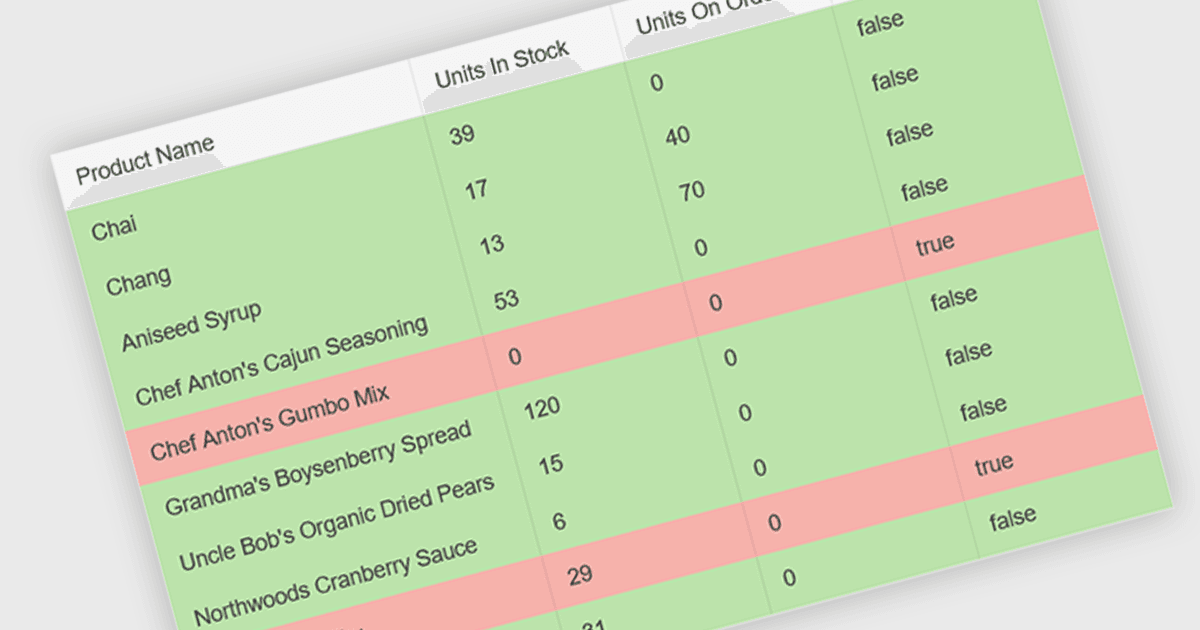
그리드에서의 조건부 서식은 데이터 내의 특정 기준에 따라 셀의 시각적 스타일을 동적으로 변경할 수 있게 해줍니다. 예를 들어 음수 값은 빨간색으로 표시하고, 기준을 초과하는 값은 굵게 표시하며, 빈 셀은 연한 회색 배경으로 표시하는 등 중요한 정보를 강조함으로써 가독성과 사용자 경험을 향상시킵니다. 이는 사용자가 데이터를 수동으로 일일이 훑어볼 필요를 줄여 주고, 중요한 요소에 즉시 시선을 집중시킵니다.
몇 가지 React 그리드 제어 도구에서는 조건부 서식을 제공합니다. 예를 들어:
- KendoReact Data Grid (KendoReact by Telerik의 일부)는 데이터 조건에 따라 그리드 셀에 사용자 지정 스타일과 색상을 적용할 수 있게 합니다.
- Wijmo FlexGrid (MESCIUS의 Wijmo 일부)는 React 앱에서 시각적 데이터 분석을 위한 조건부 서식 규칙을 구현할 수 있도록 지원합니다.
- Handsontable (Handsoncode 제공)은 특정 값에 따라 달라지는 동적 셀 서식을 갖춘 데이터 그리드를 만들 수 있게 해줍니다.
- jQWidgets Grid (jQWidgets의 일부)는 React 데이터 그리드에서 패턴과 추세를 강조하기 위한 조건부 서식 기능을 제공합니다.
- Syncfusion Grid (Syncfusion Essential Studio Enterprise의 일부)는 그리드 데이터 시각화를 향상하기 위한 조건부 서식 규칙을 제공합니다.
기능과 가격에 대한 자세한 분석은 React Grid 제어 도구 비교를 참고하세요.