더 쉬운 분석을 위한 특정 데이터 하위 집합에 집중
필터링을 통해 데이터 그리드 사용자는 관련 데이터에 빠르게 확대하여 추세를 파악하고 인사이트를 발견할 수 있습니다.
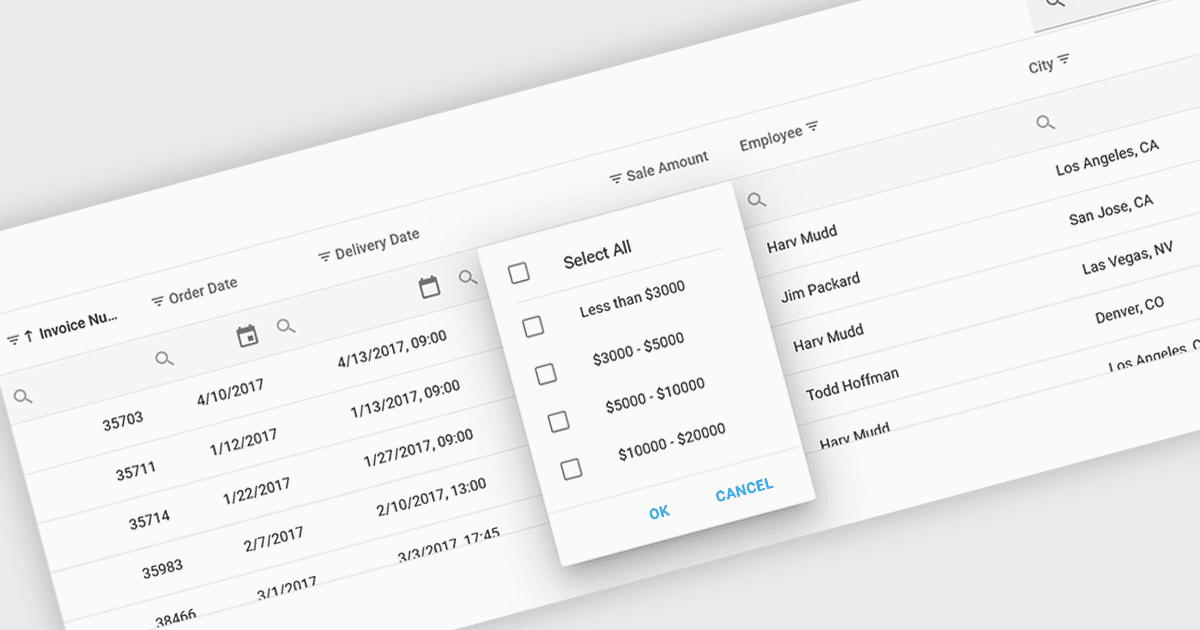
필터를 지원하는 그리드 컨트롤을 사용하면 사용자가 특정 기준에 따라 표시된 데이터를 동적으로 좁혀 나갈 수 있습니다. 이 기능은 개별 컬럼을 연산자, 키워드 또는 사전 정의된 옵션으로 필터링하여 사용자가 관심 있는 정보의 관련 하위 집합에 집중하도록 돕습니다. 필터링은 현재 사용자의 분석과 일치하는 데이터만 제시함으로써 데이터 탐색 효율을 높이고 인지 부담을 줄여 줍니다.
다음은 필터링 기능을 제공하는 여러 React 그리드 컨트롤입니다.
- DevExtreme HTML5 JavaScript Data Grid (DevExpress의 DevExtreme Complete에 포함) 는 다양한 클라이언트 측 필터링과 원격 필터링을 지원하여 사용자가 유연하게 필터링할 수 있도록 해줍니다.
- Handsontable by Handsoncode 는 스프레드시트와 같은 인터페이스 안에서 데이터를 직접 검색하고 필터링할 수 있도록 컬럼용 기본 제공 필터링을 제공합니다.
- KendoReact Data Grid (Telerik의 KendoReact에 포함) 는 대/소문자 구분 없이 필터링, 사용자 지정 필터 연산자, Excel과 유사한 필터 메뉴 등 고급 기능을 제공합니다.
- Wijmo FlexGrid (MESCIUS의 Wijmo에 포함) 는 다양한 연산자를 사용하여 컬럼 기준으로 데이터를 필터링할 수 있으며, 계층적 데이터 구조를 기반으로 필터링하는 것도 지원합니다.
기능과 가격에 대한 자세한 분석은 React 그리드 컨트롤 비교를 확인하세요.