그리드 사용자가 비(非)라틴 문자를 입력하도록 지원
입력기(IME) 지원 기능이 있는 그리드 컨트롤을 사용하면 사용자는 입력 장치에서 기본적으로 제공되지 않는 문자를 생성할 수 있습니다.
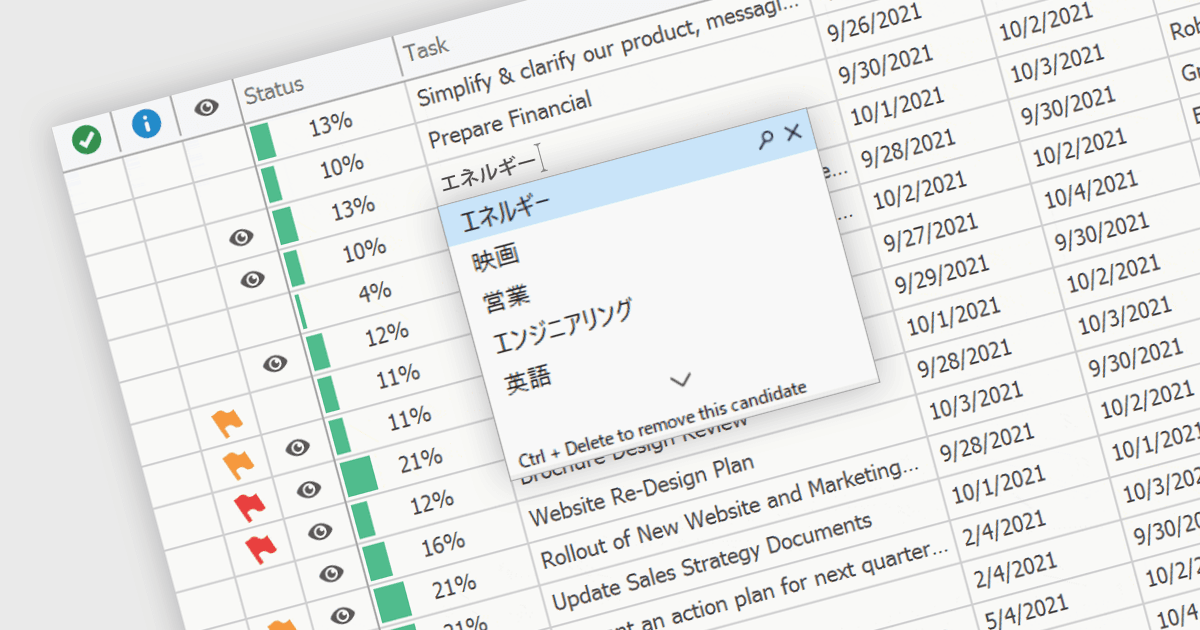
입력기(IME: Input Method Editor)는 일반적인 키보드에서 직접 지원하지 않는 복잡한 문자와 문자의 체계를 입력할 수 있도록 도와주며, 특히 중국어, 일본어, 한국어처럼 문자 집합이 방대한 언어에서 매우 중요합니다. IME를 그리드 구성 요소에 통합하면 사용자는 음성(발음) 또는 음절 기반 방식으로 데이터를 입력하고, 이를 원하는 문자로 변환하여 데이터 셀에 텍스트를 직접 입력할 수 있습니다. 이러한 통합은 다국어 지원이 필요한 애플리케이션에서 데이터 입력 프로세스를 간소화하여 사용성 및 효율성을 크게 향상시킵니다. 또한 기본적인 언어 입력 지원을 제공함으로써 글로벌 시장을 대상으로 하는 애플리케이션 개발을 더 쉽게 만들어, 사용자 경험을 개선하고 외부 언어 입력 도구의 필요성을 줄여줍니다.
여러 WinForms 그리드 구성 요소는 입력기(IME) 지원을 제공하며, 예를 들어:
- DevExpress WinForms Data Grid (DevExpress WinForms의 일부)에는 IME가 포함되어 있으며, 사용자가 데스크톱 키 입력을 지원되는 언어로 전환하면 IME가 활성화됩니다.
- FlexGrid for WinForms (MESCIUS의 ComponentOne Studio WinForms의 일부)는 기본 제공 IME 지원을 제공하여 다양한 언어에서 복잡한 문자를 효율적으로 입력할 수 있습니다.
- Telerik UI for WinForms GridView (Telerik UI for WinForms의 일부)는 IME 기능을 통합하여 방대한 다국어 문자 집합을 손쉽게 입력할 수 있도록 합니다.
- Infragistics WinDataGrid (Infragistics Ultimate UI for Windows Forms의 일부) 역시 전역화된 WinForms 애플리케이션에서 손쉬운 텍스트 입력을 위한 입력기(IME) 지원을 갖추고 있습니다.
기능과 가격에 대한 자세한 분석은 WinForms 그리드 구성 요소 비교를 확인하세요.