지정된 지점에서 프로그램 실행을 일시 중지
중단점은 개발자가 프로그램의 상태를 실시간으로 점검할 수 있게 해주며, 그 결과 소프트웨어 동작에 대한 더 깊은 이해로 이어집니다.
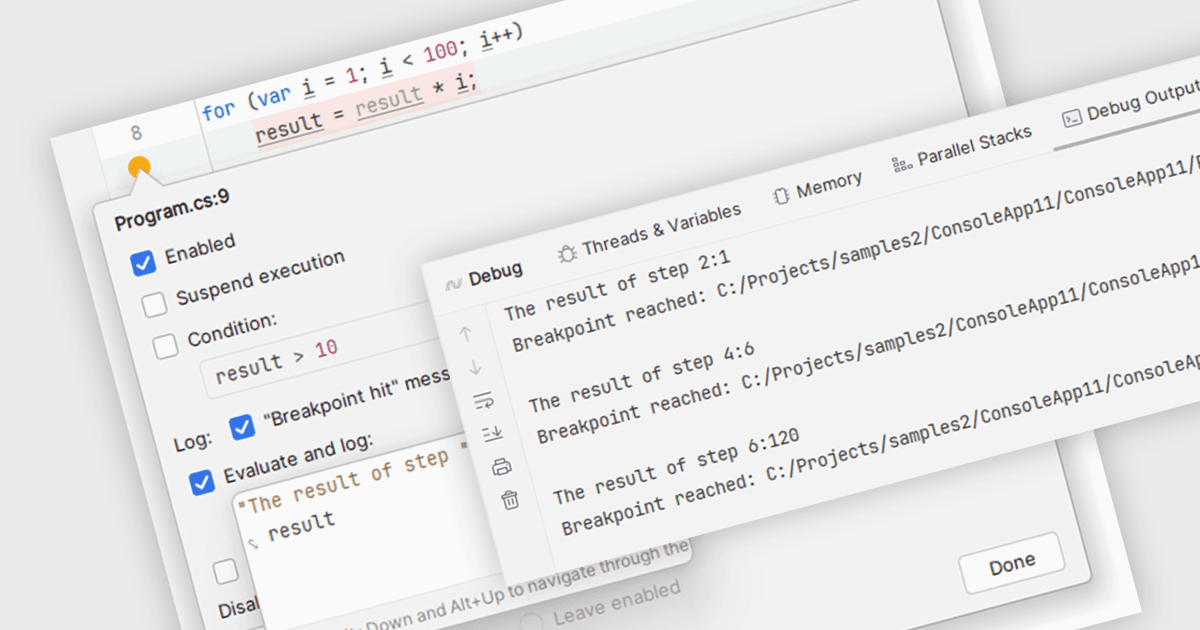
중단점(Breakpoints)은 실행 중 프로그램을 일시 중지하는 역할을 하는, 코드 내에 전략적으로 배치되는 마커입니다. 프로그램이 중단점에 도달하면 IDE가 실행을 중지하여 해당 시점의 프로그램 상태를 확인할 수 있게 해줍니다. 이를 통해 변수 값을 살펴보고, 호출 스택을 분석하며, 코드를 한 줄씩 단계별로 실행해 볼 수 있습니다. 검사를 위한 이와 같은 제어된 환경을 제공함으로써 중단점은 소프트웨어의 동작을 디버깅하고 이해하는 데 필수적인 도구가 됩니다.
다음과 같은 여러 통합 개발 환경(IDE)에서 중단점을 지원합니다.
- C++Builder Professional by Embarcadero는 IDE 내에서 시각적 중단점을 설정할 수 있어 직관적인 디버깅이 가능합니다.
- Rider by JetBrains는 유연한 라인, 예외, 메서드, 데이터 중단점과 함께 중단점을 그룹화하고 레이블을 지정할 수 있는 기능을 제공하여, 간소화된 디버깅을 지원합니다.
- EiffelStudio by Eiffel Software는 효과적인 코드 디버깅을 위해 프로그램의 어느 위치에서든 중단점 설정을 가능하게 합니다.
- RemObjects Elements는 특정 조건이 충족될 때만 실행을 일시 중지하도록 조건부 중단점을 설정할 수 있게 해줍니다.
기능과 가격을 자세히 알아보려면 IDE 비교를 확인하세요.