도킹 컨트롤로 작업 공간을 맞춤 설정하세요
도킹 기능이 있는 UI 제품군은 직관적인 드래그 앤 드롭 방식의 창 배치를 통해 사용자가 작업 공간을 개인화할 수 있도록 지원합니다.
2024년 4월 24일기능 강조
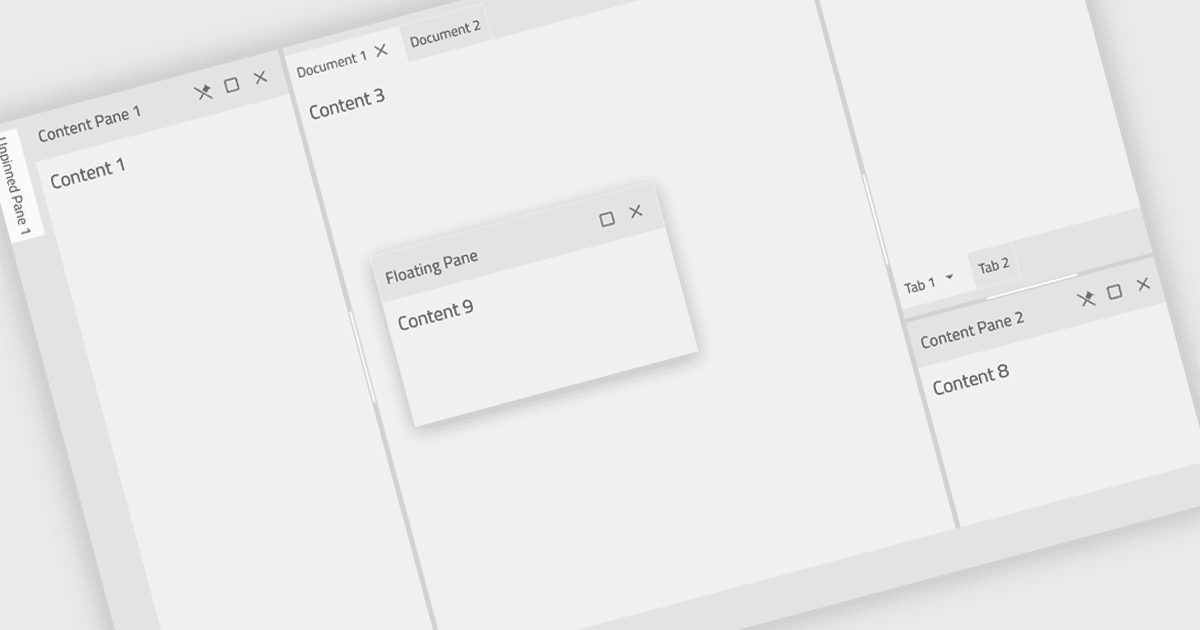
도킹(docking) 컨트롤은 사용자가 애플리케이션의 창 레이아웃을 구성하고 사용자 지정할 수 있도록 해주는 사용자 인터페이스 요소입니다. 이러한 컨트롤은 일반적으로 사용자가 창이나 패널을 화면의 서로 다른 위치로 드래그 앤 드롭하거나, 주요 애플리케이션 창의 가장자리에 연결하도록 하여 동작합니다. 이 기능은 작업 흐름에 맞게 창을 배치할 수 있어 효율성이 높아지고, 관련 창을 함께 그룹으로 유지하여 구성이 개선되며, 창의 크기를 조정하고 최적의 시청을 위해 위치를 지정할 수 있게 되어 화면 공간을 더 잘 활용할 수 있다는 등 여러 가지 이점을 제공합니다.
여러 React UI 제품군에서 도킹 구성 요소를 제공합니다. 예:
- Infragistics Ignite UI는 복잡하고 데이터가 풍부한 UI를 위한 사용자 지정 가능한 도킹 레이아웃으로 개발자를 지원합니다.
- jQWidgets는 드래그 앤 드롭 기능을 통해 사용자가 구성할 수 있는 대시보드를 만들기 위한 도킹 프레임워크를 제공합니다.
- Smart HTML Elements는 유연한 창 관리를 촉진하는 도킹 구성 요소와 함께 직관적인 UI 생성을 돕습니다.
- SmartClient by Isomorphic Software는 사용자가 작업 공간 레이아웃을 개인화할 수 있게 해주는 도킹 솔루션을 제공합니다.
기능과 가격에 대한 자세한 분석은 React UI 제품군 비교를 참고하세요.