다른 워크시트의 스프레드시트 데이터에 액세스
교차 워크시트 계산은 복잡한 작업을 단순화하고 데이터 분석의 효과를 높이며, 정보에 입각한 의사 결정을 돕습니다.
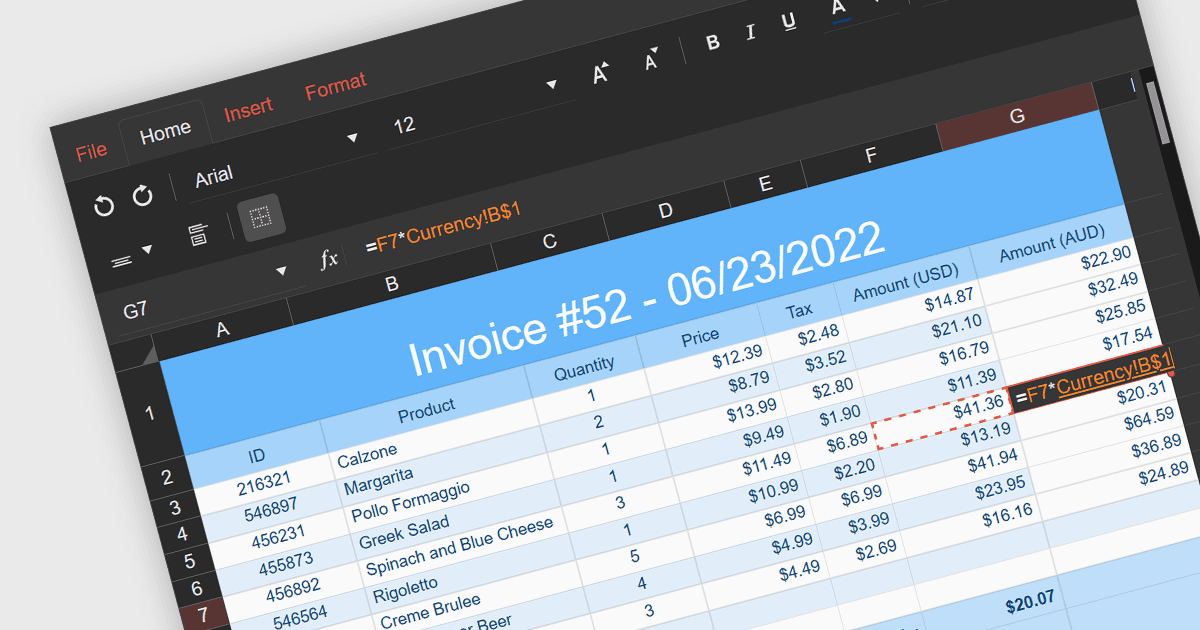
교차 워크시트 계산은 스프레드시트 애플리케이션에서 수식을 사용하여 동일한 워크북 내의 여러 워크시트에 있는 데이터를 참조하고 조작하는 것을 말합니다. 이를 통해 단일 워크시트로 통합하지 않고도 스프레드시트의 다양한 섹션에 있는 정보를 통합하고 분석할 수 있습니다. 이러한 계산을 수행할 수 있으면 복잡한 작업을 단순화하고 데이터 구성 및 분석의 효율성과 효과를 높일 수 있습니다.
여러 React 스프레드시트 구성 요소에서 교차 워크시트 계산을 지원합니다. 예를 들면:
- Telerik Spreadsheet React (KendoReact의 일부) 는 애플리케이션에 원활한 교차 워크시트 수식 지원을 제공하여, 스프레드시트 전반에서 통합 분석을 수행할 수 있게 함으로써 생산성을 향상시킵니다.
- Wijmo FlexSheet (MESCIUS의 Wijmo) 는 거의 100개의 수식을 지원하고 워크시트 간 동적 작업을 가능하게 하여, React 애플리케이션에서 워크시트 전반의 데이터를 효율적으로 계산하고 관리할 수 있도록 돕습니다.
- Syncfusion Spreadsheet JavaScript (Syncfusion Essential Studio Enterprise의 일부) 는 React 프로젝트에 교차 워크시트 수식 기능을 제공하므로, 다양한 시트의 데이터를 활용해 포괄적인 분석과 동적 계산을 수행할 수 있습니다.
- Infragistics Spreadsheet React (Infragistics Ignite UI의 일부) 는 내장된 교차 워크시트 수식 기능을 갖춘 강력한 React 스프레드시트 구성 요소를 제공하여, 서로 다른 시트의 데이터를 효율적으로 결합하고 분석할 수 있게 합니다.
기능과 가격에 대한 자세한 분석은 React 스프레드시트 구성 요소 비교를 참고하세요.