PDF에서 원하는 내용을 손쉽게 찾기
강력한 검색 기능과 직관적인 탐색 도구를 활용하여 문서 안에서 필요한 정보를 빠르고 효율적으로 찾아보세요.
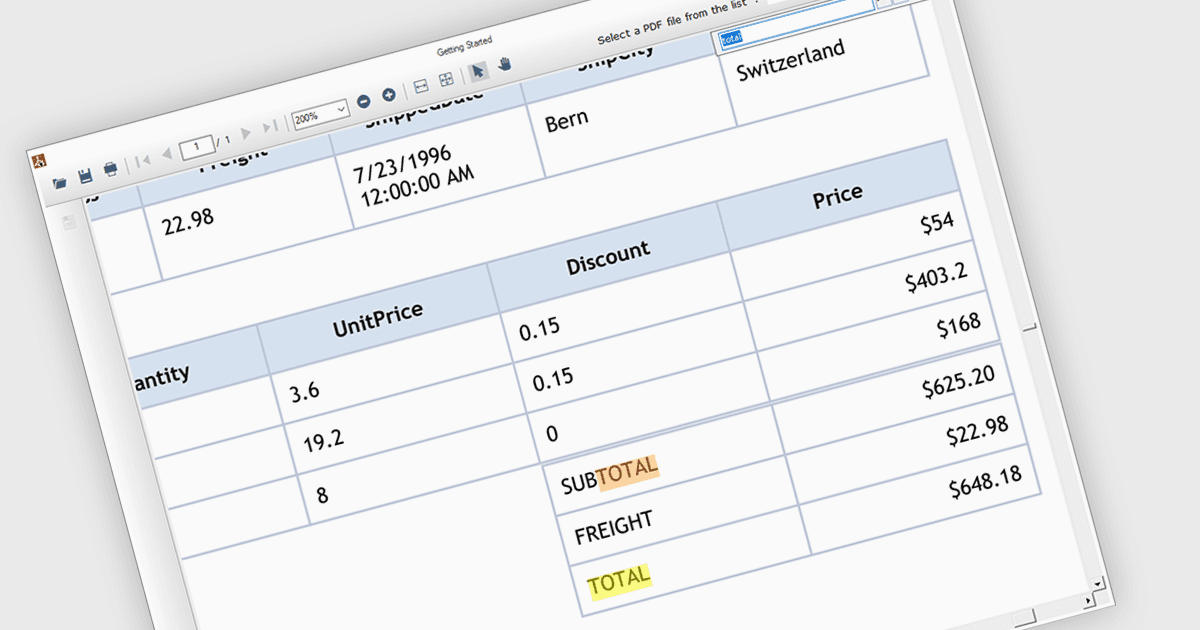
PDF 구성 요소에서의 텍스트 검색 기능을 사용하면 개발자가 애플리케이션 내에 검색 표시줄 또는 버튼을 통합하여, 로드된 PDF 문서에서 특정 용어 또는 구문을 찾을 수 있도록 할 수 있습니다. 이를 통해 사용자는 관련 정보를 빠르게 찾아 효율성과 사용자 경험을 향상시킬 수 있습니다. 텍스트 검색은 법률 문서, 연구 논문, 기술 매뉴얼과 같이 크거나 복잡한 PDF를 다루는 애플리케이션에 특히 유용합니다.
여러 .NET WinForms PDF 구성 요소에서 텍스트 검색을 지원합니다. 예를 들면:
- ComponentOne Studio WinForms PDF (MESCIUS의 ComponentOne Studio WinForms 일부)는 포괄적인 텍스트 검색 기능을 통해 심층적인 PDF 탐색을 지원합니다.
- Telerik UI PDF for WinForms (Telerik UI for WinForms의 일부)는 WinForms 애플리케이션 내에서 빠른 PDF 텍스트 검색 기능을 제공하여 사용자가 정보를 신속하게 찾을 수 있도록 합니다.
- ImageGear for .NET Accusoft에서 제공하며, 강력한 PDF 텍스트 검색 기능을 열어줍니다. 사용자가 특정 용어와 구문을 손쉽게 찾아 문서 분석을 간소화할 수 있습니다.
- Syncfusion Windows Forms PDF (Syncfusion Essential Studio Enterprise의 일부)는 직관적인 문서 검색 기능을 통해 PDF 정보 검색을 간편하게 해줍니다.
기능과 가격에 대한 심층 분석은 WinForms PDF 구성 요소 비교를 방문하세요.