MSI 파일 간 차이 식별
MSI 비교 기능이 있는 설치 도구는 잠재적 충돌에 대한 사전 점검을 가능하게 하여 배포 위험을 줄여줍니다.
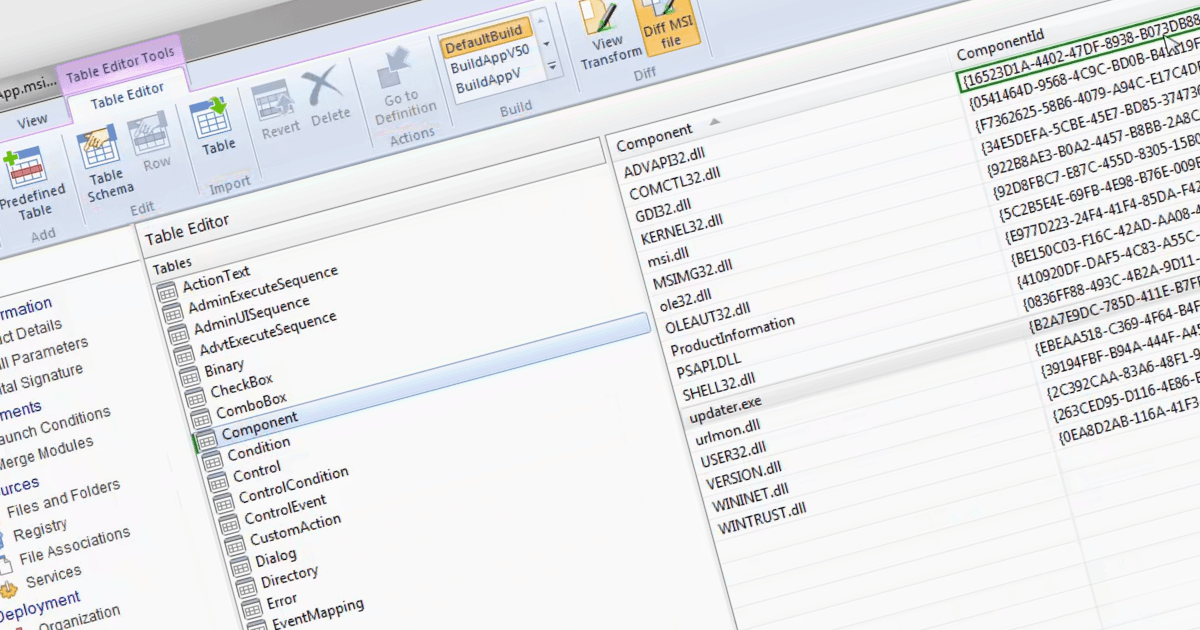
설치 도구를 사용하여 MSI 파일을 비교할 수 있으면, Windows에서 소프트웨어 설치에 사용되는 패키지인 두 개의 Microsoft Installer (MSI) 파일 간 차이를 식별하고 분석할 수 있습니다. 이 기능은 여러 버전을 관리하고 소프트웨어 설치 프로그램의 서로 다른 버전 간에 어떤 변경 사항이 있는지 이해해야 하는 시스템 관리자나 개발자에게 특히 유용합니다. MSI 파일을 비교하면 파일, 레지스트리 항목 및 기타 설치 구성에서 이루어진 변경 사항을 파악할 수 있습니다. 이렇게 하면 업데이트 과정에서 원활한 전환을 보장하고 잠재적인 문제 해결에 도움이 되며, 소프트웨어 변경 사항을 정확하게 문서화하여 궁극적으로 소프트웨어 배포 프로세스의 효율성과 신뢰성을 높일 수 있습니다.
다음과 같은 여러 설치 도구로 MSI 파일을 비교할 수 있습니다.
- Advanced Installer Architect (Caphyon 제공)를 사용하면 MSI 파일을 정밀하게 비교하여 설치 변경 사항을 강조함으로써 소프트웨어 개발 및 배포를 간소화할 수 있습니다.
- RayPack Studio (Raynet 제공)는 MSI 파일을 비교해 구성 변경 사항을 정확히 찾아내, 정보에 기반한 배포 결정과 효율적인 소프트웨어 업데이트에 활용할 수 있습니다.
- AdminStudio Enterprise (Flexera 제공)는 MSI 파일 비교를 지원하여 변경 사항을 탐지함으로써 신뢰할 수 있는 소프트웨어 관리 및 컴플라이언스를 돕습니다.
- InstallShield Premier (Revenera 제공)는 포괄적인 MSI diff 기능을 제공하여, 설치 프로그램 수정 사항을 명확히 이해함으로써 원활한 배포를 돕습니다.
기능과 가격에 대한 자세한 분석은 설치 도구 비교를 참고하세요.