.NET C# 코드로 RDL 리포트 만들기
MESCIUS의 ActiveReports.NET을 사용해 C#에서 사용자 입력을 기반으로 데이터를 필터링할 수 있는 사용자 친화적이고 대화형 RDL 리포트를 생성하세요.
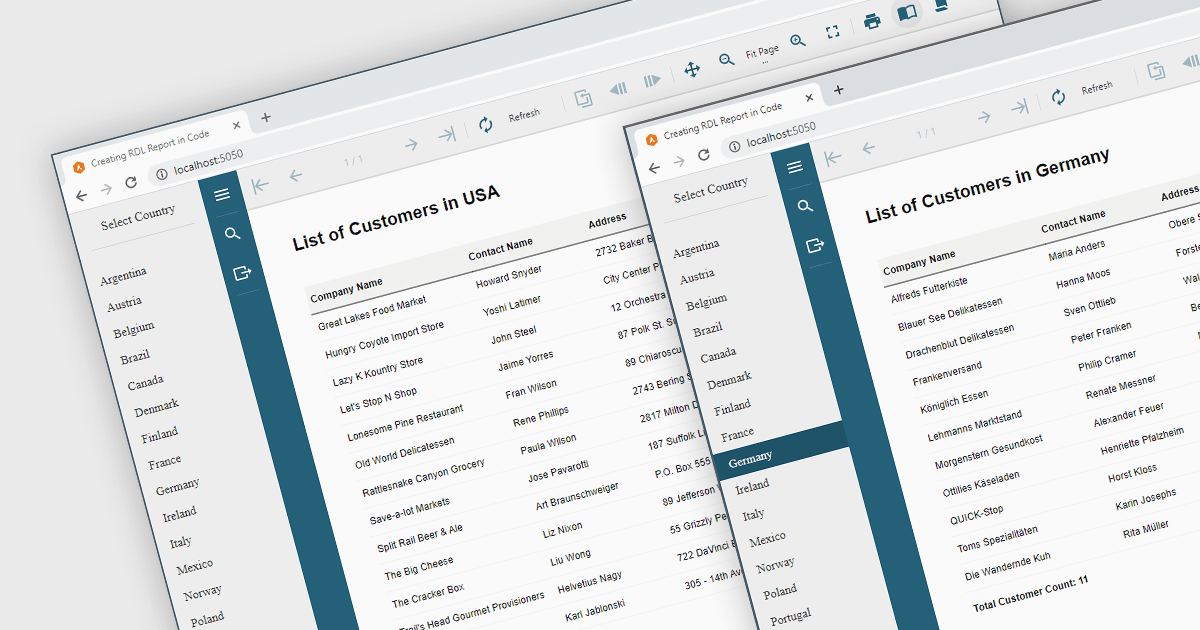
ActiveReports.NET을 사용하면 직관적인 Visual Studio 통합 리포트 디자이너와 풍부한 컨트롤로 아름다운 리포트를 손쉽게 제공할 수 있습니다. 코드 기반의 크로스플랫폼 리포팅, 사용하기 쉬운 디자이너, 유연한 API를 제공합니다. 데스크톱(WinForms, WPF, .NET)과 웹(JavaScript, Blazor, ASP.NET MVC)에서 사용할 수 있습니다. 직관적이고 신뢰할 수 있으며 사용하기 쉬운 리포트 디자이너와 컨트롤로 강력한 리포트를 설계하고 제공하세요. RDL Reports를 포함한 여러 리포트 유형을 지원합니다.
리포트 정의 언어(RDL)는 리포트 정의를 상호 교환할 수 있게 해주는 공통 스키마를 정의합니다. 코드에서 RDL 리포트를 프로그래밍 방식으로 생성해야 하거나, 런타임에서 데이터 바인딩을 조건부로 관리해야 하거나, 사용자 입력에 따라 리포트의 레이아웃을 수정해야 하는 경우가 있습니다. 이 블로그 게시물에서 MESCIUS 제품 관리자 Alec Gall는 ActiveReports.NET을 사용해 C# 코드만으로 RDL 리포트를 생성하는 데 필요한 절차를 안내합니다. 단계는 다음을 포함합니다:
- 프로젝트 설정
- RDL 리포트 만들기
- 코드에서 테이블 만들기
- 파라미터 만들기
- 데이터 바인딩 관리
- CustomStore를 사용해 JSViewer에 리포트 전달
전체 블로그 읽기 및 ActiveReports를 사용해 동적 리포트를 생성하는 이 강력하고 유연한 방법을 활용하는 방법을 알아보세요.
ActiveReports.NET은 개발자별로 라이선스가 제공되며, 12개월 지원 및 유지보수 구독이 있거나 없어도 이용할 수 있습니다. 자세한 내용은 ActiveReports.NET 라이선싱 페이지를 참고하세요.
ActiveReports.NET 제품 페이지에서 더 알아보세요.