더 향상된 데이터 그리드 가독성을 위한 열 고정
중요한 데이터를 화면에 고정해 보여주는 WinForms 그리드로 사용자의 작업을 도와 복잡한 데이터 분석을 간편하게 하고, 탐색을 더 쉽게 만드세요.
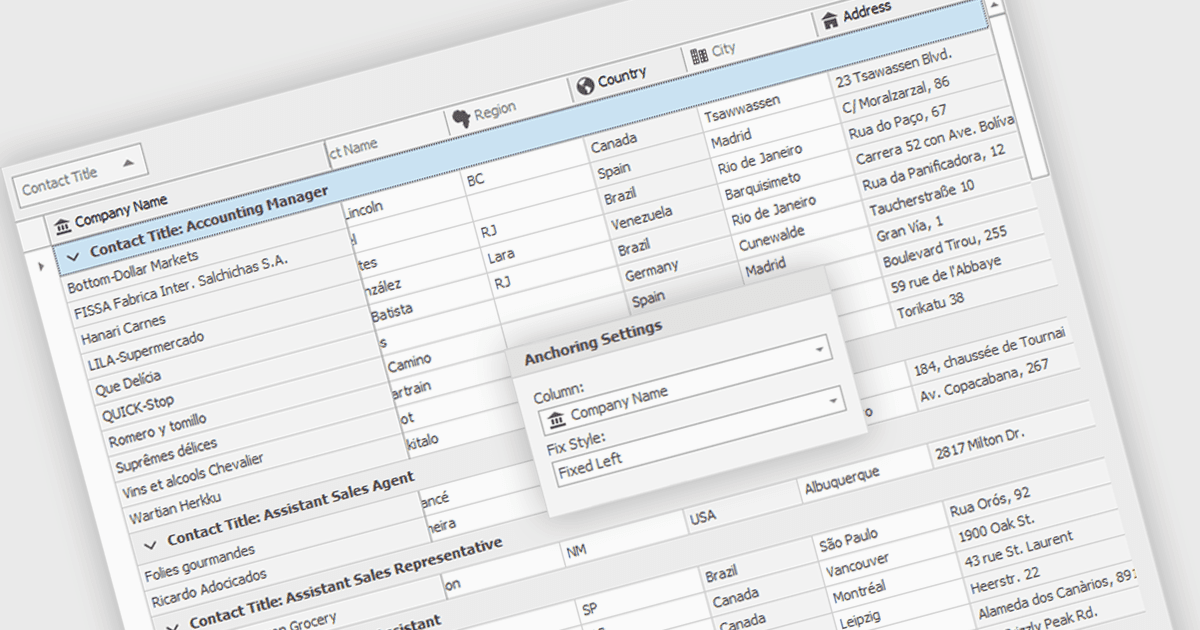
열 고정(Freeze columns)을 사용하면 사용자가 나머지 데이터에 대해 가로로 스크롤하는 동안 특정 그리드 열을 화면에 계속 표시할 수 있습니다. 이 기능은 소프트웨어 개발자에게 유용한데, 데이터 세트의 너비와 관계없이 행 식별자 또는 열 헤더와 같은 중요한 참조 정보가 항상 화면에 유지되도록 하여 사용자 경험을 개선하기 때문입니다. 이는 대용량 데이터셋을 작업하는 사용자의 데이터 이해와 탐색에 크게 도움이 될 수 있습니다.
다음과 같은 여러 WinForms 그리드 구성 요소에서 열을 고정할 수 있습니다.
- DevExpress WinForms Data Grid (DevExpress WinForms의 일부)는 가로 스크롤 중에도 명확한 데이터 컨텍스트를 제공하도록 견고한 열 고정 기능을 지원합니다.
- FlexGrid for WinForms (MESCIUS의 ComponentOne Studio WinForms 일부)은 넓은 데이터셋을 탐색하는 동안 필수 데이터를 화면에 유지하도록 열 잠금 기능을 제공합니다.
- Telerik UI for WinForms GridView (Telerik UI for WinForms의 일부)는 가로 스크롤 시 데이터 이해도를 높여주는 열 고정 기능을 포함합니다.
- Infragistics WinDataGrid (Infragistics Ultimate UI for Windows Forms의 일부)는 열 핀 고정으로 UX를 향상시켜 참조 열이 언제나 표시되도록 합니다.
기능과 가격에 대한 자세한 분석은 WinForms 그리드 구성 요소 비교를 방문하세요.