디자인을 시각적으로 사용자 인터페이스화
IDE 시각 편집기는 효율적이고 정확하며 사용자 친화적인 소프트웨어 개발을 돕고, 디자인과 구현 사이의 격차를 연결합니다.
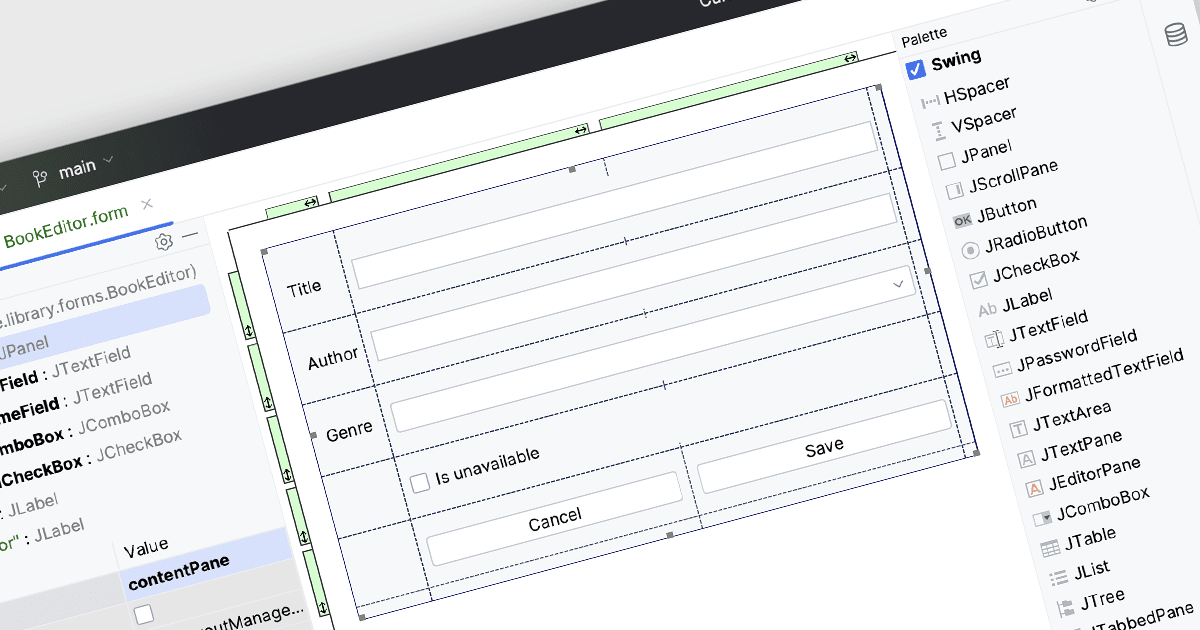
시각적 편집이 가능한 통합 개발 환경(IDE)은 개발자가 사용자 친화적이고, 종종 드래그 앤 드롭 방식의 인터페이스를 사용해 그래픽 요소와 코드 구성 요소를 조작하고 배치할 수 있게 해줍니다. 이러한 기능은 실시간 시각적 피드백을 제공함으로써 개발 과정을 향상시켜, UI 레이아웃 및 기타 시각적 요소에 대해 방대한 코드를 수동으로 작성할 필요성을 줄여줍니다. 그 이점으로는 개발자가 설계를 빠르게 반복하며 개선할 수 있어 생산성이 향상되고, 변경 사항에 대해 즉각적인 시각적 검증을 통해 정확도가 높아지며, 디자인과 구현 사이의 간극을 메워주는 보다 직관적인 개발 경험을 제공하여 궁극적으로 프로젝트 완료 속도가 빨라지고 더 높은 품질의 소프트웨어 제품으로 이어집니다.
다음과 같은 여러 IDE에서 시각적 편집을 제공합니다:
- IntelliJ IDEA (JetBrains)은 레이아웃과 UI 요소를 시각적으로 편집할 수 있어 직관적인 디자인 도구와 실시간 피드백으로 생산성을 높여줍니다.
- Delphi Professional (Embarcadero)는 그래픽 인터페이스를 원활하게 만들고 조정할 수 있어, 시각적으로 풍부한 애플리케이션을 효율적으로 개발하는 데 도움이 됩니다.
- EiffelStudio (Eiffel Software)는 시각적 편집을 위한 견고한 환경을 제공하며, 개발자가 정밀하게 UI를 설계·조정하고 즉각적인 시각적 확인을 받을 수 있도록 해줍니다.
- B4i (iOS) (Anywhere Software)는 iOS 애플리케이션의 시각적 디자인을 가능하게 해, UI 구성 요소를 빠르고 정확하게 조작하여 신속한 개발을 지원합니다.
기능과 가격에 대한 심층 분석은 IDE 비교를 참고하세요.